
7 Best Serverless Platforms in 2026, Compared
Compare the 7 best serverless platforms on free tiers, request and compute pricing, cold starts and limits, with every rate checked on the provider's own page.
 Shamim Mia, Founder, SerpAstraLast verified November 16, 20269 min read
We compare pricing pages, documentation and public reviews. We never accept payment for rankings.
Key takeaways
- AWS Lambda is the reference serverless platform: 1 million requests and 400,000 GB-seconds free each month, then $0.20 per million requests.
- Cloudflare Workers is the cheapest way to run code at the edge, with 100,000 free requests a day and a $5 a month paid plan that includes 10 million requests.
- Vercel and Netlify suit front-end teams that want functions deployed with the site; Vercel Pro is $20 a month with $20 of usage credit, Netlify Pro $20 a month with credits.
- Google Cloud Run runs whole containers serverlessly, with 2 million requests, 180,000 vCPU-seconds and 360,000 GiB-seconds free a month.
On this page
Quick comparison
| Tool | Best for | Starting price | Free plan |
|---|---|---|---|
| AWS Lambda | Teams building event-driven back ends inside the AWS ecosystem | Free tier; pay per use | Yes (1M requests/mo) |
| Cloudflare Workers | Developers who want low-latency code at the edge with simple, low pricing | Free; $5/mo | Yes (100k requests/day) |
| Vercel | Front-end and Next.js teams that want functions deployed with every push | Free; Pro $20/mo | Yes (Hobby) |
| Netlify | Web teams that want functions with their site on a credit-based plan with hard limits | Free; Pro $20/mo | Yes (300 credits/mo) |
| Google Cloud Run | Teams that want to run any container serverlessly without rewriting code into functions | Free tier; pay per use | Yes (2M requests/mo) |
| Azure Functions | Microsoft and .NET teams that want serverless inside Azure | Free grant; pay per use | Yes (free grant) |
| Supabase Edge Functions | App builders who want serverless functions bundled with a Postgres database and auth | Free; Pro $25/mo | Yes (500k invocations) |
Make one of these tools?
We re-check this list every quarter. Send a correction, request a review, or ask about a clearly labeled sponsored spot.
Request a listingThe best serverless platforms

AWS Lambda
Best for: Teams building event-driven back ends inside the AWS ecosystem
AWS Lambda defined serverless computing and remains the default for back ends built on AWS. Functions run in response to events from queues, storage, databases and API gateways, scale automatically and cost nothing when idle. The free tier includes 1 million requests and 400,000 GB-seconds of compute every month.
Beyond that, requests cost $0.20 per million and compute $0.0000166667 per GB-second on x86 in US East, so cost depends on memory size and run time. The catch is that a real application also pays for API Gateway, logging and data transfer, so model the whole architecture, not just Lambda.
What we like
- 1 million requests and 400,000 GB-seconds free every month
- Triggers from the rest of AWS, such as queues, storage events and API gateways
- Pay per request and per GB-second of compute, with nothing charged when idle
Watch out for
- Pricing has several moving parts: requests, duration by memory size and other AWS services used alongside
- Cold starts and configuration need more tuning than edge platforms
- Tightly tied to AWS, which makes moving later harder

Cloudflare Workers
Best for: Developers who want low-latency code at the edge with simple, low pricing
Cloudflare Workers runs code across Cloudflare's network, close to users, and charges for CPU time rather than wall-clock duration, so a function waiting on an API call costs nothing extra. The free plan covers 100,000 requests a day with 10 ms of CPU per invocation, and static asset requests are free on every plan.
The Paid plan has a $5 a month minimum and includes 10 million requests and 30 million CPU ms, then $0.30 per extra million requests and $0.02 per extra million CPU ms. CPU per invocation can run to 5 minutes, with a 30-second default. It is the cheapest serverless option here for most web workloads.
What we like
- Paid plan includes 10 million requests and 30 million CPU ms a month for a $5 minimum
- Billed on CPU time, with no charge for duration spent waiting on I/O
- Static asset requests are free and unlimited on both plans
Watch out for
- The free plan allows only 10 ms of CPU per invocation
- Workers run in a JavaScript and WebAssembly runtime, not full Node.js containers
- Long-running compute needs the Paid plan, up to 5 minutes CPU per invocation

Vercel
Best for: Front-end and Next.js teams that want functions deployed with every push
Vercel turns serverless into part of the front-end workflow: functions live in the same repository as the site and deploy on every Git push, with preview deployments for each branch. Hobby is free with 1 million function invocations and 4 hours of Fluid Active CPU a month, but its caps are hard and extra usage cannot be bought.
Pro costs $20 a month and includes $20 of usage credit, after which invocations start at $0.60 per million and Active CPU at $0.128 an hour. Usage beyond the credit is uncapped, so set spending limits. It is the smoothest option for Next.js teams and pricier per request than raw cloud functions.
What we like
- Functions deploy automatically alongside the front end on every Git push
- Hobby includes 1 million invocations and 4 hours of Fluid Active CPU a month
- Pro includes $20 of usage credit, then pay as you go
Watch out for
- Hobby users cannot buy extra usage and are held to the caps
- Pro usage beyond the credit is uncapped, so set spend alerts
- Pro invocations start at $0.60 per million, above AWS and Cloudflare rates

Netlify
Best for: Web teams that want functions with their site on a credit-based plan with hard limits
Netlify deploys functions alongside the site, like Vercel, but bills everything in credits. Functions use 10 credits per GB-hour and web requests 2 credits per 10,000. The free plan includes 300 credits a month with hard limits that never incur charges; when a project hits the limit it pauses until the next cycle.
Personal costs $9 a month for 1,000 credits, and Pro $20 a month with a choice of 3,000 to 20,000 credits and unlimited members. Extra credits cost $5 for 500 on Personal and $10 for 1,500 on Pro, and auto recharge is off by default. The hard caps suit side projects that must never surprise you with a bill.
What we like
- Free plan has hard monthly limits that cannot incur charges
- Functions and AI models included on every plan, including Free
- Pro includes unlimited members and a choice of 3,000 to 20,000 monthly credits
Watch out for
- Credit maths takes work: functions use 10 credits per GB-hour and web requests 2 credits per 10,000
- Projects pause when they hit the monthly limit unless auto recharge is on
- Function logs are kept 24 hours on the free plan

Google Cloud Run
Best for: Teams that want to run any container serverlessly without rewriting code into functions
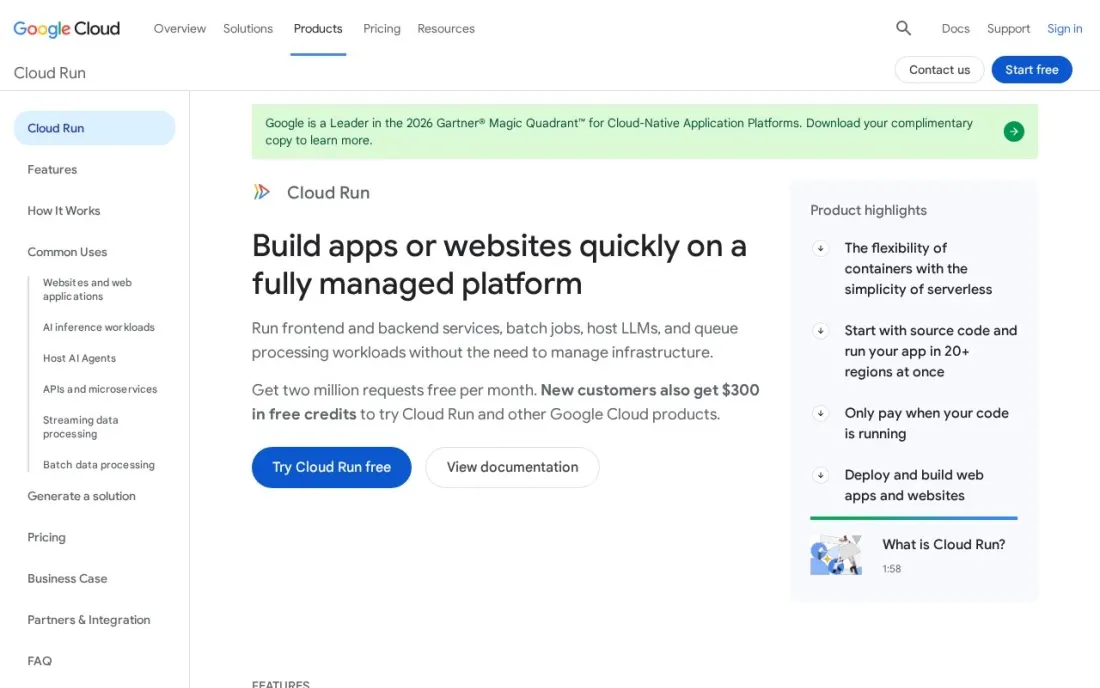
Google Cloud Run is serverless for containers: package any app in any language, deploy it and Cloud Run scales it from zero with traffic. That avoids rewriting existing services into function handlers. The free tier includes 2 million requests, 180,000 vCPU-seconds and 360,000 GiB-seconds a month, shared across projects on a billing account.
With request-based billing, active CPU costs $0.000024 per vCPU-second and memory $0.0000025 per GiB-second in Tier 1 regions such as us-central1, and you pay only while an instance starts, shuts down or handles requests. Minimum instances kept warm to avoid cold starts are billed while idle.
What we like
- Runs any container, in any language, with scale to zero
- Generous monthly free tier aggregated across projects on a billing account
- Requests denied by IAM are not billed
Watch out for
- Minimum instances kept warm are billed while idle
- Rates differ between Tier 1 and Tier 2 regions
- Container builds and registries add setup compared with plain functions

Azure Functions
Best for: Microsoft and .NET teams that want serverless inside Azure
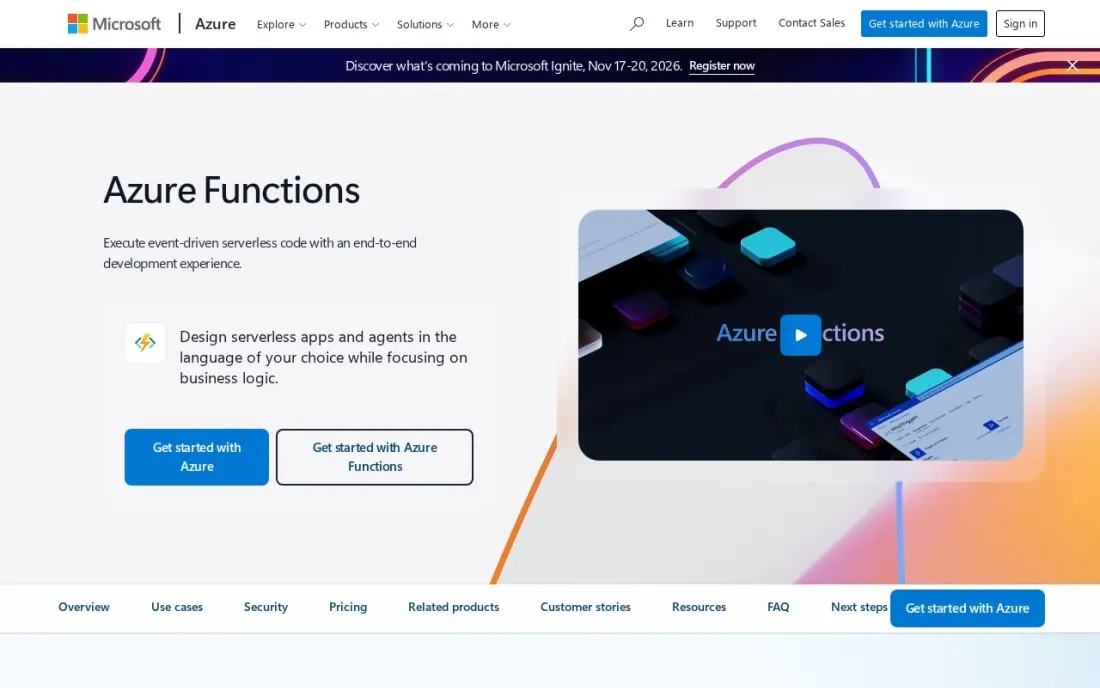
Azure Functions is the natural serverless choice for teams on Microsoft's stack, with first-class .NET support and triggers from Azure storage, queues and other services. It offers two pay-per-use plans: Consumption, with a free grant of 1 million executions and 400,000 GB-s a month, and Flex Consumption, with 250,000 executions and 100,000 GB-s.
When we checked, the public pricing page did not display the paid per-execution and per-GB-s rates, so price usage in the Azure pricing calculator for your region. Grants apply per subscription each month. For a team already on Azure, it removes the work of connecting another cloud.
What we like
- Consumption plan grants 1 million executions and 400,000 GB-s free a month
- Flex Consumption plan as a newer option with its own free grant
- Fits naturally with .NET, Microsoft 365 and other Azure services
Watch out for
- Per-execution and per-GB-s rates did not display on the public pricing page
- Two consumption plans with different free grants to compare
- Best value only for teams already committed to Azure

Supabase Edge Functions
Best for: App builders who want serverless functions bundled with a Postgres database and auth
Supabase is a back-end platform rather than a pure function host, and that is its appeal: Edge Functions sit next to a Postgres database, authentication and file storage, so a small team can build an app's whole back end in one project. The free plan includes 500,000 Edge Function invocations, a 500 MB database and 50,000 monthly active users.
Pro starts at $25 a month with 2 million invocations, then $2 per million, and each extra project from $10 a month. Free projects pause after a week of inactivity and are limited to 2 active projects, so production apps belong on Pro.
What we like
- Functions come with a Postgres database, auth and file storage in one project
- Free plan includes 500,000 Edge Function invocations
- Pro includes 2 million invocations, then $2 per million
Watch out for
- Free projects pause after 1 week of inactivity, with a limit of 2 active projects
- Each extra project on Pro starts at $10 a month
- Functions are one part of a back-end platform, not a general compute service
The best serverless platforms run your code only when a request or event arrives, scale it automatically and charge nothing while it sits idle. We compared seven platforms, from cloud function services to edge runtimes, front-end hosts and serverless containers, on free tiers, request and compute pricing, runtime limits and how well they fit common stacks. Every rate was checked on the provider's own pricing page in November 2026.
How to choose the best serverless platforms
- Start from where your code already lives. AWS, Azure and Google Cloud functions fit best when your data and other services are on that cloud.
- Match the runtime to the workload. Edge runtimes suit fast request handling; containers on Cloud Run suit existing apps and heavier processing.
- Read how compute is billed. Cloudflare bills CPU time, Lambda bills GB-seconds of duration and Netlify converts usage into credits.
- Compare free tiers against your real traffic. Free allowances range from 100,000 requests a day to 2 million a month.
- Check limits and caps. Vercel Hobby and Netlify Free have hard caps, while Vercel Pro usage beyond the credit is uncapped.
- Plan for cold starts. Keeping instances warm costs money on some platforms.
Fast, server-rendered pages help search engines as much as users. Our technical SEO audit checklist covers what to check once your functions are serving production pages.
Which serverless platform fits your situation
A solo developer with a side project and no budget. Netlify Free and Vercel Hobby both have hard caps, so a traffic spike pauses the project instead of producing a bill. Netlify's 300 monthly credits cover functions at 10 credits per GB-hour and requests at 2 credits per 10,000, and Vercel Hobby users cannot buy extra usage. Cloudflare Workers Free is more generous at 100,000 requests a day, but each invocation gets only 10 ms of CPU.
A front-end team shipping a Next.js site. Vercel fits best, because functions deploy with every Git push and each branch gets a preview deployment. Pro at $20 a month includes $20 of usage credit; invocations start at $0.60 per million and usage beyond the credit is uncapped, so set spend alerts on day one.
A team whose data and services already sit on one cloud. Stay where your data is. AWS Lambda triggers from queues, storage events and API gateways; Azure Functions suits .NET and Microsoft 365 work; Cloud Run suits anything already packaged as a container. With Lambda, model API Gateway, logging and data transfer as well as the function itself. With Azure, price usage in the calculator, since the public page did not show per-execution rates when we checked.
A small team building an app back end from scratch. Supabase Edge Functions come with a Postgres database, auth and file storage in one project, which saves wiring services together. Free projects pause after a week of inactivity and you get 2 active projects, so production apps belong on Pro at $25 a month with 2 million invocations.
A high-traffic API that spends most of its time waiting on other services. Cloudflare Workers bills CPU time, not time spent waiting on I/O, and the $5 Paid minimum includes 10 million requests and 30 million CPU ms. The runtime is JavaScript and WebAssembly rather than full Node.js, so check your libraries before you commit.
Serverless platforms pricing: what you will actually pay
Take an API handling 20 million requests a month, each using 128 MB for 200 ms. On AWS Lambda that is 500,000 GB-seconds: after the free 400,000, 100,000 GB-seconds cost about $1.67, and 19 million billable requests cost $3.80, so roughly $5.47 a month before API Gateway and logging. On Cloudflare Workers Paid, the $5 minimum covers 10 million requests, and the other 10 million cost $3, so about $8 plus any CPU time over 30 million ms. On Vercel Pro, invocations start at $0.60 per million, so 20 million invocations alone would use about $12 of the $20 included credit before Active CPU. These are illustrations; check your region and memory settings in each calculator.
Know the difference: edge functions vs regional functions
Edge functions, such as Cloudflare Workers and Supabase Edge Functions, run in many locations close to users. They start fast and suit routing, authentication, personalisation and API responses, but they run in a restricted runtime with tight CPU limits, and a function far from its database can be slower than one next to it.
Regional functions, such as AWS Lambda, Azure Functions and Google Cloud Run, run in the cloud region you choose, next to your database and other services. They support fuller runtimes, longer execution and heavier work. Many teams use both: edge functions at the front for fast responses and regional functions behind them for data-heavy tasks.
Quick comparison: tool type by need
| Buyer | Best pick | Why |
|---|---|---|
| AWS-based back ends | AWS Lambda | 1M requests free, then $0.20 per million |
| Low-cost edge code | Cloudflare Workers | $5/month minimum with 10M requests included |
| Next.js and front-end teams | Vercel | Functions deploy with the site, Pro $20/month |
| Side projects with hard caps | Netlify | Free plan that never incurs charges |
| Existing containerised apps | Google Cloud Run | Any container, 2M requests free a month |
| Microsoft and .NET teams | Azure Functions | 1M executions free on Consumption |
| Full app back ends | Supabase Edge Functions | Functions plus Postgres and auth, Pro $25/month |
Mistakes to avoid
- Ignoring the services around the function. API gateways, logging, data transfer and databases often cost more than the compute.
- Running without spend limits. Set budgets and alerts, especially on platforms where usage beyond the plan is uncapped.
- Over-allocating memory. On GB-second billing, doubling memory doubles the duration cost unless it speeds the function up.
- Putting edge functions far from the data. A fast edge start loses its advantage if every request crosses the world to a database.
- Keeping long jobs in functions. Work that runs for minutes belongs in queues, containers or batch jobs.
Related comparisons: SQL Software · Software for iOS App Development · Self-Hosted Apps · Software Testing Tools
How we chose
We read each provider's own pricing page in November 2026 and recorded the free tier and rates exactly as shown, noting where a page did not display a rate. We compared free tiers, billing units, runtime limits, ecosystem fit and caps, and ranked platforms by fit for a small to mid-size team shipping a web app or API. No vendor paid for a place in this list, and none of the links here are affiliate links.
What to do next
Deploy the same small endpoint to two platforms on their free tiers, run a load test that matches a busy day and compare latency and the projected monthly bill. When the app is live and you want it found in search, book a free SEO consultation.
Frequently asked questions
What is the best serverless platform?
AWS Lambda is the most complete for event-driven back ends, with 1 million requests and 400,000 GB-seconds free a month. Cloudflare Workers is the cheapest edge option at $5 a month for 10 million requests, Vercel suits Next.js teams and Google Cloud Run suits teams running containers.
Which serverless platform has the best free tier?
Google Cloud Run includes 2 million requests, 180,000 vCPU-seconds and 360,000 GiB-seconds a month. AWS Lambda and Azure Functions Consumption include 1 million requests and 400,000 GB-seconds, Cloudflare Workers 100,000 requests a day and Vercel Hobby 1 million invocations.
How much does serverless cost?
Usage-based. AWS Lambda charges $0.20 per million requests plus $0.0000166667 per GB-second on x86. Cloudflare Workers Paid has a $5 monthly minimum with 10 million requests included, then $0.30 per million. Vercel Pro and Netlify Pro are $20 a month with included credit.
What is the difference between serverless functions and serverless containers?
Serverless functions run small handlers written to a platform's function format, as on Lambda or Workers. Serverless containers, such as Google Cloud Run, run any containerised app and scale it the same way, which suits existing services and less common languages.
Are serverless platforms cheaper than servers?
For spiky or low traffic, usually yes, because you pay nothing when idle. For steady high traffic, an always-on server or container can cost less. Model your real request volume and run time against each platform's rates before deciding.
What is a cold start?
A cold start is the delay when a platform starts a new instance to handle a request after a period of no traffic. Edge runtimes such as Cloudflare Workers are designed to keep it small; on Cloud Run, minimum instances keep containers warm, but idle minimum instances are billed.
Which Google Cloud serverless platform runs existing apps?
Google Cloud Run is the Google Cloud pick in this list: it runs any container, in any language, with scale to zero, so existing apps move over without being rewritten into functions. The free tier covers 2 million requests, 180,000 vCPU-seconds and 360,000 GiB-seconds a month across projects on a billing account. Minimum instances kept warm are billed while idle.
Sources we checked (7)
- AWS Lambda — aws.amazon.com/lambda/pricing (checked November 16, 2026)
- Cloudflare Workers — developers.cloudflare.com/workers/platform/pricing (checked November 16, 2026)
- Vercel — vercel.com/pricing (checked November 16, 2026)
- Netlify — www.netlify.com/pricing (checked November 16, 2026)
- Google Cloud Run — cloud.google.com/run/pricing (checked November 16, 2026)
- Azure Functions — azure.microsoft.com/en-us/pricing/details/functions (checked November 16, 2026)
- Supabase Edge Functions — supabase.com/pricing (checked November 16, 2026)
Make one of these tools?
We re-check this list every quarter. Send a correction, request a review, or ask about a clearly labeled sponsored spot.
Request a listingShamim
Founder of SerpAstra
A full-stack digital marketer and SEO strategist covering technical and local SEO, AI search visibility, paid ads and lead generation for local businesses, e-commerce brands and SaaS teams.
Free SEO and AI visibility audit
Find out what is holding your rankings back
Send us your site. Within 2 business days you get a written audit, an AI visibility check and a short fix list ranked by impact. Free, with no contract attached.
Request my free audit→Related buying guides
 Developer Tools8 Best Cloud Platforms for Developers in 2026, ComparedCompare the 8 best cloud platforms for developers, from Vercel and Render to AWS and DigitalOcean, on free tiers, pricing model and real monthly cost.Read guide →
 Developer Tools7 Best Hosting for React Apps in 2026, ComparedCompare the 7 best hosting for React app projects on free tiers, build limits, server rendering and real monthly cost, with prices checked on vendor pages.Read guide →
 IT Management9 Best Cloud Hosting Services in 2026, ComparedCompare the 9 best cloud hosting services on starting price, free credits, egress costs, managed services and support, with every price checked on vendor pages.Read guide →