
7 Best Workforce Planning Software in 2026, Compared
Compare the 7 best workforce planning software tools, like ChartHop and Visier to Anaplan and Workday Adaptive Planning, on headcount modeling and cost in 2026.
 Shamim Mia, Founder, SerpAstraLast verified November 2, 20269 min read
We compare pricing pages, documentation and public reviews. We never accept payment for rankings.
Key takeaways
- ChartHop is the most approachable workforce planning software here, with headcount scenario planning tied to a live org chart and real-time budget impact.
- Workday Adaptive Planning is the pick when finance owns the headcount plan, and it is the only tool here with a 30-day free trial.
- Visier and One Model are people-analytics platforms first, best for forecasting attrition and hiring needs from data spread across several HR systems.
- None of the seven publishes a price, so budget for implementation time as well as licences: UKG Pro implementations average about five months on G2 reviewer data.
On this page
Quick comparison
| Tool | Best for | Starting price | Free plan |
|---|---|---|---|
| ChartHop | Mid-market HR and finance teams that want headcount plans built on a live org chart | Custom quote | No (no free trial) |
| Workday Adaptive Planning | Finance-led teams that build the headcount plan inside the company budget | Custom quote | No (30-day trial) |
| Visier | Large enterprises that want workforce forecasts backed by deep people analytics and benchmarks | Custom quote | No (no free trial) |
| Anaplan | Large enterprises that want workforce plans connected to finance, sales and supply chain | Custom quote | No (demo) |
| One Model | Companies whose headcount data disagrees across HRIS, ATS, payroll and finance | Custom quote | No (no free trial) |
| SAP SuccessFactors | SAP HR customers that want workforce planning on SuccessFactors Employee Central data | Custom quote | No (no free trial) |
| UKG Pro | Mid-market and enterprise employers that want planning on the same data as HR and payroll | Custom quote | No (no free trial) |
Make one of these tools?
We re-check this list every quarter. Send a correction, request a review, or ask about a clearly labeled sponsored spot.
Request a listingThe best workforce planning software

ChartHop
Best for: Mid-market HR and finance teams that want headcount plans built on a live org chart
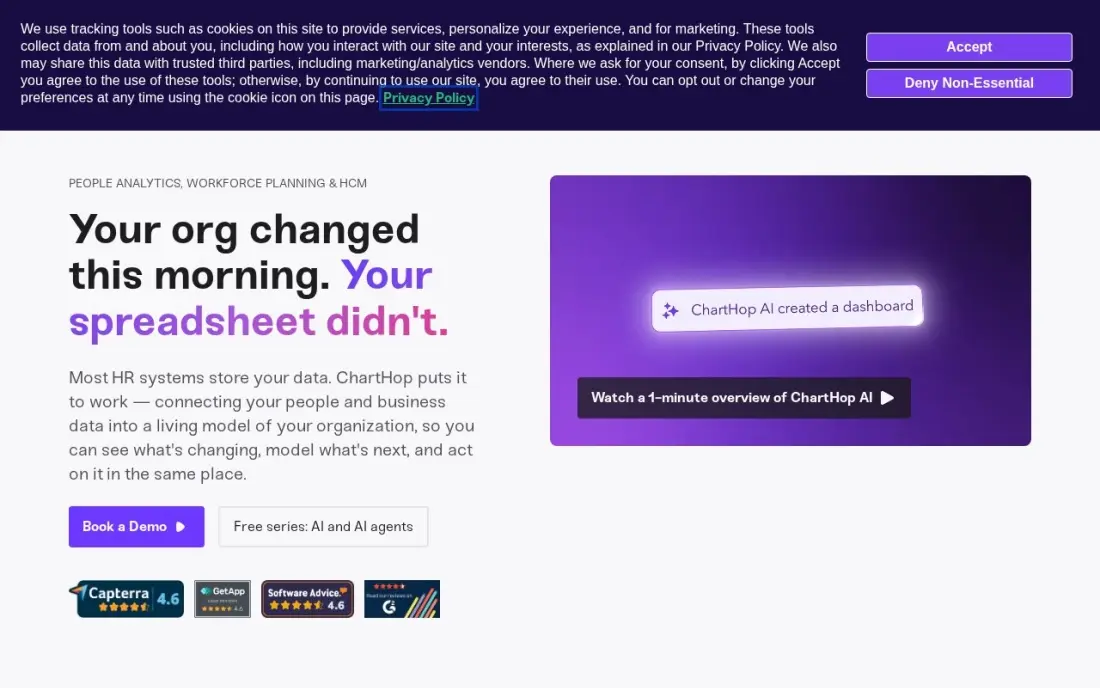
ChartHop is the most direct answer to the question most teams start with: what does next year's org look like, and what will it cost? It keeps a living org model of people, cost and output, lets you build headcount scenarios on top of it and shows the budget impact in real time. More than 100 integrations pull data from your HRIS without replacing it, and leaders can ask workforce questions in plain English.
Pricing is per employee per month for only the modules you use, but ChartHop publishes no actual figure, so every buyer still talks to sales. G2 reviewers rate it 4.3 across 178 reviews. Its predictive analytics trail Visier and One Model, so it suits planning and visibility more than deep forecasting.
What we like
- A living org model that visualizes people, cost and output together, always current
- Headcount scenario planning with real-time budget impact
- More than 100 integrations and no rip-and-replace of your HRIS
- Plain-English queries let leaders ask workforce questions without building reports
Watch out for
- No published per-employee price, only the pricing model, so every buyer still talks to sales
- Analytics depth for complex predictive use cases trails Visier and One Model
- The platform keeps expanding, so module boundaries shift

Workday Adaptive Planning
Best for: Finance-led teams that build the headcount plan inside the company budget
Workday Adaptive Planning treats workforce planning as part of the financial plan, which is how many companies actually set headcount. Driver-based models, unlimited versions and unlimited what-if scenarios let finance test hiring plans against revenue, and machine learning builds predictive forecasts and flags anomalies. It connects to any ERP or general ledger, so you do not need to run Workday HR to use it.
It is the only tool in this list with a 30-day free trial, but pricing is quote-only and built from a forecast of seats and modules, which is where buyers tend to overspend. Getting full value needs someone in-house, or a partner, who can administer the models.
What we like
- Native-cloud planning with driver-based models, unlimited versions and unlimited what-if scenarios
- Machine learning creates predictive forecasts and flags anomalies in the plan
- Connects to any ERP or general ledger, and a 30-day free trial lets you test it first
Watch out for
- No published pricing; both Adaptive Planning editions are listed as pricing varies
- Quote sizing depends on a forecast of seats and modules, which is where overspend usually comes from
- Full value needs model administration skill in-house or from a partner

Visier
Best for: Large enterprises that want workforce forecasts backed by deep people analytics and benchmarks
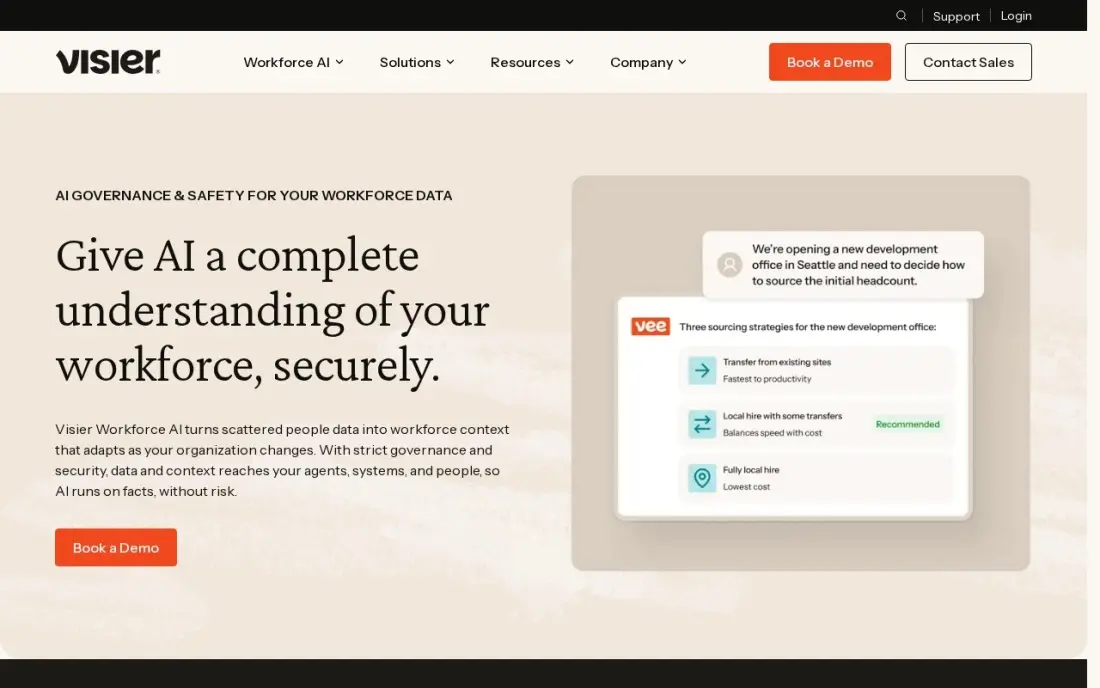
Visier is the reference product for people analytics, and workforce planning is one of its strongest uses. It sits on top of HRIS, ATS, payroll and engagement data and ships with hundreds of pre-built metrics, plus predictive models for turnover and retention risk, which feed directly into how many people you will need to hire. Its benchmark data comes from thousands of enterprises, and the Vee assistant answers questions in plain language.
Pricing is enterprise-level with no published figure, implementations run for months, and it expects a real people-analytics function on your side. G2 reviewers rate it 4.6 across 223 reviews. For companies under a few hundred employees it is more platform than they need.
What we like
- Purpose-built for HR, with hundreds of pre-built metrics and benchmark data from thousands of enterprises
- Vee AI assistant answers workforce questions in plain language
- Strong predictive modeling for turnover, retention risk and workforce planning
- Connects HRIS, ATS, payroll and engagement data into one governed model
Watch out for
- Enterprise pricing with no published numbers, and implementations run for months
- Needs a real people-analytics function on your side to get value from it
- Overbuilt for companies under a few hundred employees

Anaplan
Best for: Large enterprises that want workforce plans connected to finance, sales and supply chain
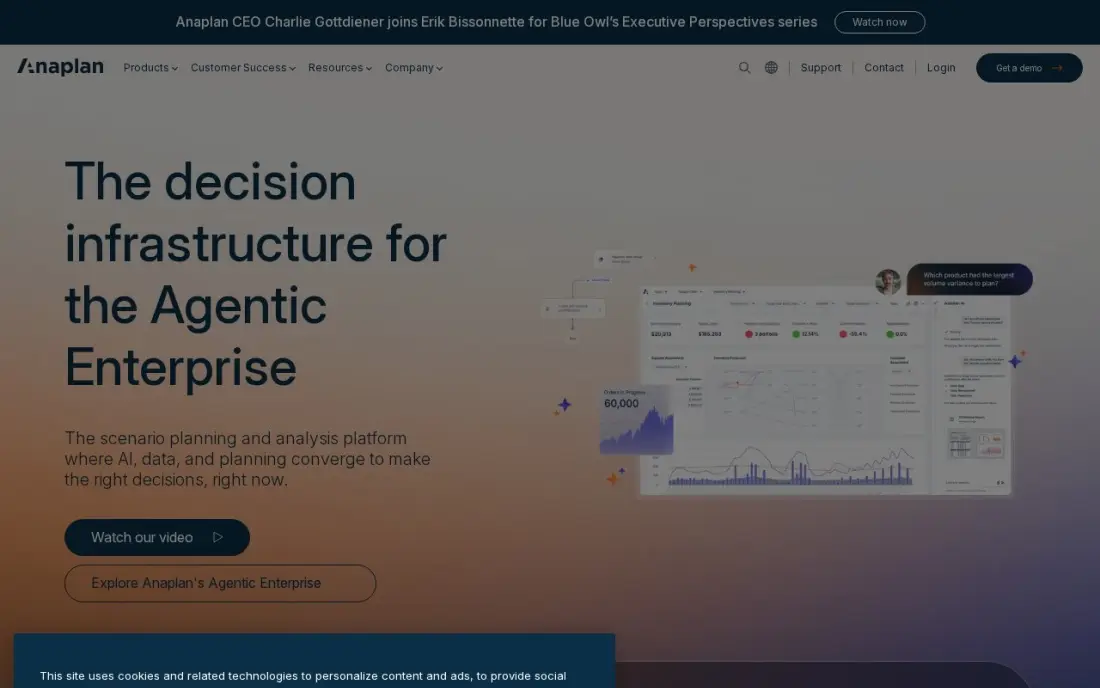
Anaplan is connected planning at enterprise scale. Workforce models sit alongside finance, sales and supply chain plans, so a change in a sales target or a new territory flows through to the headcount plan in real time. Its Hyperblock engine handles the modelling spreadsheets cannot, and a network of more than 250 certified partners supports large rollouts.
That scale comes with the heaviest buying process here. There is no published price, Anaplan treats pricing as confidential, implementations take months with certified model builders, and contracts are non-cancellable with seat counts fixed mid-term. It only makes sense when workforce planning has to tie into planning across the whole business.
What we like
- Connected planning links finance, sales, supply chain and workforce models in real time
- Hyperblock engine handles territory, quota, incentive and driver-based forecasting at enterprise scale
- A 250-plus certified partner network supports large deployments
Watch out for
- No published pricing, and the vendor classifies pricing as confidential information
- Implementations span months and need certified modeling expertise or a partner
- Contracts are non-cancelable and non-refundable, with seat counts fixed mid-term

One Model
Best for: Companies whose headcount data disagrees across HRIS, ATS, payroll and finance
One Model solves the problem that breaks most workforce plans: the HR system, the ATS, payroll and finance all report different headcount. Its People Data Cloud pulls them into one governed model, then adds transparent forecasting for attrition, hiring and workforce cost. Storyboards turn the numbers into short narratives with recommended actions, which helps a plan get read by executives.
It is a smaller vendor than Visier, with custom enterprise pricing and no published figure. Messy source data, such as inconsistent job codes, surfaces during implementation and takes time to fix. G2 reviewers rate it 4.8, but across only 12 reviews, so ask for references in your industry.
What we like
- People Data Cloud unifies HRIS, ATS, payroll, engagement and finance data into one governed model
- Storyboards turn metrics into narratives executives actually read, with recommended actions
- Transparent forecasting for attrition, hiring and workforce cost
- Modern interface with no rip-and-replace of your existing HR systems
Watch out for
- Custom pricing with no published numbers, in the enterprise tier
- Smaller vendor than Visier, with a narrower analyst footprint
- Requires clean source data to deliver its best work

SAP SuccessFactors
Best for: SAP HR customers that want workforce planning on SuccessFactors Employee Central data
For companies that already run SAP SuccessFactors, Workforce Analytics and Planning works natively on Employee Central data, with deep metrics cubes for headcount movement and planning and links into SAP Analytics Cloud. Data residency and governance follow the SAP stack, which matters to large regulated employers.
The planning modules are licensed on top of the SuccessFactors contract, configuration is consultant-heavy, and the interface feels a generation behind ChartHop and Visier. G2 reviewers rate SuccessFactors 4.1 across 1,669 reviews. SAP customers should compare it against a specialist added on top; companies not on SAP should look elsewhere.
What we like
- Workforce Analytics and Planning run natively on SuccessFactors data
- Deep OLAP-style metrics cubes for complex headcount analysis
- Integrates with SAP Analytics Cloud and the broader SAP stack
- Strong data residency and governance story for SAP-standardized organizations
Watch out for
- Module licensing on top of the SuccessFactors contract
- Configuration is consultant-heavy, with OLAP setup and permissions that take SAP expertise
- Interface feels a generation behind Visier and ChartHop

UKG Pro
Best for: Mid-market and enterprise employers that want planning on the same data as HR and payroll
UKG Pro puts HR, payroll, benefits, recruiting and people analytics in one HCM suite, so headcount, cost and turnover reports run on the same data that pays people, with no separate integration. Reporting is highly customisable, with IBM Cognos behind it, and global payroll suits employers with workers in many countries. G2 reviewers rate it 4.3 across 2,252 reviews.
It is a full HCM replacement rather than a planning add-on. There is no published price, G2 reviewer data puts implementation at around five months, and several useful capabilities sit behind extra module fees. Buy it when the HR and payroll system is up for replacement anyway.
What we like
- One suite for HR, payroll, benefits, recruiting, onboarding and people analytics
- Robust, highly customizable reporting, including IBM Cognos business intelligence
- Global payroll capabilities for employers with workers in many countries
- Bryte AI features run across the platform
Watch out for
- No published pricing; every buyer negotiates a custom enterprise quote
- Implementation averages around five months, per G2 reviewer data
- Desirable capabilities sit behind additional module fees, and advanced reporting has a learning curve
The best workforce planning software answers three questions before the budget is locked: how many people the business will need, which roles and skills they must cover, and what the plan will cost. We compared seven tools across the three kinds of product that do this job — org-chart planning tools, finance-led planning platforms and people-analytics suites — and checked every vendor's pricing page in November 2026.
How to choose the best workforce planning software
- Decide who owns the plan. If finance sets headcount in the budget, start with Workday Adaptive Planning or Anaplan; if HR owns it, ChartHop, Visier or One Model fit better.
- Check where the headcount data lives. A tool that sits on top of your HRIS, ATS and payroll is only as good as those sources, so map them before the demo.
- Ask for scenario modelling with cost. A useful plan shows what happens to payroll cost if you hire ten engineers in Q2 instead of Q4, not just a target number.
- Look at forecasting depth. Attrition and retention forecasts change how many people you need to hire; Visier and One Model are strongest there.
- Budget for implementation time. UKG Pro averages about five months on G2 reviewer data, and Anaplan and Visier also run for months.
- Read the contract terms. Anaplan contracts are non-cancellable with seat counts fixed mid-term, so size the first purchase on real users.
A headcount plan often includes the marketing team that will bring in next year's growth. If part of that plan is in-house SEO you have not hired yet, our monthly SEO service can cover the work while the role is open, and our AI search optimization service covers visibility in ChatGPT and Google's AI answers.
Workforce planning software pricing: what you will actually pay
Every tool in this list sells by quote, so the honest worked example is about cost drivers, not list prices. ChartHop charges a per-employee-per-month fee for only the modules you switch on, so a 400-person company pays on 400 employees for each module it uses. Workday Adaptive Planning prices on a forecast of seats and modules, and the common overspend is buying more modeller seats than people who still build models a year later. Visier, One Model and Anaplan are enterprise contracts sized to headcount and scope.
Implementation is the second half of the bill. UKG Pro averages around five months on G2 reviewer data, Visier and Anaplan implementations run for months, and SAP SuccessFactors planning is consultant-heavy. ChartHop is the quickest here, with live data typically visible within weeks. If you can, test the planning model before signing: Workday Adaptive Planning's 30-day free trial is the only trial among these seven.
Ask every vendor for the full first-year cost in writing — licence, implementation, training and any partner fees — and compare that figure, not the subscription alone.
Know the difference: workforce planning vs workforce analytics
Workforce planning looks forward. It sets the target org for next year: how many roles, at what level and cost, hired in which quarter, and how that changes if revenue comes in above or below plan. ChartHop, Workday Adaptive Planning and Anaplan are built around those scenarios and the budget they produce.
Workforce analytics looks at what is happening now and what is likely next: turnover, retention risk, time to hire and span of control. Visier, One Model, SAP SuccessFactors and UKG Pro are analytics-led, and their forecasts feed the plan. Most mature teams need both, which is why several of these tools blur the line — but knowing which one is your real gap keeps the purchase focused.
Quick comparison: tool type by need
| Buyer | Best pick | Why |
|---|---|---|
| Mid-market HR and finance | ChartHop | Headcount scenarios on a live org chart with real-time budget impact |
| Finance-led planning | Workday Adaptive Planning | Driver-based models and unlimited scenarios, 30-day free trial |
| Analytics-led enterprises | Visier | Predictive turnover models and benchmarks from thousands of companies |
| Company-wide connected planning | Anaplan | Workforce plans linked to finance, sales and supply chain |
| Data spread across systems | One Model | One governed model from HRIS, ATS, payroll and finance data |
| SAP HR customers | SAP SuccessFactors | Planning on Employee Central data inside the SAP stack |
| Replacing the HR suite | UKG Pro | Planning on the same data as HR and payroll |
Mistakes to avoid
- Planning on headcount numbers nobody trusts. If HR, payroll and finance report different totals, fix the source data before you model next year.
- Buying an enterprise suite for a small company. Visier and Anaplan are built for large organisations; under a few hundred employees, a lighter tool or a spreadsheet works.
- Forgetting attrition. A plan that only adds new roles underestimates hiring; build expected turnover into the model.
- Signing before seeing your own data in the tool. Ask for a pilot or use Adaptive Planning's trial with real headcount, not the vendor's demo data.
- Leaving the plan in HR alone. Workforce plans fail when finance and department heads are not working in the same model.
Related comparisons: Marketing Planning Software · Content Planning Tools · Resource Planning Software · Social Media Planning Platforms · Leave Management Software · Leadership Assessment Tools
How we chose
We checked each vendor's own pricing and product pages in November 2026. None of the seven publishes a price, so we describe each pricing model rather than repeat third-party estimates as fact. We compared the tools on headcount scenario modelling, cost visibility, forecasting depth, data integration and implementation effort, and ranked them by fit for a mid-market company planning next year's headcount. Ratings come from G2 pages checked on the dates shown in the sources. No vendor paid for a place in this list, and none of the links here are affiliate links.
What to do next
Write down next year's headcount questions — how many hires, which teams, what budget — and ask two vendors to answer them in a demo using a sample of your own data. If marketing roles are part of that plan and growth depends on search, book a free SEO consultation to see what the work involves before you hire for it.
Frequently asked questions
What is the best workforce planning software?
ChartHop is the best fit for most mid-market teams, with headcount scenarios on a live org chart. Workday Adaptive Planning suits finance-led planning, Visier and One Model suit analytics-led forecasting, and Anaplan suits large enterprises that plan across finance, sales and supply chain.
How much does workforce planning software cost?
None of the seven tools here publishes a price. ChartHop charges per employee per month for the modules you use, and the others quote by seats, modules or headcount. Budget for implementation as well: UKG Pro averages about five months on G2 reviewer data, and Anaplan and Visier also take months.
Is there a free trial of workforce planning software?
Workday Adaptive Planning offers a 30-day free trial, the only one among the tools in this list. The others sell through demos and sales calls.
What is the difference between workforce planning and workforce management?
Workforce planning sets how many people, with which skills, the business needs over the next year or more, and what that costs. Workforce management handles day-to-day scheduling, time and attendance for the people you already have.
Can a small business use workforce planning software?
Most tools here are built for mid-market and enterprise companies. Visier is overbuilt for companies under a few hundred employees, and Anaplan targets large enterprises. A small business usually gets further with a spreadsheet tied to its HR and payroll system until headcount grows.
Do I need a separate workforce planning tool if I have an HRIS?
Not always. If your HR suite is Workday, SAP SuccessFactors or UKG Pro, use its planning and analytics modules first. A separate tool such as ChartHop or One Model earns its place when headcount data sits in several systems that do not agree.
What is the best strategic workforce planning software?
For long-range plans, Visier and Anaplan are the strongest here. Visier adds predictive modeling for turnover and retention risk, with benchmark data from thousands of enterprises, and Anaplan links workforce plans to finance, sales and supply chain in real time. Mid-market teams can model headcount scenarios with real-time budget impact on ChartHop's live org chart, and finance-led teams can use Workday Adaptive Planning.
Sources we checked (12)
- ChartHop — www.charthop.com (checked November 6, 2026)
- ChartHop reviews on G2 (checked November 6, 2026)
- Workday Adaptive Planning — www.workday.com (checked November 2, 2026)
- Visier — www.visier.com (checked November 6, 2026)
- Visier reviews on G2 (checked November 6, 2026)
- Anaplan — www.anaplan.com (checked November 2, 2026)
- One Model — www.onemodel.co (checked November 6, 2026)
- One Model reviews on G2 (checked November 6, 2026)
- SAP SuccessFactors — www.sap.com (checked November 6, 2026)
- SAP SuccessFactors reviews on G2 (checked November 6, 2026)
- UKG Pro — www.ukg.com (checked November 6, 2026)
- UKG Pro reviews on G2 (checked November 6, 2026)
Make one of these tools?
We re-check this list every quarter. Send a correction, request a review, or ask about a clearly labeled sponsored spot.
Request a listingShamim
Founder of SerpAstra
A full-stack digital marketer and SEO strategist covering technical and local SEO, AI search visibility, paid ads and lead generation for local businesses, e-commerce brands and SaaS teams.
Free SEO and AI visibility audit
Find out what is holding your rankings back
Send us your site. Within 2 business days you get a written audit, an AI visibility check and a short fix list ranked by impact. Free, with no contract attached.
Request my free audit→Related buying guides
 HR & Payroll11 Best Workforce Analytics Software in 2026, ComparedCompare the 11 best workforce analytics software tools on price, free plans, people analytics and productivity tracking, with prices checked November 6, 2026.Read guide →
 Accounting & Finance11 Best Financial Analytics Software in 2026, Compared11 best financial analytics software options compared on price, planning depth and reporting, with prices checked on the vendor's own page on November 2, 2026.Read guide →
 HR & Payroll10 Best HCM Software for Small Businesses in 2026, ComparedCompare the 10 best HCM software for small businesses on price, payroll, free plans and HR features, with every price checked November 6, 2026.Read guide →