
7 Best BIM Software in 2026, Compared
Compare the 7 best BIM software tools for architects, engineers and contractors on price, platform and coordination, with every price checked on vendor pages.
 Shamim Mia, Founder, SerpAstraLast verified November 4, 202610 min read
We compare pricing pages, documentation and public reviews. We never accept payment for rankings.
Key takeaways
- Revit is the BIM standard for multi-discipline coordination at $3,005 a seat a year billed annually, or $380 a month; the AEC Collection adds AutoCAD and Navisworks for $3,675 a year.
- Archicad and Vectorworks Architect are the Mac-friendly alternatives, at $2,414 a year paid upfront and $1,530 a year billed annually respectively.
- Navisworks Manage ($2,835 a year) is not a modelling tool: contractors use it to combine models and find clashes before they reach site.
- Tekla Structures is the pick for steel and precast detailing, but publishes no price; Allplan publishes $3,480 a year for its Professional package.
On this page
Quick comparison
| Tool | Best for | Starting price | Free plan |
|---|---|---|---|
 Revit | Firms that coordinate architecture, structure and MEP with consultants already on Revit | $380/mo | No (30-day trial) |
 Archicad | Design-led architecture studios, especially those on Mac | $201/mo | No (30-day trial) |
 Vectorworks Architect | Smaller architecture and design-build firms that want drafting, BIM and rendering in one tool | $170/mo | No (7-day trial) |
 Allplan | Engineering and precast firms that need BIM modelling with reinforcement detailing | $3,480/yr | No (demo) |
 Tekla Structures | Steel, concrete and precast detailers and fabricators who need constructible structural models | Custom quote | Trial |
 Navisworks Manage | Contractors and BIM coordinators who combine models from every trade and run clash detection | $355/mo | Free viewer |
 Chief Architect | Residential designers and builders who need construction documents from a 3D house model | $229/mo | No (free trial) |
Make one of these tools?
We re-check this list every quarter. Send a correction, request a review, or ask about a clearly labeled sponsored spot.
Request a listingThe best BIM software
Revit
Best for: Firms that coordinate architecture, structure and MEP with consultants already on Revit
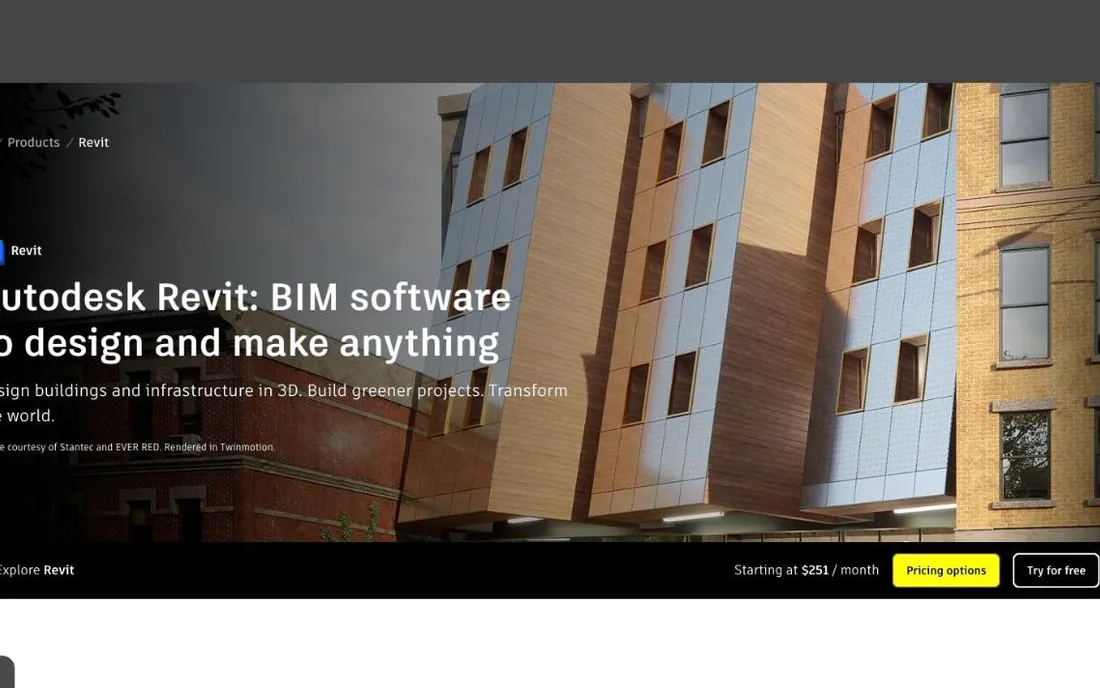
Revit is the default BIM tool for a reason: most structural engineers, MEP consultants and contractors already model in it, so working in Revit removes a whole category of coordination problems. One model drives plans, sections, schedules and quantities, worksharing lets several disciplines edit the same model, and cloud collaboration is included. It holds 4.6 out of 5 on G2 from 1,254 reviews.
It is also the most expensive modeller here at $380 a month or $3,005 a year per seat, and it runs on Windows only with heavy hardware needs. Newer files will not open in older versions. A firm that also needs Navisworks should price the AEC Collection at $3,675 a year.
What we like
- The BIM standard: architects, engineers and contractors already coordinate in Revit, so joining them removes a whole class of clashes
- One model drives plans, sections, schedules and quantities, so a change updates everywhere at once
- Worksharing lets several disciplines edit the same model, with cloud collaboration included
- The AEC Collection bundles Revit with AutoCAD and Navisworks for $3,675 a year, only $670 more than Revit alone
Watch out for
- The highest price here at $3,005 a year per seat, before hardware and training
- Windows only, and large models demand serious RAM and a strong graphics card
- No backward compatibility: older Revit files open, but a newer file will not open in an older version

Archicad is the architect's alternative to Revit, with a visual modelling workflow that feels closer to designing than filling in forms. It runs natively on Mac and Windows, so a mixed studio uses one tool everywhere, and BIMx Pro is included so clients can walk the model on a phone or tablet. Studio costs $2,414 a year paid upfront, shown as $201 a month — about $590 less per seat than Revit.
That $201 figure needs the year paid in advance; month-to-month billing costs $345 a seat. Studio also leaves out the MEP toolset and BIMcloud, which sit on the Collaborate tier, and fewer consultants and manufacturer libraries target Archicad, so large-team coordination runs through IFC.
What we like
- Runs natively on Mac and Windows, so a mixed-platform studio uses the same tool on every desk
- A visual, design-first modelling workflow that feels closer to sketching than to filling in database forms
- Studio at $2,414 a year undercuts Revit by about $590 a seat on annual billing
- BIMx Pro is included, so clients can walk through the model on a phone or tablet without a licence
Watch out for
- The $201 monthly figure only applies when the full year is paid upfront; month-to-month billing costs $345 a seat
- Fewer manufacturer libraries and consultant workflows target Archicad than Revit, so large-team coordination takes more effort
- Studio leaves out the MEP toolset and cloud-hosted BIMcloud, which sit on the higher Collaborate tier
Vectorworks Architect
Best for: Smaller architecture and design-build firms that want drafting, BIM and rendering in one tool

Vectorworks Architect covers 2D drafting, 3D modelling and BIM in one application, with plans, sections, elevations, schedules and renderings generated from the same model. Its rendering and presentation tools, including the AI Visualizer, are the strongest here for client work, and it runs natively on Mac and Windows. It costs $170 a month or $1,530 a year billed annually, the lowest published price for a full BIM modeller in this list.
The trade-off is reach. Fewer people are trained on it than on Revit, and exchange with Revit-heavy consultants goes through IFC and DWG, which is less clean. The 7-day trial is also short for testing a real project.
What we like
- One model generates plans, sections, elevations, schedules and renderings, so a design change propagates everywhere
- Strong built-in rendering and presentation tools, with the AI Visualizer included
- Runs natively on Mac and Windows, unlike Revit
- One subscription covers 2D drafting, 3D modelling and BIM without switching apps
Watch out for
- A smaller user base than Revit, so finding a Vectorworks-trained drafter takes longer
- File exchange with Revit-heavy teams runs through IFC and DWG, and the round trip is not as clean as staying in one ecosystem
- The 7-day trial is short for testing a full BIM workflow on a live project
Allplan
Best for: Engineering and precast firms that need BIM modelling with reinforcement detailing

Allplan is a BIM platform aimed at the engineering end of building design, where models have to carry reinforcement and precast detail rather than just geometry. Professional costs $3,480 a year and combines 3D modelling, 2D drafting, automated reinforcement and rebar scheduling, quantity takeoff and costing, with Bimplus Pro for collaboration. Ultimate at $4,704 a year adds precast design, parametric modelling with prestressing and SCIA Engineer (Concept).
Precast at $8,712 a year adds automated wall and slab detailing and CNC integrations. The package page offers a demo rather than a trial and does not say whether prices are per user, so confirm that before you compare it with Revit.
What we like
- Published package prices: Professional $3,480, Ultimate $4,704 and Precast $8,712 a year
- Professional combines 3D modelling, 2D drafting, automated reinforcement and rebar scheduling, and quantity takeoff
- Ultimate adds precast design and detailing, parametric modelling with prestressing and SCIA Engineer (Concept)
- Bimplus Pro included for model collaboration
Watch out for
- No free trial on the package page, only a demo request
- Priced and built for engineering detailing, so it is more than a small architecture firm needs
- The pricing page does not say whether prices are per user
Tekla Structures
Best for: Steel, concrete and precast detailers and fabricators who need constructible structural models

Tekla Structures is the BIM tool fabricators and detailers use when the model has to be built from, not just looked at. Diamond includes full steel and concrete component creation, unique part marking and production drawings; Graphite covers multi-material design models with rebar and anchor bolt drawings; Carbon is for viewing, planning, scheduling and reports. Every plan includes Trimble Connect Business Premium and Tekla Model Sharing, on named-user licences.
Tekla publishes no prices and sends buyers to local sales teams. The free Diamond trial is useful for testing, but it disables production exports, drawing printing and model sharing.
What we like
- Diamond covers full steel and concrete component creation, part marking and production drawings
- Three subscription levels, from model viewing and planning (Carbon) to full detailing (Diamond)
- Trimble Connect Business Premium and Tekla Model Sharing included with every plan
- Free trial of the top Diamond plan
Watch out for
- No published price; the vendor directs buyers to local sales teams
- The trial disables production exports, drawing printing and model sharing
- A structural specialist tool, not an architectural modeller
Navisworks Manage
Best for: Contractors and BIM coordinators who combine models from every trade and run clash detection
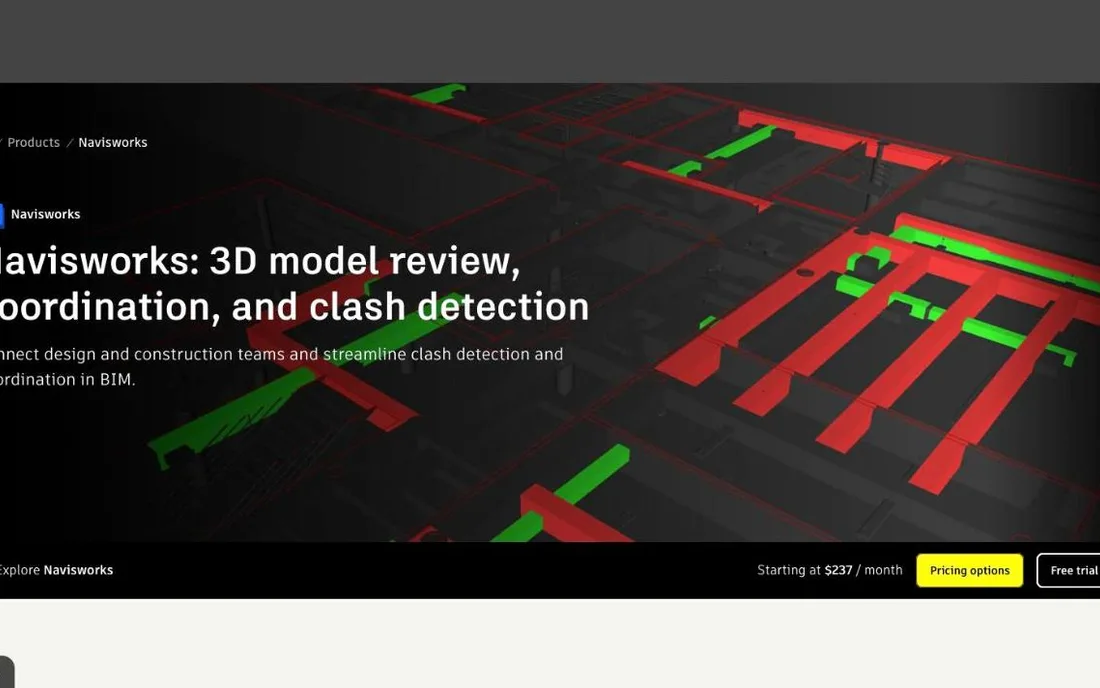
Navisworks Manage does the job contractors most need from BIM: it combines the architect's, engineer's and trade models into one view and runs clash detection, so a duct through a beam is found in the office, not on site. It costs $355 a month, $2,835 a year or $8,500 for three years, with a 30-day free trial. Navisworks Simulate, at $145 a month or $1,145 a year, covers review and scheduling without clash detection.
It is not an authoring tool, so designers still model elsewhere. Anyone who only needs to open and walk a model can use the free Navisworks Freedom viewer.
What we like
- Combines models from different tools and trades into one coordinated view
- Clash detection finds conflicts between structure, services and architecture before site
- Navisworks Simulate is a cheaper option at $145 a month or $1,145 a year
- Navisworks Freedom is a free viewer for anyone who only needs to open and navigate models
Watch out for
- Not a modelling tool — you still need Revit, Archicad or another authoring tool
- Clash detection needs Manage; Simulate is for review and scheduling
Chief Architect
Best for: Residential designers and builders who need construction documents from a 3D house model
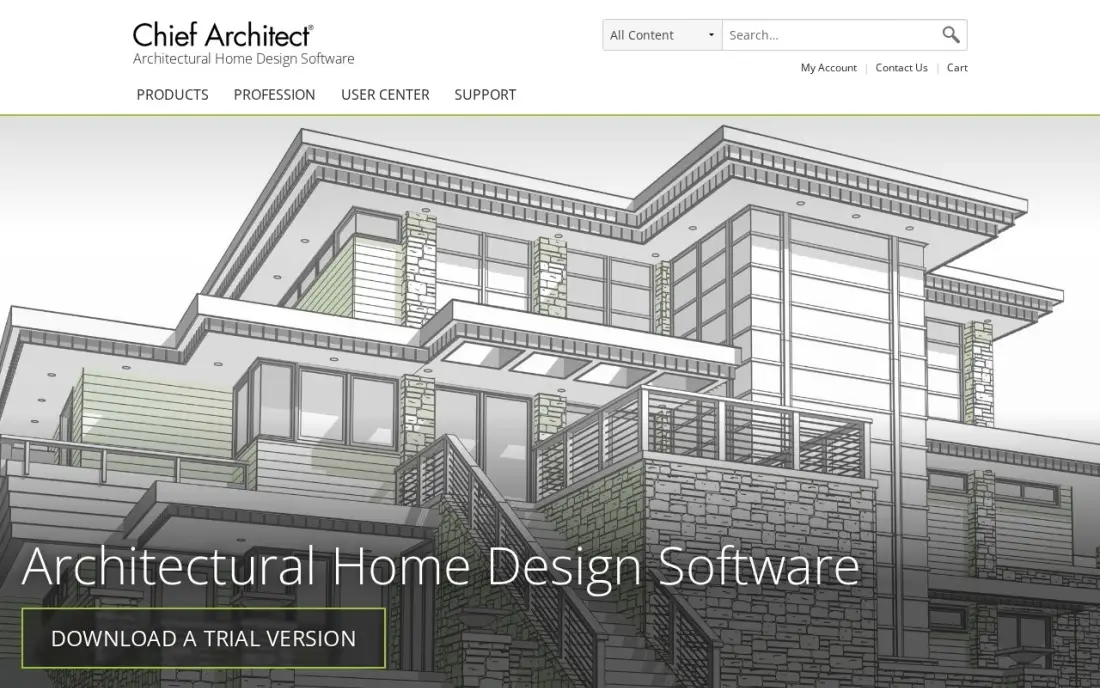
Chief Architect Premier is the residential pick. You draw walls and a roof, and the framing, stairs, cabinets and foundation follow with real building logic, along with elevations, cross sections and a materials list, so a house model turns into permit-ready construction documents quickly. It costs $229 a month or $1,995 a year billed annually, and Support and Software Assurance is bundled in.
It is built for houses, not commercial buildings, and it is not where structural or MEP consultants work, so multi-discipline coordination is limited. The free trial never expires but blocks saving, printing and exporting, so a real project needs a licence.
What we like
- The only tool here that produces permit-ready construction documents: framing, roofs, stairs and materials lists generate automatically
- Draws walls and the roof, framing and foundation follow with real building logic, not manual drafting
- Annual billing saves 27% over monthly, and Support & Software Assurance is bundled in
- Free trial never expires, so the full tool can be explored before paying
Watch out for
- At $229 a month or $1,995 a year, it costs more than Vectorworks Architect at $1,530 a year
- Built for residential design only; it is the wrong tool for commercial or office space planning
- The free trial blocks saving, printing and exporting, so no real project can be finished on it
The best BIM software builds a model of the building, not just a drawing of it: walls, slabs, beams and services that carry data, so plans, schedules and quantities update together and trades can find conflicts before site. We compared seven tools across architectural modelling, structural detailing, residential design and model coordination, and every price below comes from the vendor's own pricing page as checked in November 2026.
How to choose the best BIM software
- Use what your consultants use. BIM pays off in coordination, so the tool your engineers and contractors already run often matters more than features.
- Check the operating system. Revit is Windows only; Archicad and Vectorworks run natively on Mac.
- Separate authoring from coordination. Modellers create the building; Navisworks combines models and finds clashes. Contractors often need only the second.
- Read the billing terms. Archicad's $201 a month needs a year paid upfront, and month-to-month costs $345 a seat.
- Match the tool to the material. Steel, rebar and precast detailing need Tekla or Allplan; a general modeller will not produce fabrication drawings.
- Test on a real project. Trials run 7 to 30 days, and Tekla's disables printing and exports, so plan the test before you start it.
For drafting-first tools and lighter options, see our guides to the best CAD software for construction and the best architectural CAD software.
Which BIM software fits your situation
An architecture firm whose engineers and contractors already use Revit. Stay in Revit. Coordinating in the same tool as your consultants removes a whole class of clashes, and one model drives plans, sections, schedules and quantities. Budget $3,005 a seat a year on annual billing, a Windows machine with plenty of RAM, and the AEC Collection at $3,675 if anyone also needs Navisworks.
A design-led studio working on Mac. Archicad runs natively on Mac and Windows, and Studio costs $2,414 a year paid upfront, with BIMx Pro so clients can walk the model on a phone. Pay the full year in advance, because month-to-month costs $345 a seat, and check whether you need the MEP toolset or BIMcloud, which sit on the Collaborate tier.
A small practice that wants drafting, BIM and rendering in one subscription. Vectorworks Architect costs $1,530 a year billed annually, the lowest published price for a full modeller here, and its rendering tools, including the AI Visualizer, suit client presentations. Exchange with Revit-heavy consultants goes through IFC and DWG, and the 7-day trial is short, so plan the test before you start it.
An engineering, precast or steel fabrication firm. Allplan Professional at $3,480 a year adds automated reinforcement and rebar scheduling, and Ultimate at $4,704 adds precast design. Tekla Structures Diamond covers steel and concrete detailing with production drawings, but it is quote-only and its trial disables exports and printing.
A general contractor or residential builder. A contractor that coordinates other people's models needs Navisworks Manage at $2,835 a year for clash detection, and site staff can use the free Navisworks Freedom viewer. A house designer or builder gets more from Chief Architect Premier at $1,995 a year, which turns a house model into permit-ready construction documents but is not built for commercial work.
BIM software pricing: what you will actually pay
Take a five-seat architecture practice paying annually. Revit costs $3,005 a seat, or $15,025 a year; Archicad Studio paid upfront costs $2,414 a seat, or $12,070; Vectorworks Architect costs $1,530 a seat, or $7,650. Paying monthly changes the picture: Revit at $380 a month is $4,560 a seat a year, and Archicad at $345 a month is $4,140.
Coordination is extra. Adding one Navisworks Manage seat costs $2,835 a year, but if the same person also needs Revit and AutoCAD, the AEC Collection at $3,675 a year includes all three for $670 more than Revit alone. An engineering firm on Allplan pays $3,480 a year for Professional or $4,704 for Ultimate; confirm per-user terms in writing. Tekla Structures publishes no price, so request a quote for the Graphite or Diamond level you need before comparing.
Know the difference: BIM authoring vs BIM coordination
Authoring tools create the model. Revit, Archicad, Vectorworks Architect, Allplan, Tekla Structures and Chief Architect let designers and detailers build walls, floors, structure and services as intelligent objects, then generate drawings and schedules from them. This is where the design work, and most of the licence cost, sits.
Coordination tools combine models from different authors. Navisworks Manage brings the architectural, structural and services models into one view and runs clash detection, so problems are logged and assigned before construction. A design firm needs authoring first; a general contractor often needs coordination first and may never author a model at all.
Quick comparison: tool type by need
| Buyer | Best pick | Why |
|---|---|---|
| Multi-discipline teams | Revit | The industry standard, $3,005/seat/year billed annually |
| Design-led and Mac studios | Archicad | Native Mac and Windows, $2,414/year paid upfront |
| Smaller firms on a budget | Vectorworks Architect | Drafting, BIM and rendering for $1,530/year |
| Rebar and precast engineering | Allplan | Professional $3,480/year with reinforcement detailing |
| Steel and concrete fabrication | Tekla Structures | Full detailing and production drawings, quote-only |
| Contractors and coordinators | Navisworks Manage | Clash detection, $2,835/year, free viewer for site |
| Residential design | Chief Architect | Construction documents from a house model, $1,995/year |
Mistakes to avoid
- Choosing a tool your consultants cannot open. IFC exchange works, but a clean round trip in one ecosystem saves hours on every coordination cycle.
- Buying authoring seats for coordinators. Site and coordination staff often need only Navisworks or the free Freedom viewer.
- Underestimating hardware. Large models need serious RAM and a strong graphics card, especially in Revit.
- Skipping templates and standards. BIM without shared families, naming and levels produces models nobody else can use.
- Comparing monthly and annual prices as if equal. Archicad and Revit both cost far more month to month than their annual figures suggest.
Related comparisons: CAM Software · PCB Design Software · Furniture Software · 3D Mapping Software
How we chose
We read each vendor's pricing page in November 2026 and recorded the starting price exactly as shown, including monthly, annual and upfront terms. We covered the main BIM jobs — architectural modelling, structural and precast detailing, residential documents and model coordination — and picked tools in active professional use. Where a vendor publishes no price, as with Tekla Structures, we say so. Ratings come from G2 pages checked on the dates shown in the sources. No vendor paid for a place in this list, and none of the links here are affiliate links.
What to do next
Ask your two most frequent consultants which BIM tool and version they use, then trial that tool on one live project for the full trial period before you buy seats. If your firm also needs more project enquiries from search, book a free call with SerpAstra.
Frequently asked questions
What is the best BIM software?
Revit is the best BIM software for multi-discipline coordination because most consultants already use it, at $3,005 a seat a year billed annually. Archicad and Vectorworks Architect are strong alternatives for architects, Tekla Structures leads for steel and precast detailing, and Navisworks Manage is the coordination and clash detection tool.
How much does BIM software cost?
On published prices, Revit costs $380 a month or $3,005 a year, Archicad Studio $2,414 a year paid upfront, Vectorworks Architect $1,530 a year, Allplan Professional $3,480 a year, Navisworks Manage $2,835 a year and Chief Architect Premier $1,995 a year. Tekla Structures is quote-only.
Is there free BIM software?
None of the paid modellers here has a free plan, though most offer trials: Revit, Archicad and Navisworks for 30 days, Vectorworks for 7 days. Autodesk's Navisworks Freedom is a free viewer for opening and navigating models, not for authoring them.
Which BIM software works on a Mac?
Archicad and Vectorworks Architect run natively on Mac and Windows. Revit is Windows only, so Mac studios running it need a Windows machine or virtualisation.
What is the difference between BIM and CAD?
CAD draws lines and shapes that represent a building. BIM builds a model of walls, floors, beams and services that carry data, so plans, sections, schedules and quantities all come from the same model and update together when it changes.
Do contractors need BIM software?
Most contractors do not author models but do coordinate them. Navisworks Manage combines trade models and finds clashes, and the free Navisworks Freedom viewer lets site teams open models without a paid licence.
What is the best BIM software for civil and structural engineers?
For structural work, pick a tool that carries reinforcement and fabrication detail. Allplan Professional costs $3,480 a year and combines 3D modelling, automated reinforcement, rebar scheduling and quantity takeoff; Ultimate at $4,704 adds precast design and SCIA Engineer (Concept). Tekla Structures suits steel, concrete and precast detailers who need constructible models, on a custom quote. Revit remains the choice when you coordinate with architects and MEP consultants already on it.
What computer do I need to run BIM software?
Check the operating system first. Revit runs on Windows only and has heavy hardware needs, so plan for a powerful Windows workstation. Archicad and Vectorworks Architect run natively on both Mac and Windows, which suits mixed-platform studios. Large federated models in Navisworks Manage also need capable hardware. Use the free trial, 30 days for Revit, Archicad and Navisworks, to test your real project on your own machine before buying.
Sources we checked (11)
- Revit — www.autodesk.com/solutions/revit-subscription-faq (checked November 7, 2026)
- Revit reviews on G2 (checked November 7, 2026)
- Archicad — www.graphisoft.com/en-us/plans-and-products/archicad-studio (checked November 4, 2026)
- Archicad reviews on G2 (checked November 4, 2026)
- Vectorworks Architect — www.vectorworks.net/pricing (checked November 7, 2026)
- Vectorworks Architect reviews on G2 (checked November 7, 2026)
- Allplan — www.allplan.com/us_en/package-overview (checked November 16, 2026)
- Tekla Structures — tekla.com/products/tekla-structures/subscription (checked November 16, 2026)
- Navisworks Manage — www.autodesk.com/products/navisworks/subscribe (checked November 16, 2026)
- Chief Architect — www.chiefarchitect.com/offers (checked November 12, 2026)
- Chief Architect reviews on G2 (checked November 12, 2026)
Make one of these tools?
We re-check this list every quarter. Send a correction, request a review, or ask about a clearly labeled sponsored spot.
Request a listingShamim
Founder of SerpAstra
A full-stack digital marketer and SEO strategist covering technical and local SEO, AI search visibility, paid ads and lead generation for local businesses, e-commerce brands and SaaS teams.
Free SEO and AI visibility audit
Find out what is holding your rankings back
Send us your site. Within 2 business days you get a written audit, an AI visibility check and a short fix list ranked by impact. Free, with no contract attached.
Request my free audit→Related buying guides
 Construction & Field Service9 Best CAD Software for Construction in 2026, ComparedCompare the 9 best cad software for construction tools on price, DWG and BIM support, and free plans, with every price checked November 7, 2026.Read guide →
 Architecture & Interior Design9 Best Architectural CAD Software in 2026, ComparedCompare the 9 best architectural cad software tools on price, BIM depth, DWG support and free plans, with every price checked November 4, 2026.Read guide →
 Architecture & Interior Design9 Best CAD Software for Architecture in 2026, ComparedCompare the 9 best cad software for architecture in 2026 on price, BIM, drafting and free plans, with prices checked November 4, 2026 for US firms.Read guide →