
8 Best Brochure Design Software in 2026, Compared
Compare the 8 best brochure design software for print and digital brochures on templates, layout control, flipbook hosting and real cost, with prices checked.
 Shamim Mia, Founder, SerpAstraLast verified November 4, 20269 min read
We compare pricing pages, documentation and public reviews. We never accept payment for rankings.

Key takeaways
- Canva is the best brochure design software for most small businesses: a free plan with templates, and Pro at $18 a month or $144 a year adds Brand Kit and Magic Resize.
- Adobe InDesign is the professional standard for multi-page print brochures, at $22.99 a month billed annually or $34.49 billed monthly.
- VistaCreate and Adobe Express are cheaper template editors: VistaCreate Pro is $120 a year for a team of up to ten, and Adobe Express Premium is $9.99 a month.
- To publish a brochure online rather than print it, upload the PDF to a flipbook tool such as Publuu from $7 a month billed annually or FlippingBook from $20.
On this page
Quick comparison
| Tool | Best for | Starting price | Free plan |
|---|---|---|---|
| Canva | Small businesses without a designer that need print and digital brochures quickly | Free; Pro $18/mo | Yes (free plan) |
| Adobe InDesign | Designers and agencies producing multi-page print brochures, catalogues and booklets | $34.49/mo | No (7-day trial) |
| VistaCreate | Small teams that want a cheap template editor with AI images for brochures and flyers | $10/mo (annual) | Yes (free plan) |
| Adobe Express | Small businesses that want Adobe Stock photos and fonts in a simple brochure editor | $9.99/mo | Yes (free plan) |
| Inkscape | Budget-conscious designers who want free vector tools for brochure artwork | Free | Yes (free) |
| Publuu | Businesses that want to turn a PDF brochure into an online flipbook on a small budget | $14/mo | No (14-day trial) |
| FlippingBook | Sales teams that want online brochures with page-level tracking and lead forms | $26/mo | No (14-day trial) |
| Maglr | Brands producing flagship interactive brochures and reports on their own domain | €400/mo | No (14-day trial) |
Make one of these tools?
We re-check this list every quarter. Send a correction, request a review, or ask about a clearly labeled sponsored spot.
Request a listingThe best brochure design software

Canva
Best for: Small businesses without a designer that need print and digital brochures quickly
Canva is where most small businesses should start a brochure. Its brochure, flyer and catalogue templates and drag-and-drop editor let someone with no design training produce a professional tri-fold or multi-page brochure in an afternoon, then export a print-ready PDF or publish it as a website link that updates when the design changes. G2 reviewers rate it 4.7 from 7,660 reviews.
The free plan covers templates and editing, but Brand Kit, background remover and Magic Resize all need Pro at $18 a month, or $144 a year billed annually. Canva does not host a page-flip reader or show reading analytics, so pair it with a flipbook tool if the brochure lives online.
What we like
- The easiest way to design a brochure from scratch: brochure, flyer and catalogue templates with drag-and-drop editing
- Magic Studio AI tools and Brand Kit come with Pro, so a small team can stay on-brand without a designer
- Export a print-ready PDF for the printer, or publish the brochure as a website link that updates when the design changes
Watch out for
- It designs brochures but does not host a page-flip reader, so an online brochure still needs a flipbook tool
- Brand Kit, background remover and Magic Resize all need Pro, so the free plan is template-only for branding
- No reader analytics: there is no way to see how far readers get through a published document

Adobe InDesign
Best for: Designers and agencies producing multi-page print brochures, catalogues and booklets
InDesign is the print industry's standard for layout, and the reason is control: precise grids, typography, master pages and long-document handling that template editors cannot match. For a 24-page product catalogue or a brochure going to a commercial printer, its print-ready PDFs are what commercial printers work with every day. The single-app plan includes the full Adobe Fonts library and 25 generative credits a month.
It costs $22.99 a month billed annually, or $34.49 billed monthly, per seat, with only a 7-day trial and no perpetual licence. The learning curve is steep, so it suits a designer or a business that will use it every week. G2 reviewers rate it 4.6 from 3,482 reviews.
What we like
- The print-industry standard for multi-page layout, with unmatched typography and grid control
- 25 monthly generative credits and the full Adobe Fonts library included in the single-app plan
- Exports print-ready PDFs that feed straight into every flipbook tool in this list
Watch out for
- Subscription only — stop paying and the software stops working, with no perpetual licence
- The $22.99 annual rate is per seat, so a five-person team pays about $1,380 a year before any other Adobe app
- Steep learning curve, and it publishes PDFs rather than hosting flipbooks — distribution needs another tool

VistaCreate
Best for: Small teams that want a cheap template editor with AI images for brochures and flyers
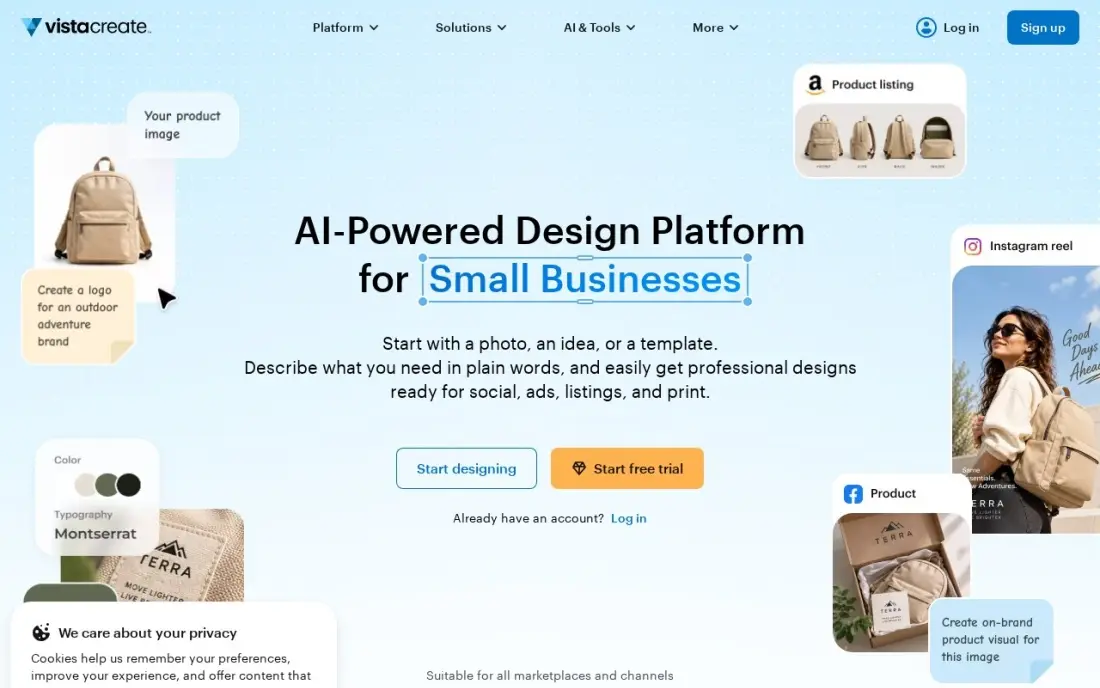
VistaCreate is the budget alternative to Canva. Pro costs $13 a month billed monthly, or $120 a year, and one plan covers a team of up to ten people, which makes it the cheapest per-person option here for a small marketing team. You get more than 200,000 templates, over 170 million stock assets, an AI Image Generator with 100 generations a month, an AI Writer and background removal.
The free Starter plan has no AI tools at all, so you cannot test them without paying or starting the Pro trial. The template and integration range is smaller than Canva's. For a team that makes brochures, social posts and flyers on a small budget, it is the value pick.
What we like
- AI Image Generator (100 generations a month), AI Writer and background and object removal all on Pro
- 200,000+ templates and 170M+ stock assets, with animated designs and a built-in animation editor
- Cheapest full-featured Pro plan here at $10/month billed annually, covering a team of up to 10
Watch out for
- Starter has no AI tools at all, so the free plan cannot test the AI features
- Smaller template and integration range than Canva, and no ad-performance scoring

Adobe Express
Best for: Small businesses that want Adobe Stock photos and fonts in a simple brochure editor
Adobe Express is Adobe's simple editor, and its main advantage for brochures is the content included in the price: Premium at $9.99 a month adds premium templates, Adobe Stock photos, Adobe Fonts and Brand Kits that keep logos and colours consistent. Firefly AI generates images from a prompt, useful when you have no product photography. Files sync between web and mobile.
Its ready-made template range is thinner than Canva's in places, and each person needs their own subscription at this price. There is a free plan with basic templates and tools. G2 reviewers rate Adobe Express 4.5 from 835 reviews. Pick it when stock photos and fonts matter most.
What we like
- Adobe Stock photos and Adobe Fonts are included in the price
- Firefly AI generates images and text effects from a prompt
- Brand Kits keep logos and colors consistent across every design
- Works on web and mobile with the same files
Watch out for
- No scheduling or publishing — designs still need a scheduler
- Fewer ready-made retail templates than Canva
- $9.99 a month buys design only, not distribution

Inkscape
Best for: Budget-conscious designers who want free vector tools for brochure artwork
Inkscape is a free, open-source vector editor for Windows, macOS and Linux with no paid version, no account and no locked features. It handles logos, icons, illustrations and print layouts, so a designer with no software budget can build brochure artwork and simple folded layouts that scale cleanly to any print size.
Print is its weak spot. Inkscape's CMYK support is limited, so any brochure going to a commercial printer needs a careful export check, and very complex files run slower than in Adobe's tools. It is a vector editor rather than a multi-page layout tool, so long catalogues are easier in InDesign.
What we like
- Free and open source, with no paid version, no account and no feature lock
- SVG is the native format, with bezier and spiro curves, path operations and tracing
- Covers logos, icons, diagrams and print layouts in one program
- A large extension library adds features for free
Watch out for
- Slower than Illustrator on very complex files
- CMYK support for print is a known weak spot — check exports before sending to a printer
- No photo editing to speak of; it pairs with GIMP rather than replacing it

Publuu
Best for: Businesses that want to turn a PDF brochure into an online flipbook on a small budget
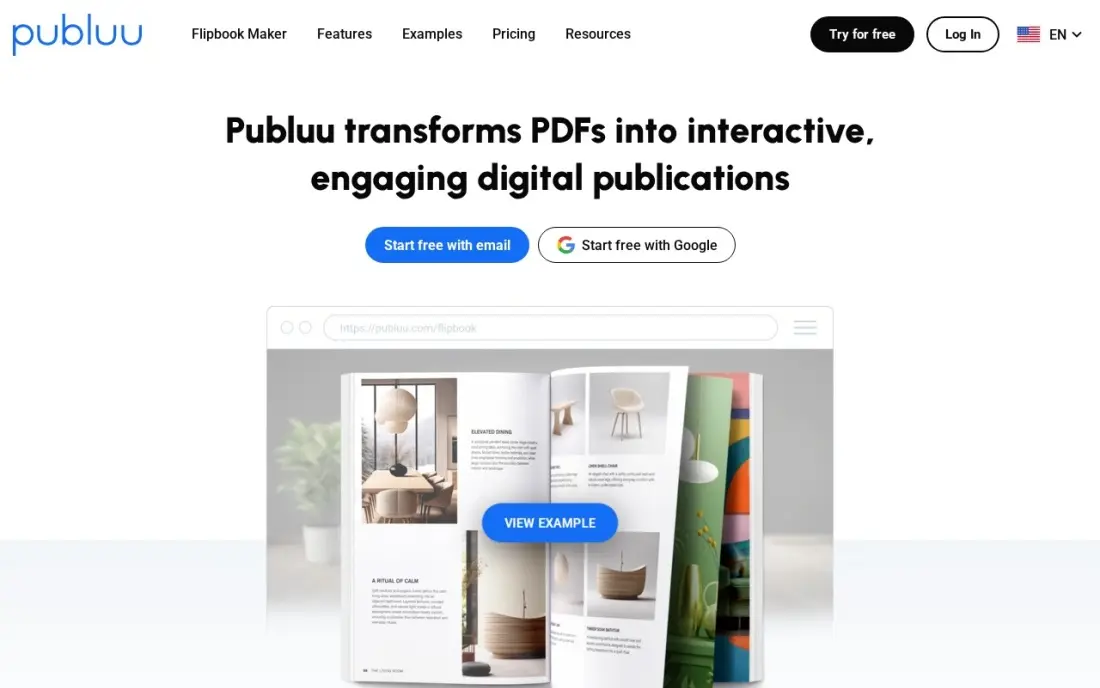
Publuu turns a finished PDF brochure into an online page-flip publication. Basic costs $7 a month billed annually, or $14 billed monthly, with unlimited pages and no ads on every plan, and hotspots, shoppable links and 3D virtual tours make a static brochure interactive. G2 reviewers rate it 4.8 from 565 reviews, the highest in this list, with ease of use most praised.
Publuu does not design anything; you build the brochure in Canva or InDesign first. Custom logo, custom domain, lead forms and password protection need Optimum at $24 a month billed annually, and Basic reports total views only. Flipbooks go inactive when a paid period ends.
What we like
- The cheapest paid start here at $7/month billed annually, with unlimited pages and no ads on every plan
- The highest G2 rating in this list at 4.8/5 from 565 reviews, with ease of use the most-cited strength
- Hotspots, shoppable links and 3D virtual tours turn a static PDF into an interactive publication
Watch out for
- No free plan — only a 14-day trial, and flipbooks go inactive when a paid period ends
- Custom logo, custom domain, lead forms and password protection all wait for Optimum at $24/month billed annually
- Basic reports total views only — page-level and interaction statistics need Optimum

FlippingBook
Best for: Sales teams that want online brochures with page-level tracking and lead forms
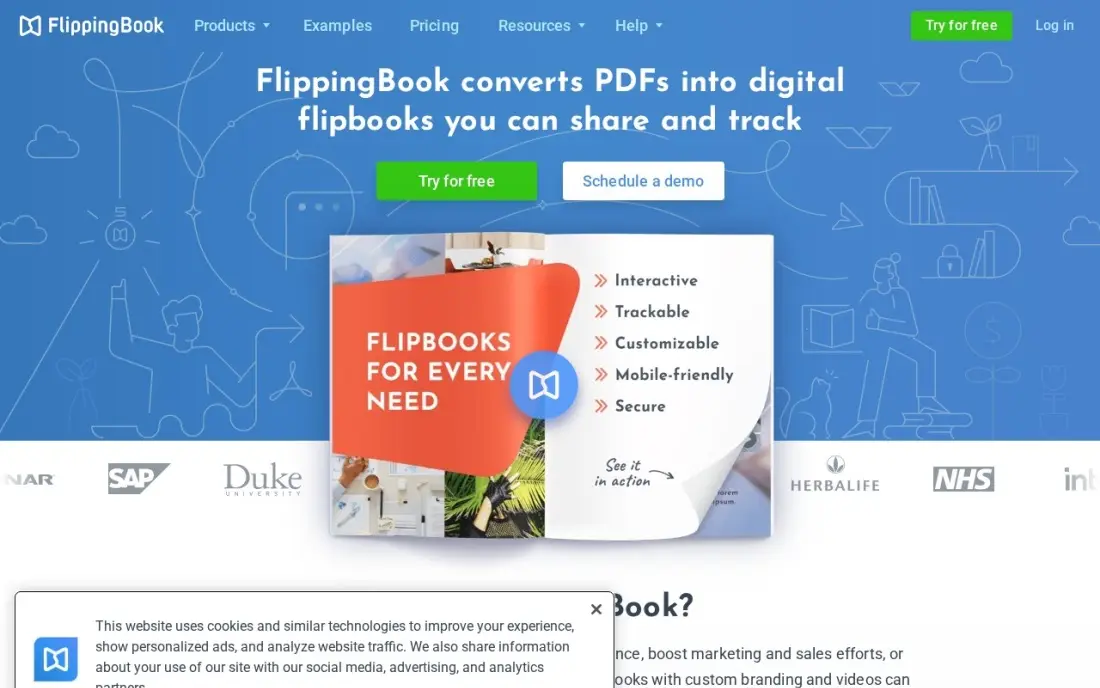
FlippingBook is the online brochure tool for teams that need to know who read what. It converts a PDF into a page-flip reader that works on any device, with trackable links and per-page analytics, and on higher plans lead forms and quizzes inside the brochure so a prospect can leave contact details while reading. G2 reviewers rate it 4.7 from 298 reviews.
Lite costs $26 a month billed monthly, or $20 billed annually, but covers only three flipbooks of up to 100 pages. Custom branding, bookshelves and lead forms wait for Optimal at $96 a month billed annually. Like Publuu, it hosts a finished PDF rather than designing one, and there is no free plan, only a 14-day trial.
What we like
- The strongest tracking here: per-link and per-page analytics, plus Google Analytics integration from Optimal
- Realistic page-flip reader that works on any device, with video, audio and pop-up galleries on higher plans
- Lead generation forms and quizzes built into the reader, so a catalog can collect contacts as it is read
Watch out for
- No free plan — only a 14-day trial before the subscription starts
- Custom branding, bookshelves and lead forms wait for Optimal at $96/month billed annually
- Built around PDFs, so there is no from-scratch design editor — the layout must exist before upload

Maglr
Best for: Brands producing flagship interactive brochures and reports on their own domain
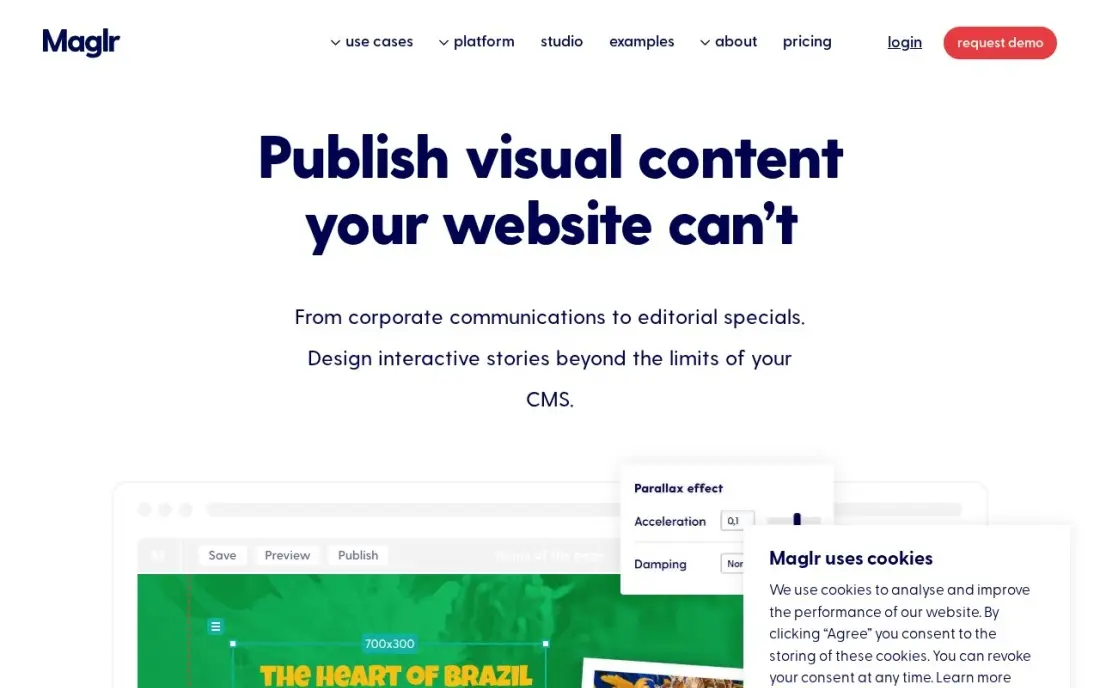
Maglr is for a brochure that behaves like a website. It builds interactive publications on a freeform canvas with animations, video and content gates, publishes them to your own domain with WCAG accessibility settings, and includes five users and 500 GB of monthly data traffic on the Advanced plan. It suits an annual report or flagship product brochure that has to impress.
The price is in a different league: Advanced costs €400 a month before VAT, the cheaper Basic plan is listed as coming soon, and there is no free plan. Its G2 rating of 4.8 rests on only six reviews, and reviewers note desktop and mobile versions must be built separately.
What we like
- Pixel-perfect freeform design with animations, video and interactivity — closer to a website than a PDF flipbook
- Content gates, personalization and WCAG settings built into the Advanced plan
- Publishes to your own domain with 500GB of monthly data traffic included
Watch out for
- The most expensive entry in this list by a wide margin at €400/month before VAT
- No free plan, and the cheaper Basic plan is listed as available soon, not buyable today
- G2's 4.8/5 rating rests on only 6 reviews, and reviewers note desktop and mobile versions must be built separately
The best brochure design software turns your offer into a clean, printable or shareable brochure without fighting the layout. We compared eight tools across three jobs — template editors for non-designers, professional layout software for print, and flipbook platforms that publish brochures online — and every price below comes from the vendor's own pricing page as checked in November 2026.
How to choose the best brochure design software
- Decide who will design it. A business owner needs templates and drag-and-drop editing; a designer needs grids, styles and precise typography.
- Know whether it will be printed. Print needs bleed, CMYK colour and a print-ready PDF; a digital brochure needs a good reader and links that work.
- Check brand controls. A Brand Kit that stores logos, colours and fonts keeps every brochure consistent across a team.
- Count the pages. A tri-fold is easy in any tool; a 40-page catalogue is far easier in dedicated layout software.
- Plan how readers will get it. If the brochure lives online, budget for a flipbook host with analytics and lead capture.
- Price per seat, not per account. Some tools charge per person and others cover a whole team on one plan.
- Pick a template editor if you are a beginner. Canva, VistaCreate and Adobe Express all start free with ready-made brochure and flyer templates, so someone with no design training can finish a layout in an afternoon.
A brochure works best when it sends readers somewhere useful. If your brochure points to a website, our SEO audit service checks that the pages people land on are fast and findable, and the free UTM builder lets you tag brochure links so you can see in analytics which ones bring visitors.
Brochure design software pricing: what you will actually pay
For one person designing brochures for a year, Adobe Express Premium costs $9.99 a month, or $119.88 a year. Canva Pro costs $144 a year billed annually, or $216 on monthly billing at $18. Adobe InDesign costs $22.99 a month billed annually, about $276 a year, or $34.49 billed monthly, and Inkscape costs nothing.
For a team of five, the picture changes. VistaCreate Pro covers up to ten people on one $120 annual plan, while InDesign at $22.99 a seat comes to about $1,380 a year. Publishing online adds a host: Publuu Basic is $84 a year billed annually and FlippingBook Lite is $240 a year billed annually, rising to $96 a month on Optimal for lead forms. Maglr costs €4,800 a year before VAT.
Know the difference: brochure design tool vs flipbook platform
A brochure design tool creates the layout. Canva, VistaCreate, Adobe Express, InDesign and Inkscape are where you choose the fold, place the images, set the type and export a PDF for the printer or the web. Without one, there is nothing to publish.
A flipbook platform publishes a finished brochure online. Publuu and FlippingBook take your PDF and turn it into a page-turning reader with links, analytics and, on higher plans, lead forms; Maglr goes further and builds interactive publications on its own canvas. Most businesses that share brochures online use one of each: design in a template editor, publish on a flipbook host.
Quick comparison: tool type by need
| Buyer | Best pick | Why |
|---|---|---|
| Most small businesses | Canva | Brochure templates free, Pro $144/year with Brand Kit |
| Professional print layout | Adobe InDesign | Industry-standard grids and typography, $22.99/month billed annually |
| Small team on a budget | VistaCreate | Up to 10 users on Pro at $120/year |
| Stock photos and fonts included | Adobe Express | Adobe Stock and Fonts on Premium at $9.99/month |
| Zero budget designers | Inkscape | Free open-source vector editor |
| Cheap online brochures | Publuu | Flipbooks from $7/month billed annually, unlimited pages |
| Tracked sales brochures | FlippingBook | Per-page analytics, lead forms on Optimal |
| Flagship interactive brochures | Maglr | Website-like publications on your domain, €400/month |
Mistakes to avoid
- Sending a screen PDF to the printer. Ask the printer for bleed, margins and colour settings and export to match.
- Cramming every product onto one panel. A brochure has one job; cut anything that does not help the reader take the next step.
- Using low-resolution images. Photos that look fine on screen can print blurry, so use high-resolution files for print.
- Forgetting a clear call to action. Every brochure needs a phone number, web address or QR code that tells the reader what to do.
- Paying for layout software nobody can use. InDesign rewards trained designers; a team without one will get further, faster in Canva.
Related comparisons: App Design Software · AI Design Apps Free to Use · Website Design Services · Banner Design Software
How we chose
We checked each vendor's own pricing page in November 2026 and recorded the starting price exactly as shown, including annual and monthly figures where both are listed. We grouped the tools by job — template editing, professional layout and online publishing — and ranked them by fit for the most common buyer, a small business that produces a handful of brochures a year. Ratings come from G2 pages checked on the dates shown in the sources. No vendor paid for a place in this list, and none of the links here are affiliate links.
What to do next
Pick one brochure you need this month, build it in the free plan of Canva or VistaCreate, and send a test PDF to your printer or upload it to a flipbook trial before paying for anything. Then make sure the website your brochure points to is ready for the visitors it sends. Book a free SEO call.
Frequently asked questions
What is the best brochure design software?
Canva is the best brochure design software for most small businesses, with free templates and Pro at $18 a month or $144 a year. Adobe InDesign is best for professional multi-page print brochures, at $22.99 a month billed annually.
Is there free brochure design software?
Yes. Canva, VistaCreate and Adobe Express all have free plans with templates, and Inkscape is a completely free vector editor. The free plans of the template editors hold back features such as Brand Kit and AI tools.
What do professional designers use to make brochures?
Most use Adobe InDesign for layout, often with Illustrator for vector artwork, because InDesign offers precise grids, typography and print-ready PDF export, and printers are used to receiving its files.
How do I publish a brochure online?
Design it in Canva or InDesign, export a PDF and upload it to a flipbook tool. Publuu starts at $7 a month billed annually with unlimited pages, and FlippingBook starts at $20 a month billed annually with page-level tracking.
Can I print a brochure designed in Canva?
Yes. Canva exports print-ready PDFs. Check the bleed, margins and colour settings your printer asks for before sending the file.
How much does brochure design software cost?
On published prices, Adobe Express Premium is $9.99 a month, VistaCreate Pro $120 a year, Canva Pro $144 a year and InDesign $22.99 a month billed annually. Inkscape is free.
What is the best software for designing flyers and leaflets?
The same tools handle brochures, flyers and leaflets. Canva has brochure and flyer templates and a drag-and-drop editor on its free plan, and VistaCreate's free Starter plan suits small teams making brochures, social posts and flyers. Adobe Express adds Adobe Stock photos and fonts from $9.99 a month. For multi-page print work, designers use Adobe InDesign from $22.99 a month billed annually.
Is there free brochure design software for PC?
Yes. Inkscape is free and open source for Windows, macOS and Linux, with no paid version, no account and no locked features, and it handles print layouts and vector artwork. Canva, VistaCreate and Adobe Express all have free plans that run in a browser on any PC, with brochure templates. Canva's free plan includes 250,000+ templates and 5GB of storage.
Sources we checked (14)
- Canva — www.canva.com/pricing (checked November 12, 2026)
- Canva reviews on G2 (checked November 12, 2026)
- Adobe InDesign — www.adobe.com/creativecloud/plans.html (checked November 12, 2026)
- Adobe InDesign reviews on G2 (checked November 12, 2026)
- VistaCreate — create.vista.com/plans (checked November 4, 2026)
- Adobe Express — www.adobe.com/express/pricing (checked November 12, 2026)
- Adobe Express reviews on G2 (checked November 12, 2026)
- Inkscape — inkscape.org (checked November 4, 2026)
- Publuu — publuu.com/pricing (checked November 12, 2026)
- Publuu reviews on G2 (checked November 12, 2026)
- FlippingBook — flippingbook.com/pricing?for=individuals (checked November 12, 2026)
- FlippingBook reviews on G2 (checked November 12, 2026)
- Maglr — www.maglr.com/pricing (checked November 12, 2026)
- Maglr reviews on G2 (checked November 12, 2026)
Make one of these tools?
We re-check this list every quarter. Send a correction, request a review, or ask about a clearly labeled sponsored spot.
Request a listingShamim
Founder of SerpAstra
A full-stack digital marketer and SEO strategist covering technical and local SEO, AI search visibility, paid ads and lead generation for local businesses, e-commerce brands and SaaS teams.
Free SEO and AI visibility audit
Find out what is holding your rankings back
Send us your site. Within 2 business days you get a written audit, an AI visibility check and a short fix list ranked by impact. Free, with no contract attached.
Request my free audit→Related buying guides
 Productivity & Office11 Best Digital Publishing Platforms for 2026 (Pros, Cons and Pricing)Compare the 11 best digital publishing platforms on price, free plans and features, with every price checked on the vendor's pricing page on November 12, 2026.Read guide →
 Graphic Design & CreativeBest Digital Art Software for 2026: 11 Options Compared by Use CaseCompare the 11 best digital art software options for 2026 by use case, with real prices — from free open-source tools to Photoshop at $22.99 a month.Read guide →
 Graphic Design & Creative7 Best Publishing Software in 2026, ComparedCompare the 7 best publishing software for page layout, print-ready PDFs and book formatting, from free open-source tools to InDesign, prices checked in 2026.Read guide →