
7 Best DLP Software in 2026, Compared
Compare the 7 best DLP software for endpoints, email, SaaS apps and AI tools on coverage, deployment and real per-user cost, with prices checked for 2026.
 Shamim Mia, Founder, SerpAstraLast verified November 6, 20268 min read
We compare pricing pages, documentation and public reviews. We never accept payment for rankings.
Key takeaways
- Teramind is the only full DLP platform here with a published price: its DLP plan costs $32 a seat a month billed annually, with a five-seat minimum.
- For email-only DLP on a small budget, Trustifi lists its advanced security package, including DLP and encryption, at a flat $3 a month.
- Nightfall is the pick for cloud-first companies worried about data in Slack, Google Drive, GitHub and AI tools, but it is quote-only on annual per-user plans.
- Endpoint Protector and Safetica focus on endpoints, USB devices and email, and both sell by quote, so collect two written quotes before deciding.
On this page
Quick comparison
| Tool | Best for | Starting price | Free plan |
|---|---|---|---|
 Teramind | Regulated businesses that want endpoint DLP joined to user activity monitoring and forensic evidence | $32/seat/mo DLP (annual) | No (7-day trial) |
 Nightfall | Cloud-first companies that need DLP across SaaS apps, email, endpoints and AI tools from one detection engine | Custom quote | No (7-day proof of value) |
 Endpoint Protector | Mixed Windows, Mac and Linux fleets that need device control and endpoint DLP with the same features on every OS | Custom quote | No |
 Safetica | Small and mid-size businesses that want endpoint, email and Microsoft 365 DLP with OCR in one product | Custom quote | No |
 Trustifi | Small teams that mainly need to stop sensitive data leaving by email, with encryption built in | $3/mo (flat rate) | No (trial available) |
 Proofpoint | Enterprises that want outbound email DLP and encryption inside their email security gateway | Custom quote | No (demo only) |
 Zscaler Internet Access | Large enterprises that want DLP applied inline to all web and cloud traffic through a secure web gateway | Custom quote | No (demo only) |
Make one of these tools?
We re-check this list every quarter. Send a correction, request a review, or ask about a clearly labeled sponsored spot.
Request a listingThe best DLP software
Teramind
Best for: Regulated businesses that want endpoint DLP joined to user activity monitoring and forensic evidence
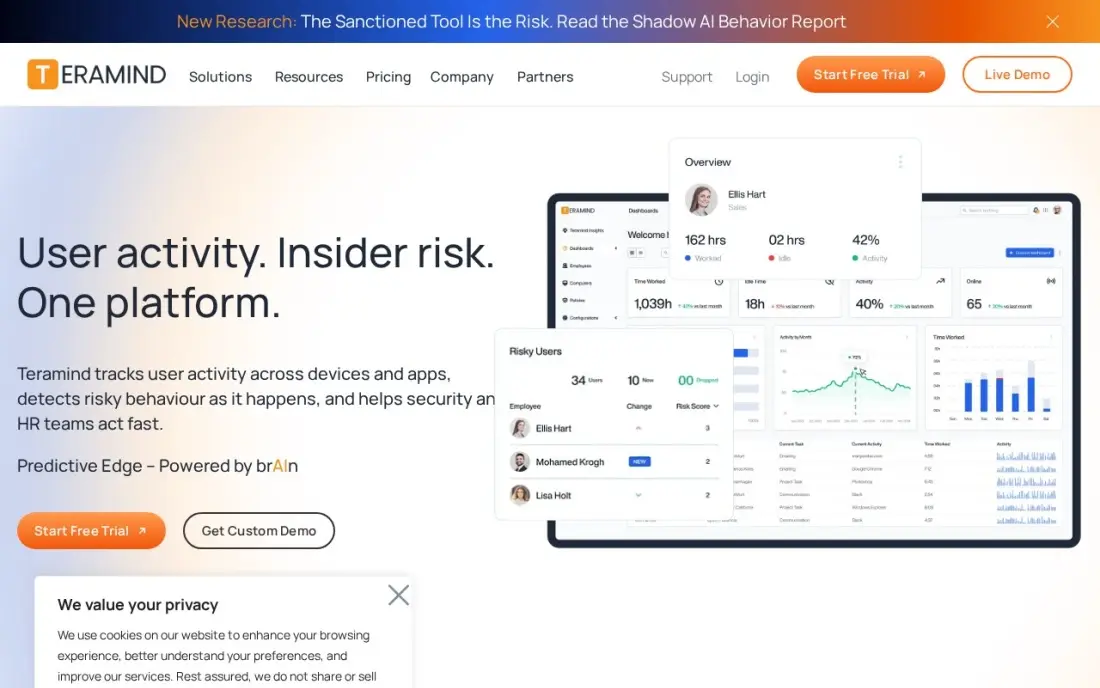
Teramind combines data loss prevention with user activity monitoring, which suits regulated firms that need to prove who moved what data and when. The DLP plan adds content-based rules, sensitive-data detection and automatic blocking on top of screen recording, keystroke logging, email and file monitoring and risk scoring, so an incident comes with a recording rather than just a log line.
Pricing is published: Starter costs $15 a seat a month billed monthly, or $14 billed annually, but DLP features start at $32 a seat a month billed annually, and every plan has a five-seat minimum. OCR search is on the custom Enterprise plan. The level of monitoring needs a clear staff policy. It is rated 4.6 out of 5 on G2 from 185 reviews.
What we like
- The heaviest monitoring here: screen recording, live view and activity blocking on Starter
- UAM adds keystroke logging, email and file monitoring, risk scoring and anomaly detection
- DLP adds content-based rules, sensitive-data detection and automatic blocking
- Flexible monthly or annual billing, unlike the annual-only rivals
Watch out for
- Keystroke logging and risk scoring start at the UAM tier, $28 a month billed annually
- Every plan carries a 5-seat minimum, so a small team still pays for five seats
- Full DLP is $32 a month billed annually, and OCR search sits on the custom Enterprise plan
Nightfall
Best for: Cloud-first companies that need DLP across SaaS apps, email, endpoints and AI tools from one detection engine
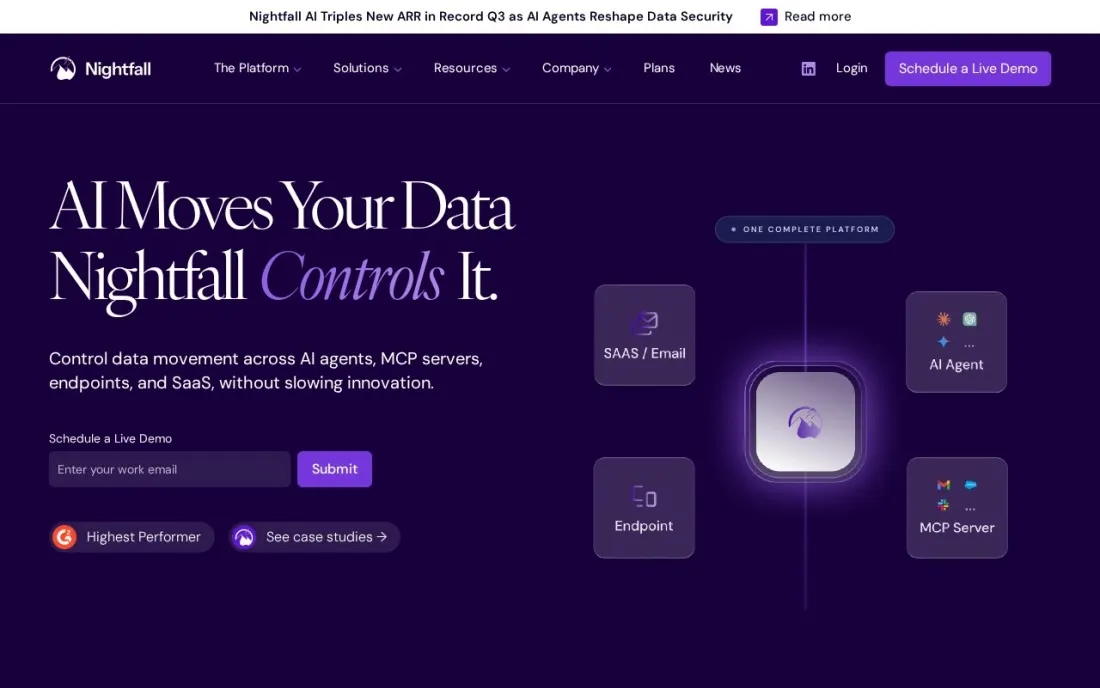
Nightfall is built for companies whose sensitive data lives in SaaS tools rather than on file servers. Foundation connects by API to apps such as Google Drive, Slack, GitHub, Jira and Salesforce, covers email, and adds an endpoint agent that watches any app, including browsers and AI tools, with one detection engine across all of them. Every plan includes a customer success manager and a one-hour support SLA.
Premier adds AI agent security, including hooks for coding tools, MCP server discovery and SIEM export to Splunk, Panther and Sumo. Prices are not published: plans are annual and per user, quoted on user count and data volume. Instead of a trial, Nightfall runs a free 7-day proof of value in your environment.
What we like
- One detection engine across API-connected SaaS apps, email and an endpoint agent
- Endpoint agent covers any app, including browsers and AI tools
- Premier adds AI agent security, MCP server discovery and SIEM export
Watch out for
- No published prices; annual per-user quotes only
- No self-serve trial; the proof of value is run by Nightfall's team
- Data-at-rest scanning above 150 GB is a paid add-on
Endpoint Protector
Best for: Mixed Windows, Mac and Linux fleets that need device control and endpoint DLP with the same features on every OS
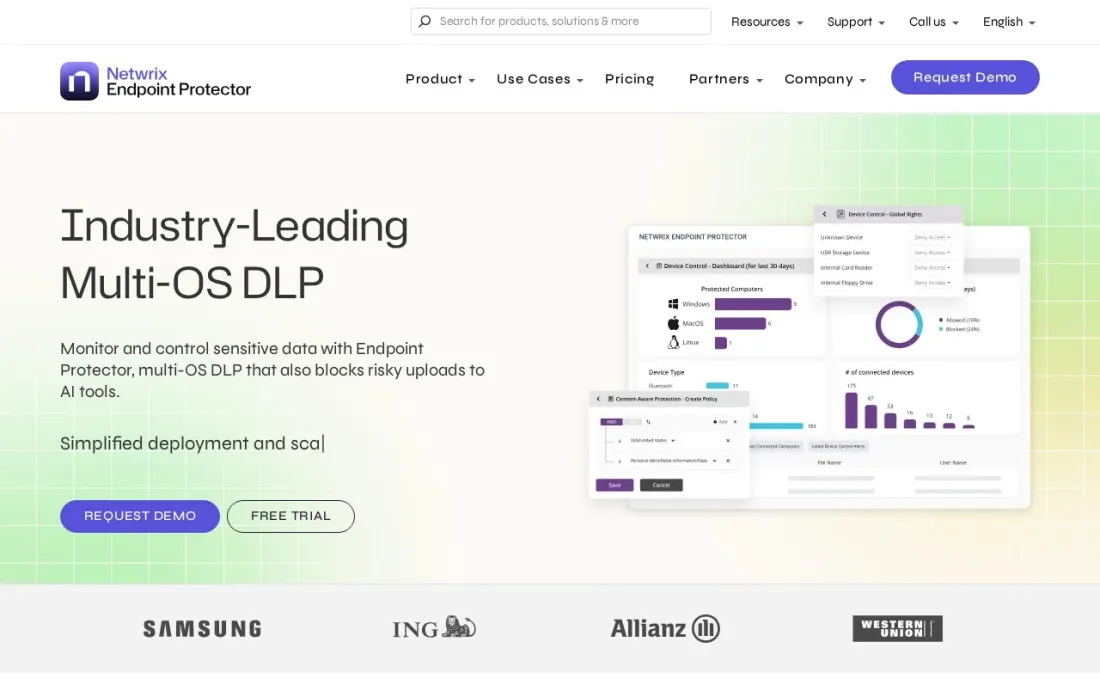
Endpoint Protector, now sold as Endpoint Protector by Netwrix, is the endpoint DLP pick for companies with mixed operating systems. It runs on macOS, Windows and Linux with full feature parity, which matters because many endpoint tools treat Macs as an afterthought, and it can be deployed as SaaS, in your own cloud or as a virtual appliance for teams that keep security tooling on-premises.
Its focus is the device itself: keeping sensitive files on company laptops instead of leaving through the many apps and ports a computer offers. Netwrix publishes no price and tailors each plan through sales, so ask for per-endpoint pricing, licence term and any module charges in writing. Pair it with a SaaS or email DLP tool if your data also lives in cloud apps.
What we like
- Full feature parity across macOS, Windows and Linux
- Deploys as SaaS, in your cloud or as a virtual appliance
- Now sold under the Netwrix brand alongside other data security tools
Watch out for
- No published price; every plan is tailored by sales
- No free trial terms stated on the pricing page
- Focused on endpoints, so SaaS-app data needs another tool
Safetica
Best for: Small and mid-size businesses that want endpoint, email and Microsoft 365 DLP with OCR in one product
Safetica suits smaller businesses that want one DLP product covering laptops, email and Microsoft 365 without a large security team. Its policies control email, external devices, applications and websites, OCR scanning catches sensitive data inside images and scanned documents, and incident response tools help an administrator act on what it finds.
Capterra lists Safetica as a custom quote, priced per user a month, with no free trial or free version, so you will need a sales call. It is rated 4.7 out of 5 on Capterra from 141 reviews, a strong score for the category. Check the Microsoft 365 coverage against your own tenant during the demo.
What we like
- OCR scanning finds sensitive data inside images and scans
- Policies for email, external devices, applications and websites
- Protection for Microsoft 365 included
Watch out for
- No published price; quotes are per user a month
- No free trial listed
- Fewer integrations with non-Microsoft SaaS apps than Nightfall
Trustifi
Best for: Small teams that mainly need to stop sensitive data leaving by email, with encryption built in
Trustifi covers the channel where most accidental leaks happen: email. DLP rules check outgoing messages for sensitive data, end-to-end encryption and one-click secure sending protect what must go out, and secure file sharing is included rather than sold as an add-on. It plugs into Outlook, Gmail and Microsoft 365 without rerouting mail.
Trustifi lists its advanced security package at a flat $3 a month, but directory listings show $6, so confirm the figure at quote time; email archiving costs $1 per user a month extra. It does not cover endpoints or SaaS apps. It is rated 4.8 out of 5 on G2 from 23 reviews, a small review base.
What we like
- Encryption-first design with end-to-end encryption and one-click secure sending
- Flat $3/month rate for the advanced security package, with volume discounts available
- DLP and secure file sharing included instead of sold as add-ons
- Plugs into Outlook, Gmail and Microsoft 365 without rerouting mail
Watch out for
- Smallest review base here at 23 G2 reviews, so the rating is less tested than the big names
- Directory listings show a $6 flat rate, against the vendor's own $3 figure, so confirm at quote time
- Email archiving costs an extra $1/user/month on top of the security package
Proofpoint
Best for: Enterprises that want outbound email DLP and encryption inside their email security gateway
Proofpoint applies policy-based DLP and encryption to outbound mail inside its enterprise email gateway, so sensitive messages are caught or encrypted without staff remembering to do it. AI-driven threat detection and URL and attachment sandboxing protect inbound mail in the same product, and detailed reporting shows security teams what was blocked and why.
Proofpoint publishes no price and sells by quote, and the small-business Essentials line is moving to 365 Total Protection, so confirm the current product before buying. Configuration is complex and reviewers report false positives. Choose it when email is the main leak path and you already need an enterprise gateway. It is rated 4.6 out of 5 on G2 from 584 reviews.
What we like
- Rated 4.6 out of 5 from 584 G2 reviews, the highest-rated enterprise gateway here
- AI-driven threat detection with URL and attachment sandboxing
- Policy-based encryption and DLP for outbound mail
- Detailed reporting and a large enterprise customer base
Watch out for
- No published price — enterprise products are sold by quote only
- The small-business Essentials line is migrating to 365 Total Protection, so check the current platform
- Configuration is complex, and reviewers report false positives
Zscaler Internet Access
Best for: Large enterprises that want DLP applied inline to all web and cloud traffic through a secure web gateway
Zscaler Internet Access applies DLP inline, inspecting encrypted web and cloud traffic with full SSL inspection, so uploads of sensitive data to personal cloud storage or unsanctioned apps can be blocked wherever the user works. DLP, CASB, sandboxing and a cloud firewall are bundled, which lets a large company retire several appliances.
ZIA is sold inside platform bundles with no published price or free trial, and reviewers report peak-hour slowdowns and complex setup. It is overkill below roughly 500 users. Buy it when DLP is part of a wider move to a cloud security gateway, not as a standalone DLP purchase. It is rated 4.4 out of 5 on G2 from 290 reviews.
What we like
- Inspects encrypted web and cloud traffic with full SSL inspection, so sensitive uploads can be blocked wherever the user works
- Bundles DLP, CASB, sandboxing and a cloud firewall, replacing several appliances with one cloud service
- Runs on the largest security cloud in this list, with consistent policy for office and remote users
Watch out for
- No published price and no free trial: ZIA sells inside platform bundles, so quotes are enterprise-only
- Reviewers report slow performance at peak hours, complex setup and occasional connection issues
- Overkill below roughly 500 users, and best bought as part of a wider move to a cloud security gateway, not as standalone DLP
The best DLP software finds your sensitive data, watches where it goes and stops it leaving the company by email, upload, USB drive, chat or AI prompt. We compared seven data loss prevention tools across the three places leaks happen: endpoints, email and cloud apps. Prices come from vendor pricing pages, review-site listings and our verified tool records, checked in November 2026. Most DLP vendors sell by quote, and we say so plainly.
How to choose the best DLP software
- Map how data leaves today. List the channels your staff use: email, Slack, Google Drive, USB drives, personal cloud storage and AI tools. Buy for the channels that carry real risk.
- Decide what counts as sensitive. Card numbers and ID numbers are easy to detect; contracts, designs and source code need custom rules or classification.
- Check detection accuracy. False positives are the main reason DLP projects fail; test with your own documents during the trial.
- Choose block, warn or log per rule. Start most rules in log or warn mode, then block only where you are confident, so work does not grind to a halt.
- Confirm OS and app coverage. Mac support, Linux support and specific SaaS integrations vary widely between tools.
- Plan who reviews alerts. Someone must triage incidents every day; a DLP tool nobody watches is just a log.
DLP protects the data you hold; your website is where that trust is shown to buyers. If you publish security or compliance pages to win customers, our AI search optimization service helps them show up when buyers ask AI tools and search engines about vendors in your market.
DLP software pricing: what you will actually pay
Take a 50-person company. Teramind's DLP plan costs $32 a seat a month billed annually, so 50 seats cost $1,600 a month, or $19,200 a year; the five-seat minimum only matters for very small teams. If the main risk is email, Trustifi lists its advanced security package at a flat $3 a month, with archiving at $1 per user a month, so 50 users with archiving add $50 a month.
Nightfall, Endpoint Protector, Safetica, Proofpoint and Zscaler all sell by quote. Nightfall prices annually per user, based on user count and data volume, with 150 GB of data-at-rest scanning included. Safetica is quoted per user a month. Ask every vendor for a per-user or per-endpoint figure, the contract term and any add-on modules, so the quotes can be compared on the same basis.
Know the difference: endpoint DLP vs cloud and email DLP
Endpoint DLP runs on each laptop and desktop. Teramind, Endpoint Protector and Safetica watch what happens to files on the computer, such as copying to external devices, uploading or attaching, and can act on the device itself. This is the right choice when sensitive files live on computers and staff work offline or across many apps.
Cloud and email DLP work where the data travels. Nightfall connects to SaaS apps by API and scans messages, files and repositories; Trustifi and Proofpoint inspect outgoing email; Zscaler inspects web and cloud traffic inline. These catch leaks that never touch a USB port, such as a customer list shared publicly from Google Drive. Most companies of 50 or more people eventually need coverage in both places.
Quick comparison: tool type by need
| Buyer | Best pick | Why |
|---|---|---|
| Regulated firms needing evidence | Teramind | DLP plus activity monitoring, $32/seat/month billed annually |
| Cloud-first and AI-heavy teams | Nightfall | SaaS, email, endpoint and AI coverage, by quote |
| Mixed Windows, Mac and Linux | Endpoint Protector | Full feature parity across three OSes, by quote |
| SMBs on Microsoft 365 | Safetica | Endpoint, email and M365 DLP with OCR, by quote |
| Email-only on a budget | Trustifi | DLP and encryption, listed at a flat $3/month |
| Enterprise email gateway | Proofpoint | Outbound DLP and encryption by policy, by quote |
| Inline web and cloud DLP | Zscaler Internet Access | DLP inside a secure web gateway, by quote |
Mistakes to avoid
- Blocking everything on day one. Strict rules without tuning stop real work and push staff to workarounds; start in monitor mode and tighten over weeks.
- Ignoring SaaS and AI tools. Many leaks now happen through shared cloud links and pasted prompts, which endpoint-only tools may not see.
- Buying without a data inventory. If you do not know where sensitive data lives, the DLP tool cannot be configured to protect it.
- Skipping the staff policy. Monitoring and blocking must be explained in an acceptable-use policy, and in some countries employees must be told in advance.
- Comparing quotes on different units. Per user, per endpoint and per data volume prices only compare once converted to the same headcount and term.
Related comparisons: Zero Trust Platforms · Privacy Apps · Web Security Software · Phishing Software Tools
How we chose
We combined four tools from our verified database with three researched on November 16, 2026: Nightfall from its own pricing page, Endpoint Protector from its pricing request page, and Safetica from its Capterra listing. Where a vendor publishes no price, we state that rather than repeat an estimate. We ranked tools by fit for a company of 20 to 1,000 people setting up its first DLP programme, weighing channel coverage, deployment options, published pricing and ease of tuning. Ratings come from G2 or Capterra pages checked on the dates shown; we left ratings out where we did not verify them. No vendor paid for a place in this list, and none of the links here are affiliate links.
What to do next
List your top three leak channels and the data types you most need to protect, then run a monitor-only trial or proof of value with the two tools that cover those channels. Compare the alerts each one raised on the same week of real work. If you also want your security credentials to help win customers online, book a free SEO review.
Frequently asked questions
What is the best DLP software?
It depends on where your data leaks. Nightfall is the best for SaaS apps and AI tools, Endpoint Protector and Safetica for laptops and USB devices, and Trustifi or Proofpoint for email. Teramind is the only full DLP platform here with a published price, at $32 a seat a month billed annually.
What does DLP software do?
Data loss prevention software finds sensitive data such as customer records, card numbers or source code, watches where it moves, and blocks, encrypts or alerts when it is about to leave through email, uploads, USB drives or messaging apps.
How much does DLP software cost?
Most DLP tools are quote-only. Of the tools here, Teramind publishes its DLP plan at $32 a seat a month billed annually with a five-seat minimum, and Trustifi lists email security including DLP at a flat $3 a month. Nightfall, Endpoint Protector, Safetica, Proofpoint and Zscaler all sell by quote.
Is there free DLP software?
Not among these tools. Nightfall offers a free 7-day proof of value and Teramind a 7-day cloud trial. Microsoft 365 and Google Workspace include some built-in DLP rules on certain plans, which is worth checking before buying a separate tool.
What is the difference between endpoint DLP and cloud DLP?
Endpoint DLP runs an agent on each computer and controls files, USB drives and printing. Cloud DLP connects to SaaS apps such as Slack, Google Drive and GitHub by API and scans data there. Many companies need both, or a tool such as Nightfall that covers both.
Can DLP software stop data being pasted into AI chatbots?
Some can. Nightfall's endpoint agent covers browsers and AI tools, and its Premier plan adds AI agent security. Inline gateways such as Zscaler can also inspect uploads to AI sites. Check this specific scenario during any trial.
What is the best DLP solution for a small business?
Safetica is built for small and mid-size businesses, with endpoint, email and Microsoft 365 DLP plus OCR in one product, priced by quote per user. If email is the main leak, Trustifi adds DLP and encryption to Outlook, Gmail and Microsoft 365 from a flat $3 a month. Teramind publishes prices from $15 per user a month, but every plan carries a 5-seat minimum.
Is there DLP software for Linux?
Yes. Endpoint Protector is the pick for Linux: it offers full feature parity across macOS, Windows and Linux, with device control and endpoint DLP, and it deploys as SaaS, in your own cloud or as a virtual appliance. Pricing is by tailored quote with no published price. It focuses on endpoints, so data in SaaS apps needs another tool such as Nightfall.
Sources we checked (12)
- Teramind — www.teramind.co (checked November 6, 2026)
- Teramind reviews on G2 (checked November 6, 2026)
- Nightfall — www.nightfall.ai/pricing (checked November 16, 2026)
- Endpoint Protector — www.endpointprotector.com/lp/request-pricing-cososys (checked November 16, 2026)
- Safetica — www.capterra.com/p/254806/Safetica-NXT/pricing (checked November 16, 2026)
- Safetica reviews on Capterra (checked November 16, 2026)
- Trustifi — trustifi.com/blog/proofpoint-vs-mimecast-vs-trustifi (checked November 6, 2026)
- Trustifi reviews on G2 (checked November 6, 2026)
- Proofpoint — www.proofpoint.com (checked November 6, 2026)
- Proofpoint reviews on G2 (checked November 6, 2026)
- Zscaler Internet Access — www.g2.com/products/zscaler-internet-access/pricing (checked November 10, 2026)
- Zscaler Internet Access reviews on G2 (checked November 10, 2026)
Make one of these tools?
We re-check this list every quarter. Send a correction, request a review, or ask about a clearly labeled sponsored spot.
Request a listingShamim
Founder of SerpAstra
A full-stack digital marketer and SEO strategist covering technical and local SEO, AI search visibility, paid ads and lead generation for local businesses, e-commerce brands and SaaS teams.
Free SEO and AI visibility audit
Find out what is holding your rankings back
Send us your site. Within 2 business days you get a written audit, an AI visibility check and a short fix list ranked by impact. Free, with no contract attached.
Request my free audit→Related buying guides
 IT SecurityBest Email Security Software for 2026: 11 Options Compared by Use CaseCompare the 11 best email security software options for 2026 on price, phishing defense and BEC protection, with every price checked November 6, 2026.Read guide →
 HR & Payroll11 Best Workforce Analytics Software in 2026, ComparedCompare the 11 best workforce analytics software tools on price, free plans, people analytics and productivity tracking, with prices checked November 6, 2026.Read guide →
 IT Security8 Best Endpoint Protection Platforms in 2026, ComparedCompare the 8 best endpoint protection platforms on prevention, EDR, ransomware rollback, OS coverage and per-device cost, with prices checked on vendor pages.Read guide →