
7 Best Employee Monitoring Software in 2026, Compared
Compare the 7 best employee monitoring software and employee tracking apps on screenshots, activity data, privacy and per-user price, checked on vendor pages.
 Shamim Mia, Founder, SerpAstraLast verified November 6, 202610 min read
We compare pricing pages, documentation and public reviews. We never accept payment for rankings.
Key takeaways
- ActivTrak is the best starting point for most teams: productivity analytics without keystroke logging, a free plan for 3 users and paid plans from $10 a user a month billed annually.
- Teramind is the pick for regulated companies that need screen recording, keystroke logging and data loss prevention, though those features start at $28 a user a month billed annually.
- Hubstaff and Time Doctor are the cheapest employee tracking apps for remote and field teams, from $4.99 and $6.67 a user a month billed annually, with screenshots included.
- Monitoring works only with a written policy that staff have read; choose the lightest tool that answers your actual question.
On this page
Quick comparison
| Tool | Best for | Starting price | Free plan |
|---|---|---|---|
| ActivTrak | Teams that want productivity and workload analytics without keystroke logging | $10/mo | Yes (free plan) |
| Teramind | Regulated companies that need screen recording, insider-risk alerts and data loss prevention | $15/mo | No (7-day trial) |
| Hubstaff | Remote and field teams that need proof of work — hours, activity levels and screenshots | $4.99/user/mo | No (14-day trial) |
| Time Doctor | Distributed teams that need verified hours, screenshots and attendance before payroll | $6.67/mo (annual) | No (14-day trial) |
| Insightful | Managers of remote teams who want app, website and capacity data across the whole team | $8/mo (annual) | No (7-day trial) |
| DeskTime | Office and hybrid teams that want fully automatic tracking with a private-time option | $6.42/mo (annual) | No (14-day trial) |
| Prodoscore | Leaders who want a daily productivity score from business apps, with nothing installed on devices | $19.99/mo | No (no free trial) |
Make one of these tools?
We re-check this list every quarter. Send a correction, request a review, or ask about a clearly labeled sponsored spot.
Request a listingThe best employee monitoring software

ActivTrak
Best for: Teams that want productivity and workload analytics without keystroke logging
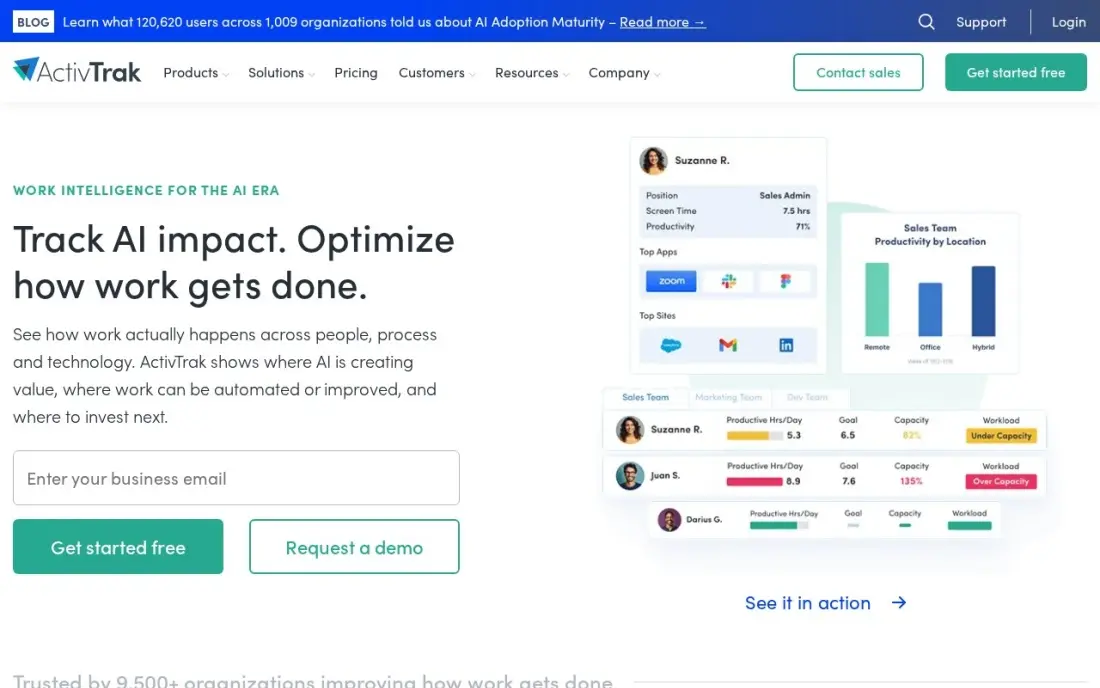
ActivTrak is the monitoring tool for managers who want to understand how work happens rather than watch every keystroke. It classifies app and website use as productive or unproductive, tracks focus time and context switching, and flags burnout risk and uneven workloads. It does not log keystrokes, read email or use the camera, which makes it easier to explain to staff.
The free plan covers three users with basic reports, enough for an honest trial. Paid plans start at $10 a user a month on annual billing only, with a five-user minimum. Screenshots, API access and longer data history are add-ons, and deeper analytics start at $15 a month.
What we like
- Free plan for up to 3 users with basic time tracking and productivity reports
- Privacy-first positioning: no keystroke logging, no email monitoring, no camera access
- Published pricing from $10 per worker per month, with add-ons priced separately
- Classifies app and website activity as productive or unproductive, and flags burnout risk
Watch out for
- Screenshots, API access and extended data history are paid add-ons, not included
- Paid plans bill annually only, with a 5-user minimum and no month-to-month option
- Deeper analytics and AI coaching sit on the higher tiers, from $15 a month
Teramind
Best for: Regulated companies that need screen recording, insider-risk alerts and data loss prevention
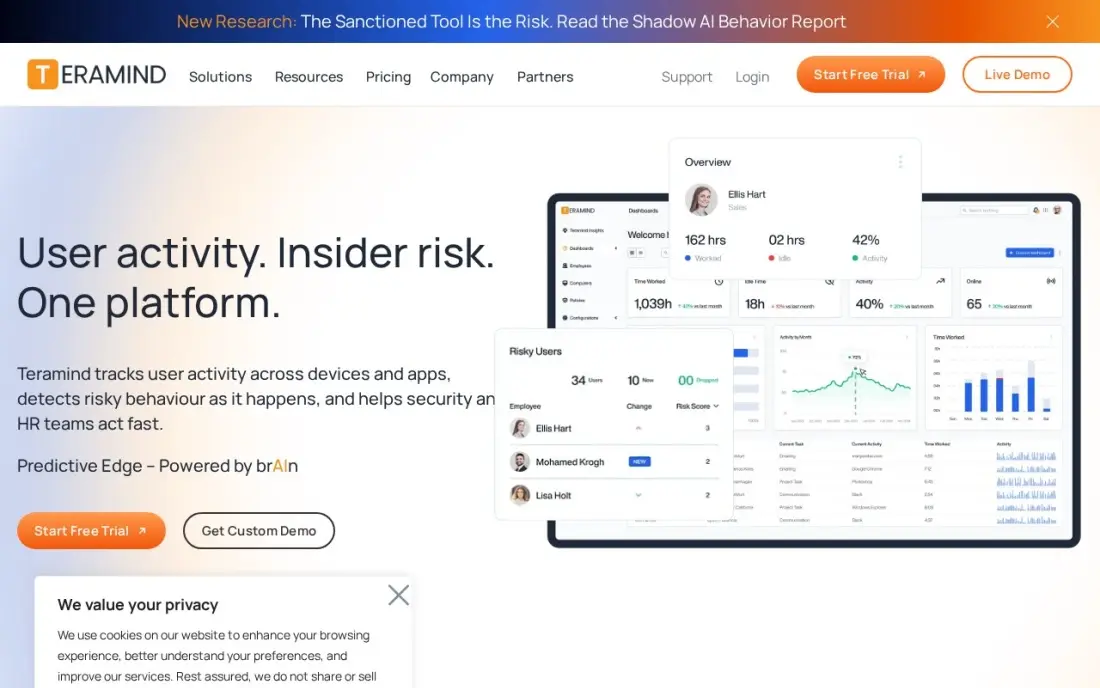
Teramind is the most complete monitoring platform here. Starter already records screens, offers live view and can block activity, the UAM tier adds keystroke logging, email and file monitoring, risk scoring and anomaly detection, and the DLP tier adds rules that stop sensitive data leaving the company. For finance, healthcare or legal teams that need forensic evidence, that depth is the reason to buy.
Starter costs $15 a user a month billed monthly, or $14 billed annually, with a five-seat minimum. The features most buyers come for cost more: UAM is $28 a user a month and DLP $32, both billed annually.
What we like
- The heaviest monitoring here: screen recording, live view and activity blocking on Starter
- UAM adds keystroke logging, email and file monitoring, risk scoring and anomaly detection
- DLP adds content-based rules, sensitive-data detection and automatic blocking
- Flexible monthly or annual billing, unlike the annual-only rivals
Watch out for
- Keystroke logging and risk scoring start at the UAM tier, $28 a month billed annually
- Every plan carries a 5-seat minimum, so a small team still pays for five seats
- Full DLP is $32 a month billed annually, and OCR search sits on the custom Enterprise plan

Hubstaff
Best for: Remote and field teams that need proof of work — hours, activity levels and screenshots
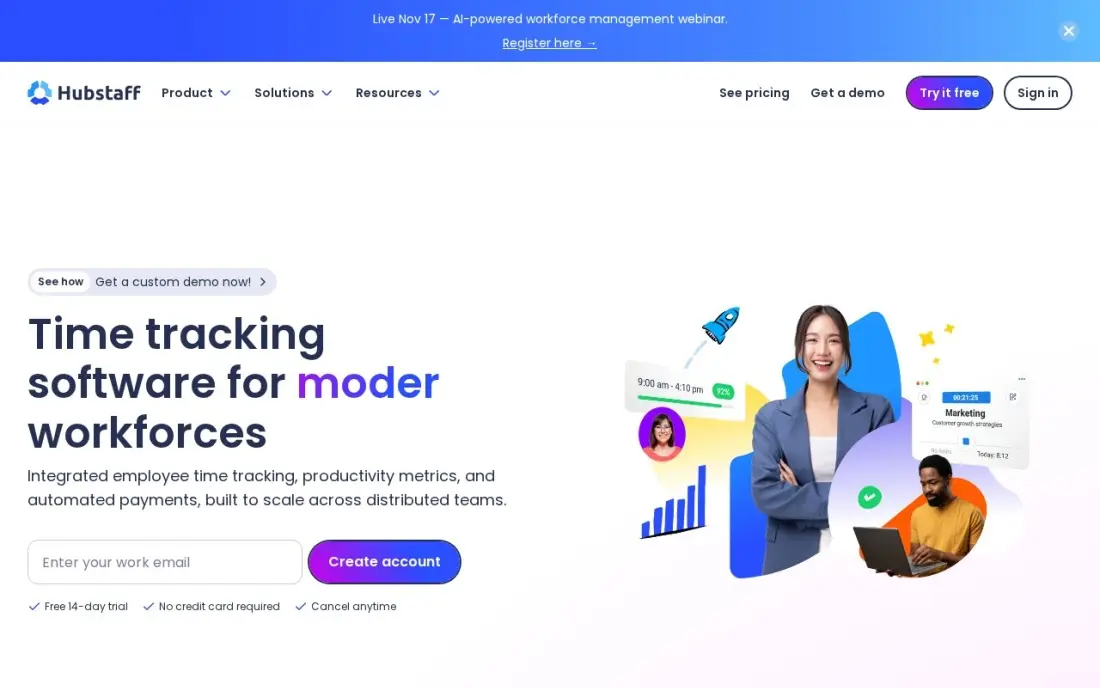
Hubstaff is an employee tracking app built around proof of work. Staff start a timer, and Hubstaff records hours, activity levels, screenshots and the apps and URLs used, with 500 screenshots per seat a month on Starter. Timesheets, client invoicing and, on Team, payroll and scheduling sit in the same tool, so tracked hours turn into pay.
Starter costs $4.99 a seat a month billed annually, or $7 monthly, with a two-seat minimum. GPS location tracking for field staff is a $3.33 add-on available only on the Team plan at $10 a seat. Screenshots can feel intrusive, so tell staff exactly what is captured.
What we like
- Screenshots and activity levels verify remote and field work, not just the clock-in time
- Payroll and payments, scheduling and timesheet approvals sit on the Team plan
- Client invoicing is included on every plan, so billable hours turn into bills in one place
- 500 screenshots and 500 tracked apps and URLs per seat a month on the Starter plan
Watch out for
- GPS tracking is a paid add-on ($3.33/seat/month) and only on the Team plan or above
- A 2-seat minimum on Starter, Grow and Team means a solo contractor pays for two seats
- Screenshots and activity monitoring can feel intrusive to a field crew

Time Doctor
Best for: Distributed teams that need verified hours, screenshots and attendance before payroll
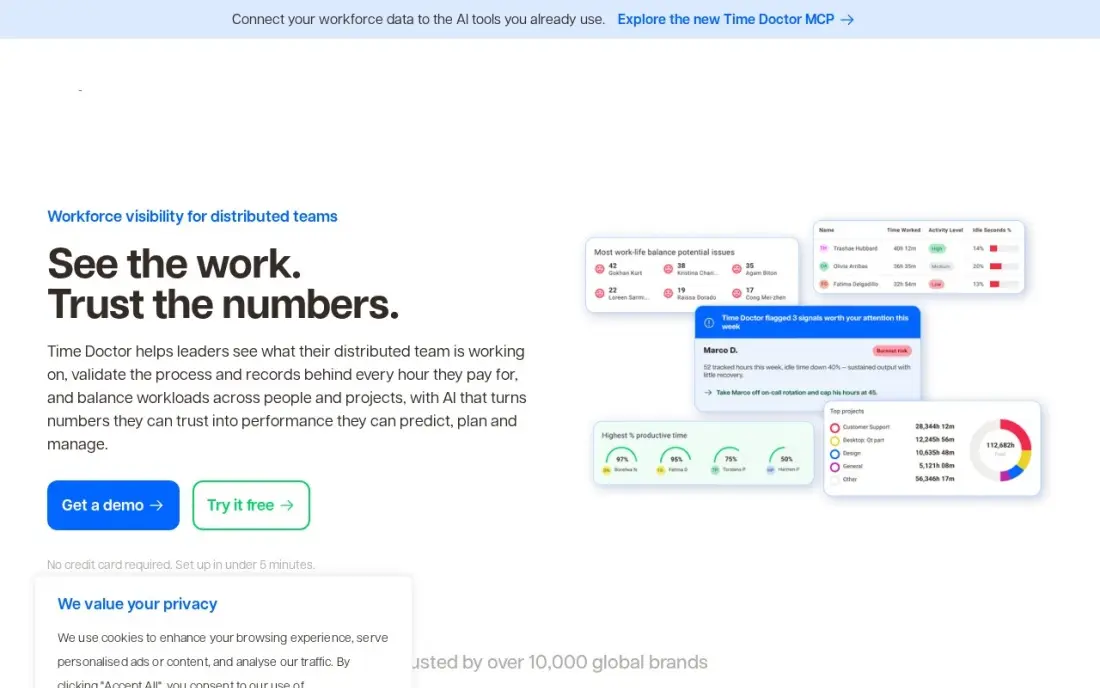
Time Doctor suits distributed teams, outsourcing firms and agencies that bill or pay by the hour. Screenshots and offline tracking come on every plan, and Standard adds web and app tracking, attendance, payroll and integrations, so managers can check hours against activity before anyone is paid. There is no seat minimum, and the 14-day trial opens every tier.
Basic costs $8 a user a month, or $6.67 billed annually, but it leaves out web and app tracking, so most teams land on Standard at $11.67 billed annually. Extras such as Benchmarks AI add $3 a user a month, and there is no free plan.
What we like
- Screenshots and offline tracking included on every plan from $6.67 billed annually
- Standard adds web and app tracking, attendance, payroll and integrations
- Clear per-plan pricing with no seat minimum and a 14-day trial on all tiers
Watch out for
- No free plan, only a 14-day trial, and Basic leaves out integrations and web and app tracking
- Most teams land on Standard ($11.67 billed annually) for payroll and integrations
- Extra features such as Benchmarks AI cost $3 per user per month on top
Insightful
Best for: Managers of remote teams who want app, website and capacity data across the whole team
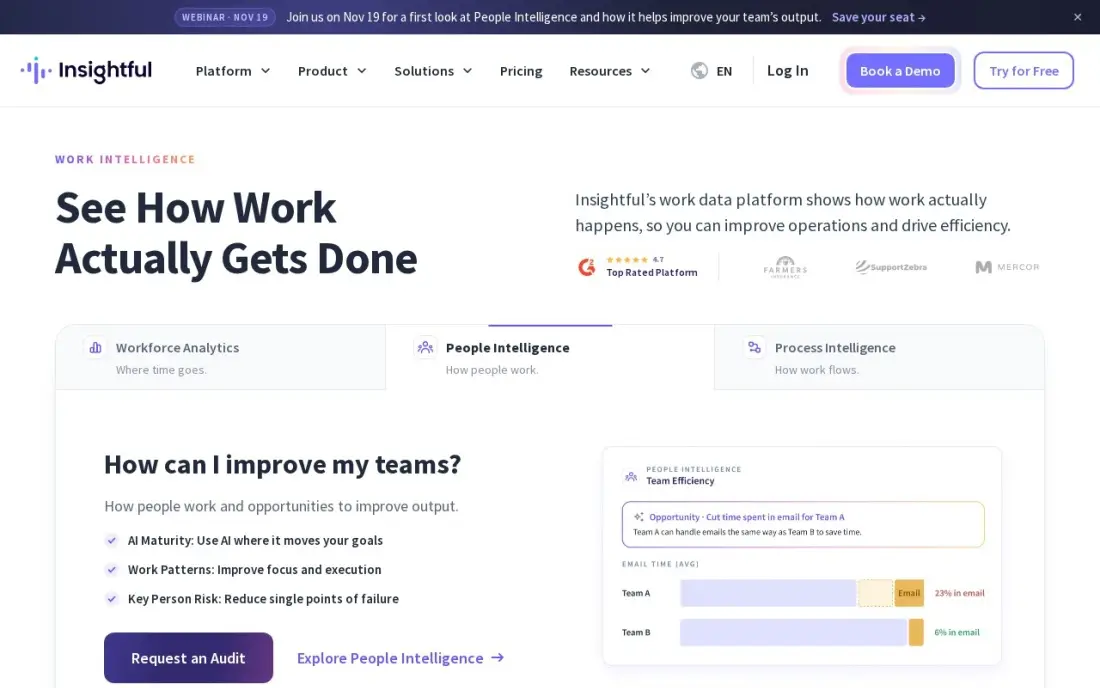
Insightful, formerly Workpuls, gives managers a real-time view of how a remote team spends the day across apps, websites and projects, with screenshots and productivity analytics included on the entry Workforce Analytics plan. Capacity views show who is overloaded and who has room, which helps planning as much as oversight.
Workforce Analytics costs $10 a user a month, or $8 billed annually, and you pay per monitored device, not for managers who only view dashboards. The trial lasts only 7 days, there is no free plan, and security and QA add-ons cost $0.50 to $4 a seat a month.
What we like
- Real-time overview of apps, websites and capacity across the whole team
- Screenshots and productivity analytics included on the entry Workforce Analytics plan
- You pay per monitored device, not for admins or managers who only view the dashboard
Watch out for
- No free plan, only a 7-day trial, the shortest trial in this list
- Monitoring-heavy by design, so it needs a clear conversation with staff before rollout
- Add-ons for security and QA run an extra $0.50 to $4 per seat per month
DeskTime
Best for: Office and hybrid teams that want fully automatic tracking with a private-time option
DeskTime tracks automatically from the moment the computer is on: apps, websites and documents are recorded with no timer to start, and the day is scored into productive and unproductive time with idle detection. Staff can switch on Private Time for breaks and see their own data, which makes the tool feel less like surveillance.
Pro costs $7 a user a month, or $6.42 billed annually, excluding VAT. Screenshots, API access and shift scheduling need Premium at $9.17 billed annually, so price that tier if screenshots are the point. There is no free plan, only a 14-day trial.
What we like
- Fully automatic tracking of apps, websites and documents from the moment work starts
- Productivity scoring with idle detection and a Private Time option for breaks
- Pro from $6.42 per user per month billed annually, with annual billing saving about a month
Watch out for
- No free plan, only a 14-day trial; the old free Lite tier was discontinued
- Screenshots, API access and shift scheduling wait for Premium at $9.17 billed annually
- Prices exclude VAT, so EU buyers pay more than the headline rate

Prodoscore
Best for: Leaders who want a daily productivity score from business apps, with nothing installed on devices
Prodoscore takes a different route: instead of an agent on the laptop, it reads activity from the business tools a team already uses, such as CRM, email, chat and project software, and turns it into one daily score per employee. There are no screenshots and no keystroke capture, and role benchmarks show who may need support.
Basic costs $19.99 a user a month, with a $300 monthly minimum for up to 15 seats, and there is no free trial or free plan. Premium, with flight-risk signals and network analysis, is priced by quote. It is the costliest entry here, so buy it for output-based insight, not hours.
What we like
- One daily productivity score per employee, from activity across 100-plus business tools
- No software installed on employee devices; it reads activity through integrations, not keystrokes
- Employee comparisons and role benchmarks show who needs support, not just who is busy
- Volume and multi-year discounts are available across all plans
Watch out for
- No free trial and no free plan, and the Basic plan starts at $300 a month for up to 15 seats
- Premium and Enterprise pricing is by quote, so the step up is unknown until you talk to sales
- Advanced analytics, flight-risk signals and org network analysis wait for Premium
The best employee monitoring software shows managers how work time is spent — apps, websites, activity levels and, where needed, screens — without turning the office into a surveillance exercise. We compared seven monitoring tools and employee tracking apps on what they capture, how they handle privacy, and the real cost per user, and every price below was checked on the vendor's own pricing page in November 2026.
How to choose the best employee monitoring software
- Write down the question first. Verifying billable hours, spotting burnout and stopping data leaks need very different tools; buy for the question, not the feature list.
- Pick the lightest capture that works. Productivity analytics without keystroke logging, like ActivTrak or Prodoscore, is easier to defend than screen recording.
- Check where screenshots sit. They are included on Hubstaff, Time Doctor and Insightful entry plans but are add-ons on ActivTrak and need Premium on DeskTime.
- Count seat minimums. Teramind and ActivTrak paid plans require five seats, Hubstaff two, and Prodoscore has a $300 monthly floor.
- Look for staff-facing views. Private time, personal dashboards and clear notices make adoption smoother and reduce turnover risk.
- Confirm the payroll link. If tracked hours drive pay, choose a tool with timesheet approval and payroll, such as Hubstaff Team or Time Doctor Standard.
Monitoring data is most useful when it feeds better processes, not just reports. Our guide to the best workforce analytics software covers the wider people-analytics side, and if your team's time goes on marketing work, our monthly SEO service can take that work off their plate.
Which employee monitoring software fits your situation
A small company that wants to understand workloads, not watch screens. ActivTrak is the safest start: it classifies app and website use, tracks focus time and flags burnout risk, with no keystroke logging, email reading or camera access. Try it on the free plan for 3 users, then budget $10 a user a month billed annually with a 5-user minimum. Screenshots are a paid add-on, which suits a team that does not want them.
An agency or outsourcing firm that bills clients by the hour. Hubstaff and Time Doctor both pair hours with screenshots and activity, so you can show clients proof of work. Hubstaff Starter costs $4.99 a seat billed annually and includes client invoicing on every plan; Time Doctor has no seat minimum, but most teams need Standard at $11.67 for web and app tracking, payroll and integrations.
A field team whose location matters. Hubstaff Team at $10 a seat, plus the $3.33 GPS add-on, combines location tracking with scheduling, timesheet approvals and payroll. Tell the crew exactly what is captured, because screenshots can feel intrusive.
A finance, healthcare or legal firm with real data-leak risk. Teramind is the tool here built for screen recording, keystroke logging, risk scoring and data loss prevention. Budget for the tier you actually need, UAM at $28 or DLP at $32 a user a month billed annually, not the $14 Starter price, and limit recording to the roles with a compliance need.
A hybrid office that wants tracking to run quietly in the background. DeskTime records apps, websites and documents automatically, with idle detection and a Private Time option for breaks, from $6.42 a user billed annually. If you would rather install nothing on devices at all, Prodoscore scores output from business apps, but it starts at a $300 monthly minimum with no free trial.
Employee monitoring software pricing: what you will actually pay
Take a team of 20 on annual billing. At entry prices a year costs about $1,198 on Hubstaff Starter, $1,541 on DeskTime Pro, $1,601 on Time Doctor Basic, $1,920 on Insightful, $2,400 on ActivTrak Essentials, $3,360 on Teramind Starter. Prodoscore Basic at its listed $19.99 a user comes to about $4,798.
Now price the plan that holds the feature you came for. Time Doctor Standard, with web and app tracking and payroll, costs $11.67 a user a month, or $2,801 a year for 20. DeskTime Premium, with screenshots, costs $9.17, or $2,201. Teramind UAM, with keystroke logging and risk scoring, costs $28, or $6,720 a year, and DLP costs $32, or $7,680. Hubstaff Team at $10 a seat plus the $3.33 GPS add-on comes to $3,199 a year.
On monthly billing, the same entry plans cost more: $7 a seat on Hubstaff, $7 on DeskTime, $8 on Time Doctor, $10 on Insightful and $15 on Teramind. ActivTrak's paid plans bill annually only.
Know the difference: productivity analytics vs surveillance monitoring
Productivity analytics looks at patterns. It classifies apps and websites, measures focus time and workload, and reports trends by team, which helps a manager spot overload, wasted meetings or a broken process. ActivTrak, DeskTime and Prodoscore sit at this end, and none of them needs to read what an employee types.
Surveillance monitoring captures content: screen recordings, keystrokes, email and file activity. Teramind is built for this, and it is the right call when a regulator, a client contract or a real data-leak risk demands evidence. For most other teams it costs more in trust than it returns, so start with analytics and add recording only for the roles that need it.
Quick comparison: tool type by need
| Need | Best pick | Why |
|---|---|---|
| Privacy-first productivity analytics | ActivTrak | No keystroke logging, free for 3 users, from $10/user/month |
| Insider risk and data loss | Teramind | Recording, keystrokes and DLP, from $14/user/month |
| Remote and field proof of work | Hubstaff | Screenshots and payroll, from $4.99/seat/month |
| Verified hours before payroll | Time Doctor | Screenshots on every plan, from $6.67/user/month |
| Remote team capacity | Insightful | Real-time app and website view, from $8/user/month |
| Automatic office tracking | DeskTime | No timers, Private Time, from $6.42/user/month |
| Output score, nothing installed | Prodoscore | Daily score from business apps, $19.99/user/month |
Mistakes to avoid
- Rolling out without a written policy. Staff should know what is captured, when and why before the agent is installed.
- Monitoring personal devices. Keep tracking to company-owned devices and work hours to limit legal and trust problems.
- Treating activity as output. A high activity score does not mean good work; pair the data with results and conversations.
- Buying recording for everyone. Limit screen recording and keystroke capture to the roles with a real compliance need.
- Ignoring data retention. Decide how long screenshots and recordings are kept, and who can see them, before the first day of data.
Related comparisons: Employee Experience Platforms · Employee Communication Apps · Infrastructure Monitoring Software · Apps for Crop Monitoring
How we chose
We read each vendor's own pricing page in November 2026 and recorded starting prices exactly as shown, including annual and monthly billing where both are listed. We ranked the tools by fit for a company of 10 to 200 staff with remote or hybrid workers, weighting what each tool captures, privacy controls, payroll and timesheet links, and the cost of the plan that holds the key feature. Ratings come from G2 pages checked on the dates shown in the sources. No vendor paid for a place in this list, and none of the links here are affiliate links.
What to do next
Write a one-page monitoring policy, then trial the lightest tool that answers your question with one team for two weeks before rolling it out. If your team spends hours on marketing tasks that never turn into leads, book a free SEO audit and we will show you where the time is better spent.
Frequently asked questions
What is the best employee monitoring software?
ActivTrak is the best fit for most teams, with productivity analytics, no keystroke logging and plans from $10 a user a month billed annually. Teramind suits regulated companies that need recording and data loss prevention, and Hubstaff suits remote and field teams.
What is the best employee tracking app for remote workers?
Hubstaff and Time Doctor are the strongest employee tracking apps for remote staff. Hubstaff starts at $4.99 a seat a month billed annually and Time Doctor at $6.67, and both include screenshots and timesheets.
Is there free employee monitoring software?
ActivTrak has a free plan for up to 3 users with basic time tracking and productivity reports. The other tools here offer trials instead: 14 days on Hubstaff, Time Doctor and DeskTime, and 7 days on Insightful and Teramind's cloud version.
Which employee monitoring software records keystrokes?
Teramind logs keystrokes on its UAM tier at $28 a user a month billed annually. ActivTrak and Prodoscore do not capture keystrokes, which makes them easier to justify to staff.
How much does employee monitoring software cost for 20 employees?
On annual entry prices, 20 users cost about $1,198 a year on Hubstaff, $1,541 on DeskTime, $1,601 on Time Doctor, $1,920 on Insightful, $2,400 on ActivTrak, $3,360 on Teramind, plus about $4,798 on Prodoscore Basic at its listed $19.99 rate.
Is it legal to monitor employees?
Rules differ by country and state, and many require notice or consent. Monitor only company devices, write a clear policy, tell staff what is captured and check local law with an employment lawyer before rollout.
Sources we checked (14)
- ActivTrak — www.activtrak.com/pricing (checked November 6, 2026)
- ActivTrak reviews on G2 (checked November 6, 2026)
- Teramind — www.teramind.co (checked November 6, 2026)
- Teramind reviews on G2 (checked November 6, 2026)
- Hubstaff — hubstaff.com/pricing (checked November 10, 2026)
- Hubstaff reviews on G2 (checked November 10, 2026)
- Time Doctor — timedoctor.com/pricing (checked November 10, 2026)
- Time Doctor reviews on G2 (checked November 10, 2026)
- Insightful — insightful.io/pricing (checked November 10, 2026)
- Insightful reviews on G2 (checked November 10, 2026)
- DeskTime — desktime.com/pricing (checked November 10, 2026)
- DeskTime reviews on G2 (checked November 10, 2026)
- Prodoscore — www.prodoscore.com/pricing (checked November 6, 2026)
- Prodoscore reviews on G2 (checked November 6, 2026)
Make one of these tools?
We re-check this list every quarter. Send a correction, request a review, or ask about a clearly labeled sponsored spot.
Request a listingShamim
Founder of SerpAstra
A full-stack digital marketer and SEO strategist covering technical and local SEO, AI search visibility, paid ads and lead generation for local businesses, e-commerce brands and SaaS teams.
Free SEO and AI visibility audit
Find out what is holding your rankings back
Send us your site. Within 2 business days you get a written audit, an AI visibility check and a short fix list ranked by impact. Free, with no contract attached.
Request my free audit→Related buying guides
 HR & Payroll11 Best Workforce Analytics Software in 2026, ComparedCompare the 11 best workforce analytics software tools on price, free plans, people analytics and productivity tracking, with prices checked November 6, 2026.Read guide →
 Productivity & Office12 Best Time Tracking Software for Small Business in 2026, ComparedThe 12 best time tracking software for small business compared on price, free plans and billing features, with real starting prices checked November 10, 2026.Read guide →
 Construction & Field Service7 Best Time Tracking Apps for Contractors in 2026The 7 best time tracking app for contractors options compared on price, GPS, geofencing and payroll sync — prices checked November 10, 2026.Read guide →