
8 Best Apps for ADHD in 2026, Compared
Compare the 8 best apps for ADHD: visual planners, body doubling, focus timers and task apps, rated on how they help you start and finish, with prices checked.
 Shamim Mia, Founder, SerpAstraLast verified November 10, 20269 min read
We compare pricing pages, documentation and public reviews. We never accept payment for rankings.
Key takeaways
- Tiimo is the planner built for neurodivergent brains, with visual timelines, timers and AI checklists; the free version covers the basics on iOS and Android.
- Focusmate tackles the hardest part, starting: live body-doubling sessions with another person, free for 3 sessions a week and $8 a month billed annually for unlimited.
- Forest is free and turns focus into a tree that dies if you leave the app, which suits phone-scrolling distraction.
- TickTick is the best-value all-in-one, with tasks, calendar, habits and a Pomodoro timer for $35.99 a year.
On this page
Quick comparison
| Tool | Best for | Starting price | Free plan |
|---|---|---|---|
| Tiimo | People with ADHD who need to see their day as a visual timeline with timers and step-by-step checklists | Free; Pro from $7 | Yes, basic |
| Structured | People with ADHD who want a drag-and-drop day timeline that reschedules missed tasks | Free; Pro from $2.99/mo | Yes |
| Focusmate | People with ADHD who struggle to start tasks alone and work better with someone present | Free; Plus $8/mo yearly | Yes, 3 sessions/wk |
| Forest | People whose focus breaks every time they pick up their phone | Free; Plus varies | Yes |
| TickTick | People with ADHD who want tasks, calendar, habits and a Pomodoro timer in one cheap app | $35.99/yr | Yes (9 lists) |
| Todoist | People with ADHD who need to capture a thought in seconds before it disappears | $5/user/mo | Yes (5 projects) |
| Sunsama | People with ADHD who over-plan and need a guided ritual that keeps the day realistic | $22/mo | No (14-day trial) |
| Motion | People with ADHD who want AI to build and rebuild the day so they do not have to | $49/mo | No (7-day trial) |
Make one of these tools?
We re-check this list every quarter. Send a correction, request a review, or ask about a clearly labeled sponsored spot.
Request a listingThe best apps for ADHD

Tiimo
Best for: People with ADHD who need to see their day as a visual timeline with timers and step-by-step checklists
Tiimo is the app in this list designed for neurodivergent brains rather than adapted for them. It shows the day as a visual timeline with icons and colours, so time becomes something you can see, and visual timers count down the current activity. AI planning turns a vague job such as cleaning the kitchen into a step-by-step checklist with time estimates, which helps when the hard part is knowing where to start.
The free version on iOS and Android includes a basic planner, limited AI chats and one profile. Tiimo's pricing page shows no prices, and the US App Store lists Pro purchases from $7.00 to $54.00 without saying which billing period each covers, so check the paywall. The 7-day trial comes only with yearly billing.
What we like
- Designed as a visual daily planner for neurodivergent brains, with visual timers and flexible scheduling
- AI planning breaks a task into step-by-step checklists and estimates how long it will take
- Runs on iPhone, iPad, Apple Watch, Android, Mac and the web
- Focus timer, widgets and Live Activities keep the current task on screen
Watch out for
- Tiimo's pricing page shows no prices; the App Store lists several Pro prices without billing periods
- The web app needs Pro or an active trial
- The 7-day free trial is offered only with a yearly subscription

Structured
Best for: People with ADHD who want a drag-and-drop day timeline that reschedules missed tasks

Structured puts tasks and calendar events on one vertical timeline you drag around with a finger, which makes over-planning obvious at a glance. The free plan is generous: the timeline, an inbox for capturing stray tasks, sub-tasks with notes, a focus timer with widgets and Live Activities, and sync across iPhone, iPad, Apple Watch and Mac.
Pro adds calendar and Reminders integration, recurring routines, AI day planning and, most useful for ADHD, automatic rescheduling of tasks you missed, so a bad day does not leave a wall of red. The App Store lists Pro at $2.99 to $7.99 a month, $9.99 to $49.99 a year, or $99.99 for lifetime access, so check the paywall price.
What we like
- Free visual drag-and-drop timeline with an inbox for capturing tasks
- Focus timer with widgets and Live Activities on the free plan
- Pro reschedules missed tasks automatically and adds recurring routines
- Lifetime option on the App Store at $99.99
Watch out for
- The App Store lists several prices for the same plan names, so the price you see may differ
- Calendar and Reminders integration needs Pro
- Built for Apple devices first in the listing we read

Focusmate
Best for: People with ADHD who struggle to start tasks alone and work better with someone present
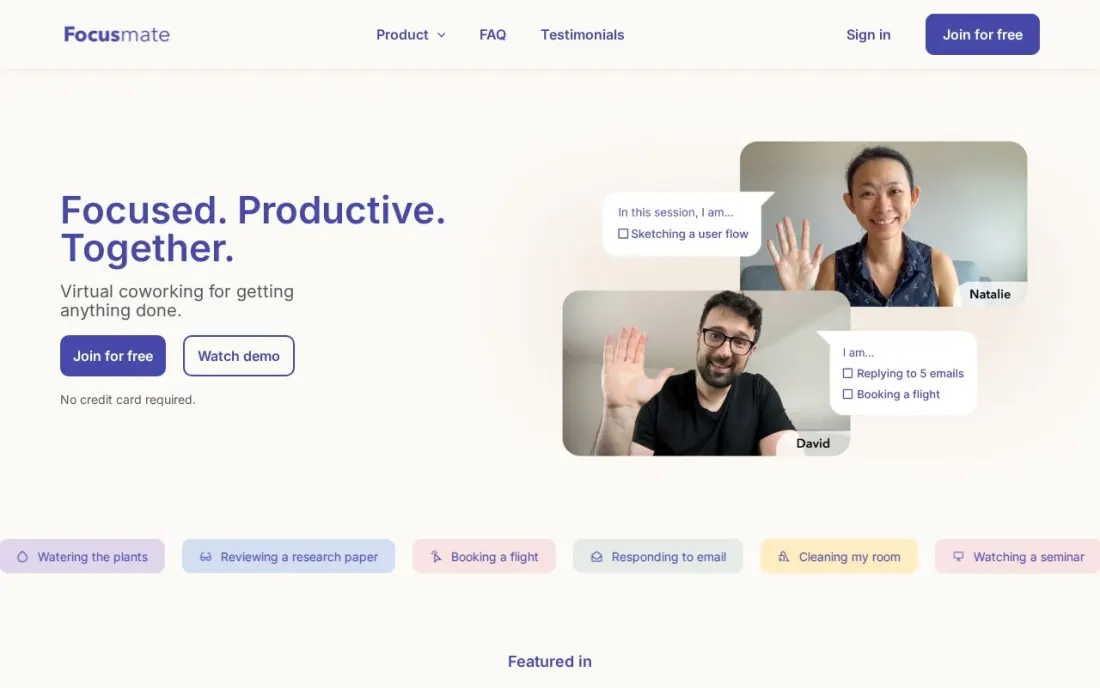
Focusmate does one thing that no planner can: it puts another person in the room. You book a live virtual coworking session and work alongside a partner who is doing their own task. This is body doubling, and for many people with ADHD the presence of someone else is what turns intention into starting, especially for jobs that have been put off for weeks.
The free plan gives 3 sessions a week with no credit card, which is enough to see whether it works for you. Plus costs $8 a month billed annually, or $12 billed monthly, for unlimited sessions. It holds no task list, so pair it with a planner such as Tiimo or TickTick.
What we like
- Live virtual coworking with another person, a form of body doubling
- Free plan includes 3 sessions a week with no credit card
- Plus gives unlimited sessions for $8 a month billed annually
Watch out for
- Sessions are with a stranger, which not everyone is comfortable with
- Three free sessions a week runs out quickly for daily use
- It helps you start and stay on task but does not plan or store your tasks

Forest
Best for: People whose focus breaks every time they pick up their phone

Forest turns staying off your phone into something you can lose. Start a focus session and a virtual tree begins to grow; switch to another app before it ends and the tree dies. The free Deep Focus mode goes further and blocks other apps during a session, and finished trees build a forest that shows how much focused time you have put in.
The core app is free with no credit card and no expiry. Forest Plus is a subscription whose price varies by region and platform, so check your app store, and Plus users can spend earned coins to plant up to five real trees through Trees for the Future. It solves phone distraction only, so it sits beside a planner, not instead of one.
What we like
- Free core app with no credit card and no expiry
- Each focus session grows a tree that dies if you leave the app
- Free Deep Focus blocks other apps during a session
- Plus users can plant up to 5 real trees through Trees for the Future
Watch out for
- Plus pricing is not published on the site and varies by region and platform
- Works only against phone distraction; it does nothing for tasks or planning
- The one-time Forest Pro purchase is no longer sold to new users

TickTick
Best for: People with ADHD who want tasks, calendar, habits and a Pomodoro timer in one cheap app
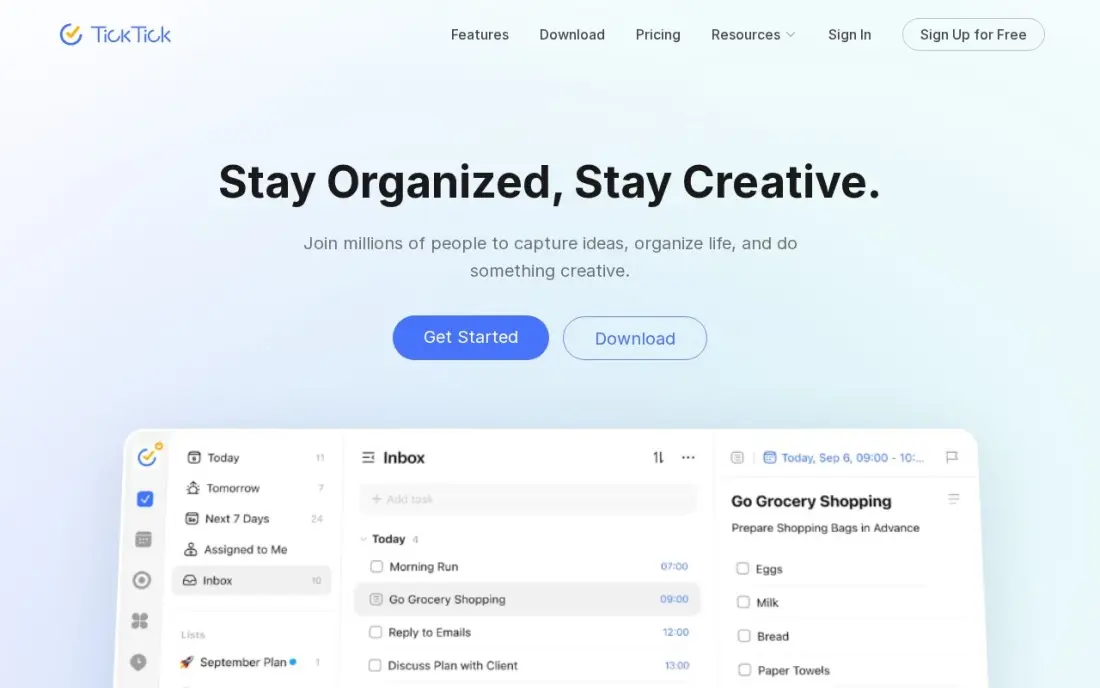
TickTick puts everything an ADHD brain otherwise spreads across five apps behind one icon: tasks, a real calendar, habit tracking, a Pomodoro timer and reminders, including location reminders that fire when you reach the shop. Fewer apps means fewer places for a task to get lost. The free plan covers 9 lists, and the 2026 update added AI voice task creation.
Premium costs $35.99 a year, or $3.99 a month, which makes it the cheapest full task-and-calendar plan here. The $35.99 is shown as a limited-time offer against a $49.99 list price, so check the renewal. There is no free trial of Premium and no family plan.
What we like
- One subscription covers tasks, calendar, habit tracking, Pomodoro timer and reminders
- Premium is $35.99 a year, the cheapest full task-plus-calendar plan here
- Two-way calendar sync, custom filters, smart lists and location reminders
- AI voice task creation and meeting transcription arrived in the 2026 update
Watch out for
- The $35.99 annual price is shown as a limited-time offer against a $49.99 list price — check the renewal price
- No free trial of Premium, so you pay before testing the paid features
- No team or family plan: each person needs their own subscription

Todoist
Best for: People with ADHD who need to capture a thought in seconds before it disappears
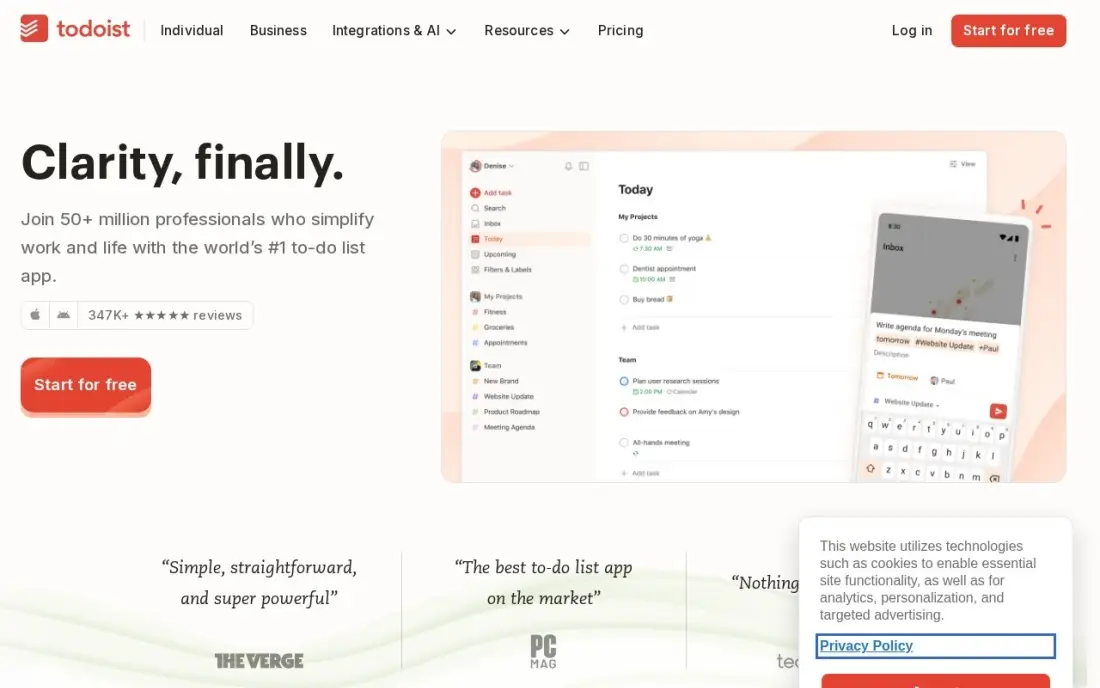
Todoist is the fastest place to dump a thought before it vanishes. Type 'pay the gas bill Friday 6pm' and natural-language entry turns it into a dated task with a reminder, with no menus to tap through, and it runs on every platform including web, Linux and Apple Watch. For a brain that loses ideas between the kitchen and the desk, speed of capture matters most.
The free Beginner plan stops at 5 projects and has no reminders, which is the feature an ADHD user needs most, so budget for Pro at $5 a month billed annually or $7 billed monthly. It has no built-in habit tracking or timer, so pair it with Forest or Focusmate.
What we like
- Natural-language entry turns 'call Sara tomorrow 9am' into a dated, reminded task
- Pro costs $5 a user a month billed annually, with 300 projects, filters and calendar layout
- Runs on every platform, including web, Linux and Apple Watch
- Rated 4.5/5 on G2 from 855 reviews
Watch out for
- Free plan stops at 5 projects and has no reminders — the feature most planners need
- No built-in calendar or habit tracking; the calendar layout is a view, not a planner
- AI Assistant and task duration sit on Pro, so the free plan is a capture box only

Sunsama
Best for: People with ADHD who over-plan and need a guided ritual that keeps the day realistic
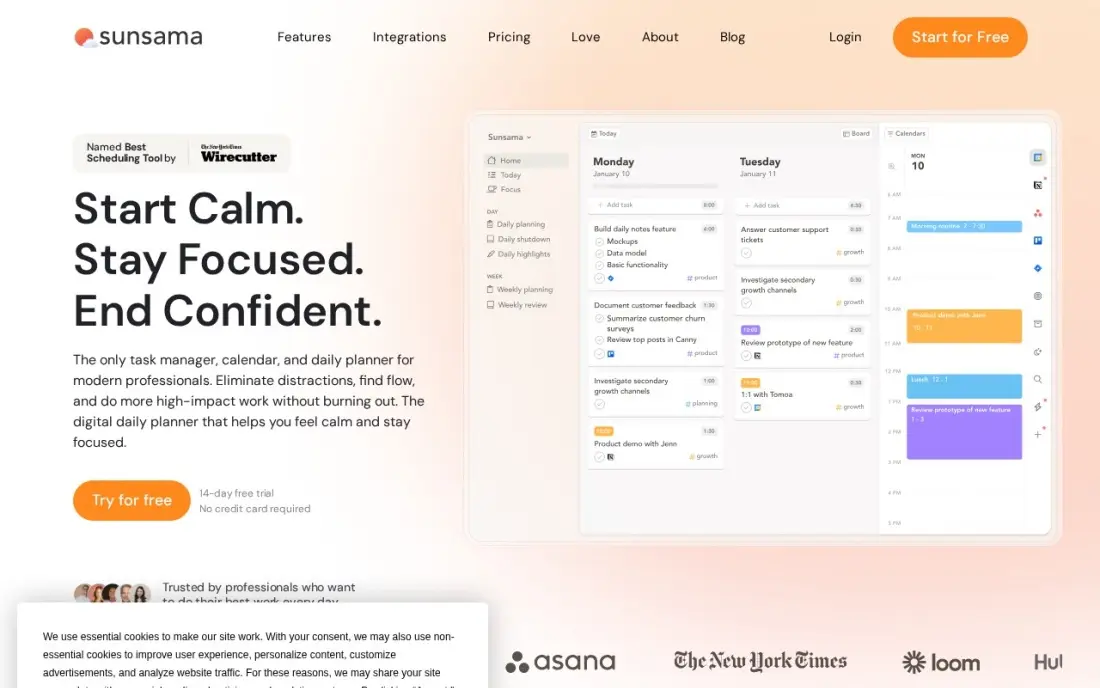
Sunsama solves the ADHD habit of writing a 30-item list for one day. Each morning a guided ritual pulls tasks from Asana, Trello, Todoist, Gmail and Slack, asks you to place the ones that matter on the calendar as time blocks, so the day has to fit the hours you actually have. Focus mode keeps one task on screen, and an end-of-day shutdown closes the loop.
It costs $22 a month, or $17 a month billed annually, and there is no free plan, only a 14-day trial; cancellation gives account credit, not a refund. The ritual takes ten minutes each morning, which suits people who will do it and frustrates those who skip it.
What we like
- A guided morning ritual turns the task list into a realistic, time-boxed day
- Pulls tasks from Asana, Trello, Todoist, Gmail and Slack into one plan
- Focus mode and an end-of-day shutdown ritual keep the plan honest
- One plan with everything included, so there are no tiers to compare
Watch out for
- No free plan, only a 14-day trial, and cancellation gives account credit, not a refund
- The vendor's own pricing page still shows older $25 and $20 figures in its FAQ
- Manual daily planning suits routine days better than fast-changing ones

Motion
Best for: People with ADHD who want AI to build and rebuild the day so they do not have to
Motion takes planning off your plate entirely. Its AI places your tasks around your meetings, and when something overruns it rebuilds the rest of the day automatically, so a missed hour does not wreck the plan. Calendar, tasks, projects, docs and meeting notes sit in one workspace, which suits someone whose executive function runs out before the planning is done.
It is the dearest app here. One person pays $49 a month, or $29 a month billed annually; the $19 shown first on the pricing page is the team annual rate. There is no free plan, only a 7-day trial that needs a card, and purchases are non-refundable, so test it hard during the trial.
What we like
- AI auto-schedules tasks around meetings and re-plans the day when things slip
- Calendar, tasks, projects, docs and meeting notes live in one workspace
- Booking links and a meeting notetaker come with the AI features
- Team Pro drops to $19 a seat a month billed annually, so teams pay far less per head
Watch out for
- One person pays $49 a month, not the $19 team rate the pricing page shows first
- No free plan, only a 7-day trial, and purchases are non-refundable
- AI credits cap at 7,500 a month on Pro, with extra credits charged on top
The best apps for ADHD help with the parts of the day that ordinary to-do lists ignore: seeing time, starting a task, staying on it and recovering when the plan falls apart. We compared eight apps across four jobs — visual planners, body doubling, focus timers and task managers — on how they help, what is free and the real cost. Every price below was checked on the vendor's own page or app store listing in November 2026.
How to choose the best apps for ADHD
- Name the problem first. Losing track of time calls for a visual planner; trouble starting calls for body doubling; phone distraction calls for a focus app; forgotten ideas call for fast capture.
- Prefer fewer apps. Every extra app is another place for a task to get lost; TickTick and Tiimo each cover several jobs at once.
- Make missed tasks painless. Structured and Motion reschedule what you missed, so a bad day does not leave a wall of overdue items.
- Test the free version for two weeks. Novelty helps any app for a few days; the one you still open in week three is the right one.
- Watch the subscription traps. Tiimo and Structured list several App Store prices, and Motion purchases are non-refundable.
- Keep capture fast. If adding a task takes more than a few seconds, the thought is gone before you finish.
- On a student budget, start free. Structured's timeline, Forest's focus sessions and Focusmate's 3 weekly sessions all cost nothing, and TickTick Premium at $35.99 a year is the cheapest full task-plus-calendar upgrade here.
If you run an ADHD coaching practice, a therapy clinic or a tutoring business and want local clients to find you, our local SEO service covers Google Maps visibility, and the free Google review link generator helps happy clients leave a review.
Apps for ADHD pricing: what you will actually pay
Take one person building a simple ADHD toolkit for a year. Forest's core app costs $0, Focusmate's free plan gives 3 sessions a week for $0, and Tiimo, Structured, TickTick and Todoist all have free versions. Upgrading the planner costs $35.99 a year on TickTick Premium or $60 on Todoist Pro billed annually. Focusmate Plus for unlimited sessions costs $96 a year billed annually, against $144 at $12 a month.
The guided planners cost more. Sunsama costs $204 a year billed annually, and Motion costs $348 a year at $29 a month billed annually, or $588 at $49 a month. Tiimo and Structured list several Pro prices on the App Store — Structured from $9.99 to $49.99 a year, or $99.99 for lifetime access — so check the price on the paywall before you subscribe. A free planner plus a free Focusmate account is a sensible first month.
Know the difference: planning apps vs focus apps
Planning apps such as Tiimo, Structured, TickTick, Todoist, Sunsama and Motion decide what you will do and when. They help with time blindness, forgotten tasks and over-commitment, and the best ones for ADHD show the day visually or rebuild it when things slip. They do nothing, though, at the moment you sit down and cannot start.
Focus apps such as Focusmate and Forest work at that moment. Focusmate adds another person, which helps with starting; Forest adds a small cost to picking up the phone, which helps with staying. Most people with ADHD get the most from one of each: a planner that holds the day and a focus app that gets the first task done.
Quick comparison: tool type by need
| Buyer | Best pick | Why |
|---|---|---|
| Visual planning for neurodivergent brains | Tiimo | Visual timeline, timers and AI checklists, free version |
| Drag-and-drop day timeline | Structured | Free timeline, Pro reschedules missed tasks |
| Trouble starting tasks | Focusmate | Body doubling, 3 free sessions a week |
| Phone distraction | Forest | Free focus timer that grows a tree |
| All-in-one on a budget | TickTick | Tasks, calendar, habits and Pomodoro, $35.99/year |
| Fast capture | Todoist | Natural-language entry, Pro $5/month yearly |
| Over-planners | Sunsama | Guided daily ritual, $17/month yearly |
| Hands-off planning | Motion | AI builds and rebuilds the day, $29/month yearly |
Mistakes to avoid
- Installing five apps at once. Each one becomes another inbox to forget; start with one planner and one focus tool.
- Paying for a year in week one. The excitement of a new app fades; use free versions until you are still using one after a month.
- Building a perfect system instead of doing the task. Setting up colours and tags can become the procrastination.
- Ignoring missed tasks. A list of overdue items breeds avoidance; use an app that reschedules or clear the list weekly.
- Treating an app as treatment. Apps support daily life; they do not replace a diagnosis, therapy or medication a clinician recommends.
Related comparisons: Workflow Automation Software · Whiteboard Software Tools · Tracker Apps · Tools for Remote Teams
How we chose
We read each vendor's own pricing page or app store listing in November 2026 and recorded prices exactly as shown, including where a vendor publishes no price or the App Store lists several. We grouped the apps by the ADHD problem they help with — seeing time, starting, staying focused and capturing tasks — and ranked them for the most common reader, an adult with ADHD organising work and home life. Ratings are left out because we could not verify review-site scores for most of these apps. This guide is not medical advice. No vendor paid for a place in this list, and none of the links here are affiliate links.
What to do next
Pick the one problem that costs you most each day and try the matching free app for two weeks: Tiimo for time, Focusmate for starting, Forest for the phone. Keep only what you still open at the end. If you run an ADHD coaching or therapy practice and want more local clients, book a free visibility check.
Frequently asked questions
What is the best app for ADHD?
Tiimo is the best all-round planner for ADHD, built for neurodivergent brains with visual timelines, timers and AI checklists, and it has a free version. Focusmate is best for starting tasks through body doubling, and TickTick is the best-value all-in-one at $35.99 a year.
Are there free ADHD apps?
Yes. Forest's core app is free, Focusmate gives 3 free sessions a week, and Tiimo, Structured, TickTick and Todoist all have free versions. Todoist's free plan has no reminders, so it works best as a capture box.
What is body doubling and which app does it?
Body doubling means working with another person present, which many people with ADHD find makes starting easier. Focusmate pairs you with a partner for live virtual coworking sessions. It is free for 3 sessions a week.
Should an ADHD planner be visual?
For many people, yes. Visual timelines such as Tiimo and Structured show the day as blocks you can see, which makes time and over-planning easier to judge than a long list. If lists work for you, TickTick or Todoist is cheaper.
How much do ADHD apps cost?
Focusmate Plus costs $8 a month billed annually, TickTick Premium $35.99 a year, Todoist Pro $5 a month billed annually, Sunsama $17 a month billed annually and Motion $29 a month billed annually. Tiimo and Structured list several Pro prices in the App Store, and Forest's core app is free.
Can an app replace ADHD treatment?
No. Apps help with planning, starting and staying on task, but they are not a diagnosis or treatment. If ADHD symptoms affect your work or life, talk to a doctor or psychologist, and use apps alongside the support they recommend.
What is the best app for ADHD time management?
Tiimo is the best pick when time slips away, because it shows the day as a visual timeline with visual timers and a focus timer that keeps the current task on screen. Structured is the cheaper alternative, with a free drag-and-drop timeline and Pro from $2.99/month that reschedules missed tasks. Motion goes furthest at $49/month, using AI to build and rebuild the day around meetings.
Which app helps with ADHD executive dysfunction?
For trouble starting, Focusmate is the strongest tool here: live body-doubling sessions with another person, with 3 free sessions a week and unlimited sessions on Plus at $8/month billed annually. For tasks that feel too big, Tiimo's AI planning breaks a task into step-by-step checklists and estimates how long it will take. Sunsama's guided morning ritual helps people who over-plan keep the day realistic.
What is the best ADHD app for task management?
TickTick is the best value, putting tasks, calendar, habit tracking, reminders and a Pomodoro timer in one app for $35.99 a year. Todoist is faster for capture, turning a typed phrase like 'call Sara tomorrow 9am' into a dated, reminded task, with Pro at $5 a month billed annually. Note that Todoist's free plan stops at 5 projects and has no reminders.
Sources we checked (10)
- Tiimo — www.tiimoapp.com/pricing (checked November 16, 2026)
- Structured — apps.apple.com/app/structured-daily-planner/id1499198946 (checked November 16, 2026)
- Focusmate — www.focusmate.com/pricing (checked November 16, 2026)
- Forest — www.forestapp.cc (checked November 16, 2026)
- TickTick — ticktick.com (checked November 12, 2026)
- TickTick reviews on G2 (checked November 12, 2026)
- Todoist — todoist.com/pricing (checked November 12, 2026)
- Todoist reviews on G2 (checked November 12, 2026)
- Sunsama — www.sunsama.com/pricing (checked November 10, 2026)
- Motion — www.usemotion.com/pricing (checked November 10, 2026)
Make one of these tools?
We re-check this list every quarter. Send a correction, request a review, or ask about a clearly labeled sponsored spot.
Request a listingShamim
Founder of SerpAstra
A full-stack digital marketer and SEO strategist covering technical and local SEO, AI search visibility, paid ads and lead generation for local businesses, e-commerce brands and SaaS teams.
Free SEO and AI visibility audit
Find out what is holding your rankings back
Send us your site. Within 2 business days you get a written audit, an AI visibility check and a short fix list ranked by impact. Free, with no contract attached.
Request my free audit→Related buying guides
 Productivity & Office8 Best Day Planner Apps in 2026, ComparedCompare the 8 best day planner apps for time-blocking, daily rituals and AI scheduling, on free plans, platforms and real yearly cost, with prices checked.Read guide →
 Productivity & OfficeBest Digital Planner Apps (2026): 12 Apps Worth DownloadingCompare the 12 best digital planner app options for iPad, Android and desktop on price, free plans and features, with every price checked November 12, 2026.Read guide →
 Productivity & Office12 Best Cross-Platform Calendar for 2026 (Pros, Cons and Pricing)Compare the 12 best cross-platform calendar apps for 2026, with real starting prices, free plans and sync across iOS, Android and the web checked.Read guide →