
8 Best Data Science Platforms in 2026, Compared
Compare the 8 best data science platforms on notebooks, AutoML, deployment, free editions and real cost, from Databricks to KNIME, with prices checked.
 Shamim Mia, Founder, SerpAstraLast verified November 2, 20269 min read
We compare pricing pages, documentation and public reviews. We never accept payment for rankings.
Key takeaways
- Databricks is the strongest platform for teams that want data engineering, warehousing and machine learning on one lakehouse, priced by consumption from $0.15 per DBU on Jobs Compute.
- KNIME is the best free start: the desktop Analytics Platform is open source, and paid Pro starts at €19 a month for scheduling and sharing.
- Dataiku, DataRobot and H2O.ai are quote-only enterprise platforms, but Dataiku and H2O.ai have free editions and DataRobot a 30-day trial, so you can test before talking price.
- Hex is the pick for analysts and data scientists who live in SQL and Python notebooks, at $36 per editor a month on Professional.
On this page
Quick comparison
| Tool | Best for | Starting price | Free plan |
|---|---|---|---|
| Databricks | Data teams that want engineering, warehousing and machine learning on one lakehouse | Custom quote | Yes (free plan) |
| Dataiku | Organizations that want analysts and data scientists building AI projects together | Custom quote | Yes (3 users) |
| Azure Machine Learning | Data science teams already on Azure and Microsoft 365 that want the full ML lifecycle in the cloud | Pay as you go | Yes ($200 credit) |
| DataRobot | Large enterprises that want governed AutoML, deployment and monitoring in one platform | Custom quote | No (30-day trial) |
| Hex | Analysts and data scientists who work in SQL and Python notebooks and share results as apps | $36/editor/mo | Yes (Community) |
| KNIME | Analysts and small teams who want a free, visual data science workbench | Free; Pro €19/mo | Yes (free desktop) |
| H2O.ai | Regulated teams that need machine learning on-premises, in a private cloud or air-gapped | Custom quote | Yes (open source) |
| RapidMiner | Analysts who want visual AutoML with a free edition for learning and small projects | Custom quote | Yes (free edition) |
Make one of these tools?
We re-check this list every quarter. Send a correction, request a review, or ask about a clearly labeled sponsored spot.
Request a listingThe best data science platforms

Databricks
Best for: Data teams that want engineering, warehousing and machine learning on one lakehouse
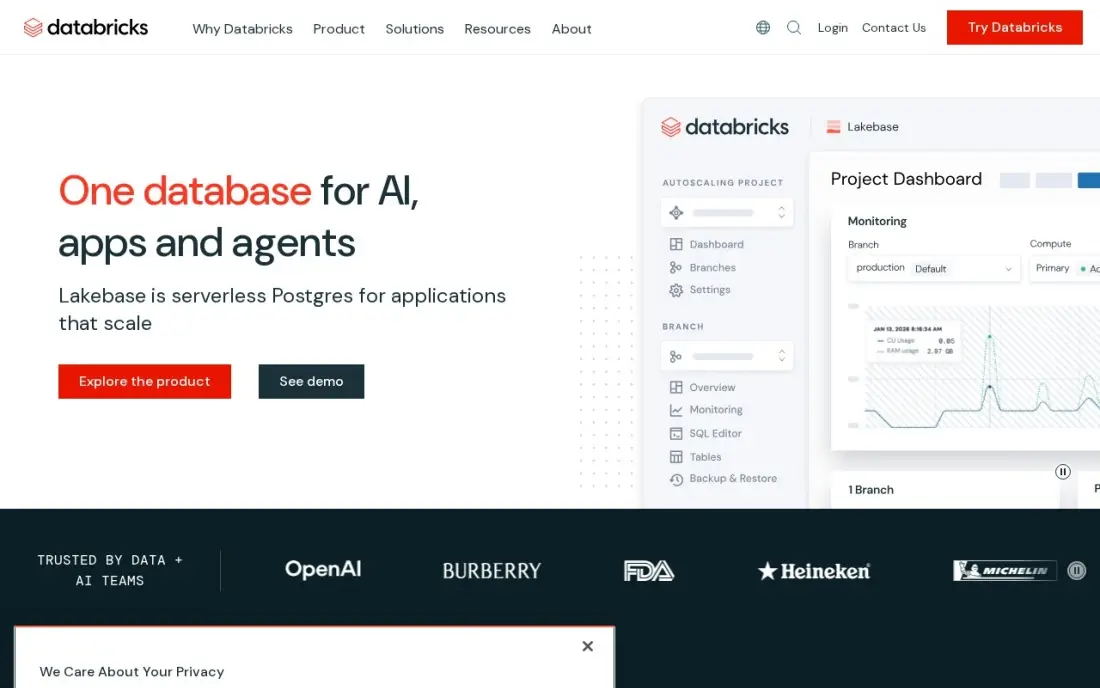
Databricks is the platform most data science teams end up evaluating first. Data engineering, warehousing and machine learning run on the same open formats, with Apache Spark underneath and Unity Catalog governing tables and models in one place. Data scientists work in notebooks on the same data engineers maintain, so features and training sets are not copied between systems.
Pricing is pure consumption: Jobs Compute starts at $0.15 per DBU on the Premium tier in AWS US East, interactive compute costs more, and on classic compute the cloud infrastructure is billed separately. The Free Edition covers learning and small experiments at $0. Budget for someone to watch costs, because idle clusters and large jobs add up quickly.
What we like
- One platform for warehousing, engineering and machine learning on open formats, with Apache Spark underneath
- Unity Catalog governs data and AI assets in one place, from tables to models
- Serverless compute removes cluster management, and the ecosystem spans ingestion to BI
- Free Edition covers learning and small experiments at $0
Watch out for
- Consumption pricing needs active cost management, or bills climb fast
- Classic compute bills cloud infrastructure separately, on top of the DBU rate
- Rewards Spark and Python skills; pure SQL teams face a learning curve

Dataiku
Best for: Organizations that want analysts and data scientists building AI projects together
Dataiku is built for organizations where analysts and data scientists need to work on the same projects. Its paid editions cover enterprise-wide collaboration, governance, operations and model deployment, and they can be hosted by Dataiku or on your own infrastructure. That makes it a common choice when a company wants one governed place to build and run AI projects across departments.
Dataiku publishes no prices for its paid editions, so every deal starts with a sales contact. You can still test it properly: the Free Edition installs on a Mac, Linux machine or virtual machine for up to 3 users, and a 14-day Dataiku Cloud trial covers up to 2 users. The Free Edition leaves out deployment, automation and governance.
What we like
- Free Edition installs on your own Mac, Linux machine or virtual machine for up to 3 users
- 14-day Dataiku Cloud trial is managed by Dataiku and ready in minutes
- Paid editions add enterprise-wide collaboration, governance, operations and model deployment
- Paid editions can be hosted by Dataiku or self-hosted
Watch out for
- No published prices for paid editions; every deal starts with a sales contact
- Free Edition leaves out deployment, automation and governance, and has limited data connectivity
- The cloud trial is capped at 2 users

Azure Machine Learning
Best for: Data science teams already on Azure and Microsoft 365 that want the full ML lifecycle in the cloud
Azure Machine Learning covers the whole lifecycle for teams on Microsoft's cloud: notebooks and code for data scientists, Automated ML and a drag-and-drop designer for less technical users, and pipelines with MLOps and responsible-AI tooling to move models into production. It connects closely with Power BI and Microsoft 365, which helps when results need to reach business users.
There is no platform fee; you pay only for the compute and storage you use, and a new Azure account comes with $200 in credit. That makes it cheap to start and hard to forecast, since an idle endpoint or a large GPU run can surprise you. Reviewers also cite a steep learning curve and a complex interface.
What we like
- No platform fee — the service itself is free, and you pay only for compute and storage used
- Automated ML plus a drag-and-drop designer, so both coders and non-coders can build models
- Enterprise MLOps, responsible-AI tooling and deep Power BI and Microsoft 365 integration
Watch out for
- Usage-based billing is hard to forecast — an idle endpoint or large training run can surprise you
- Reviewers cite a steep learning curve and a complex, hard-to-navigate interface
- Full value needs Azure skills; teams outside the Microsoft stack pay a learning tax

DataRobot
Best for: Large enterprises that want governed AutoML, deployment and monitoring in one platform
DataRobot is the enterprise AutoML platform in this list. It runs your data through hundreds of algorithms, ranks them on a leaderboard, and then deploys, monitors and governs the chosen model with audit trails that regulated teams need. Python and R SDKs sit beside a visual interface, so data scientists and business analysts can work on the same projects.
There is no public price, and enterprise agreements typically run to five or six figures a year. A 30-day free trial with full platform access lets a serious buyer test the workflow first, but trial limits and post-trial costs are not published. Reviewers call it hard to justify below enterprise scale, so small teams should start elsewhere.
What we like
- AutoML evaluates hundreds of algorithms and ranks them on a live leaderboard
- Full lifecycle in one place: build, deploy, monitor and govern models with audit trails
- Python and R SDKs plus a visual interface, so experts and business users share one platform
Watch out for
- No public pricing — enterprise agreements are typically five to six figures a year
- Overkill for small teams: reviewers call the cost prohibitive below enterprise scale
- Trial limits and post-trial costs are not published

Hex
Best for: Analysts and data scientists who work in SQL and Python notebooks and share results as apps
Hex is a collaborative notebook where SQL, Python and AI assistance live together. Magic AI writes and explains code, an agent can run whole workflows, and published apps turn an analysis into an interactive report that stakeholders explore without touching code. For a data science team whose output is analysis and decisions rather than deployed models, it is the most pleasant place to work.
Professional costs $36 per editor a month and the Community plan is free. Pricing is per editor, so five editors on Professional cost $180 a month before compute, and scheduled runs and alerts need the Team plan at $75 per editor a month. It is not an MLOps platform, so pair it with another tool for model deployment.
What we like
- Magic AI assists with SQL and Python inside notebooks, and the Hex agent runs full workflows
- Published apps turn analysis into interactive reports stakeholders can explore without code
- Threads give business users a conversational self-serve layer on governed data
Watch out for
- Per-editor pricing compounds fast — three Professional editors cost $108 a month before compute
- Scheduled runs and alerts need the Team plan ($75/editor/month), not Professional
- Casual business users face a learning curve; Hex rewards people comfortable with data

KNIME
Best for: Analysts and small teams who want a free, visual data science workbench
KNIME is the most capable free data science platform here. The open-source Analytics Platform runs on your desktop with more than 300 connectors, and you build visual workflows from drag-and-drop nodes covering data prep, modeling, scoring and deployment, with no code required. A single analyst can do serious predictive work without paying anything.
Free means local: performance depends on your own machine, and scheduling, sharing and data apps need a paid plan. Pro starts at €19 a month, the cheapest paid tier in this list, while Business Hub with governance and SSO is quote-only and runtime overages bill per vCore-minute. Visualization is weaker than in dedicated BI tools.
What we like
- Free, open-source Analytics Platform desktop with 300+ connectors and unlimited local execution
- Visual drag-and-drop workflows cover prep, modeling, scoring and deployment without code
- Pro adds scheduling, data apps and REST services from €19/month — the cheapest paid tier here
Watch out for
- Desktop performance depends on your own machine; large data sets can run slowly without a Hub plan
- Business Hub for governance and SSO is quote-only, and runtime overages bill per vCore-minute
- Visualization is weaker than the BI tools in this list

H2O.ai
Best for: Regulated teams that need machine learning on-premises, in a private cloud or air-gapped
H2O.ai pairs an open-source core with enterprise automation. The free H2O-3 library handles modeling for teams that can host it themselves, and Driverless AI automates feature engineering and model tuning for production work. It runs in a managed cloud, a private cloud, on-premises or fully air-gapped, which suits banks, insurers and public-sector teams with strict data rules.
Commercial licences are quoted annually on compute and memory, with no published prices, and reviewers note Driverless AI can be expensive for early adoption. The G2 review base is thin at 24 reviews. The open-source route still makes it easy to try: prototype on H2O-3, then talk to sales when a model needs production support.
What we like
- H2O-3 is open source and free — teams can prototype before ever talking to sales
- Driverless AI automates feature engineering and model tuning with strong iteration speed
- Runs managed cloud, private cloud, on-premises or fully air-gapped
Watch out for
- Commercial pricing is not published — annual licenses are quoted on compute and memory
- Only 24 G2 reviews, so the review base is thin next to the bigger names here
- Reviewers note Driverless AI can be expensive for early adoption

RapidMiner
Best for: Analysts who want visual AutoML with a free edition for learning and small projects
RapidMiner, now sold as Altair AI Studio under Siemens, is the friendliest AutoML tool here. Auto Model builds, compares and explains predictive models automatically, and the visual workflow designer lets experienced data scientists reuse R and Python code. It holds a 4.6 out of 5 rating on G2 from 533 reviews, with ease of setup the most praised point.
The free edition caps each process at 10,000 rows, enough for learning but not most production data. Paid tiers are quote-only, with third-party reports around $2,500 per user a year. The product has changed owners twice, so confirm current terms and roadmap directly before committing a team to it.
What we like
- Auto Model builds and compares models automatically, so non-specialists get predictions fast
- Visual workflow designer with R and Python code reuse for experienced data scientists
- Highest G2 rating here (4.6/5 from 533 reviews) with strong ease-of-setup scores
Watch out for
- No public price list — paid tiers are quote-only, with third-party reports around $2,500/user/year
- Ownership changed twice (Altair, then Siemens), so buyers should confirm current terms directly
- Free edition caps at 10,000 rows, which rules out most production data sets
The best data science platforms give one team a place to prepare data, build and test models, and put the useful ones into production without copying files between five tools. We compared eight platforms, from the Databricks lakehouse and enterprise AutoML to notebooks and free visual workbenches, on how they handle that whole path and what they cost. Every price below was checked on the vendor's own page in November 2026, and Dataiku's plans page was read on November 16, 2026.
How to choose the best data science platforms
- Start with your team's skills. Python and SQL teams get the most from Databricks and Hex; analysts who prefer visual tools are faster in KNIME, RapidMiner or DataRobot.
- Decide whether you deploy models. If models must run in production with monitoring, you need MLOps features from Databricks, Azure Machine Learning, Dataiku, DataRobot or H2O.ai, not just a notebook.
- Check where the data lives. A platform close to your warehouse or cloud avoids moving data, which matters for cost and security.
- Understand the pricing model. Consumption pricing (Databricks, Azure) needs cost monitoring; per-editor pricing (Hex) grows with headcount; quote-only platforms need a three-year total in writing.
- Look at governance early. Regulated teams need audit trails, access control and sometimes on-premises or air-gapped deployment, which narrows the list quickly.
- Use the free editions. Six of the eight platforms here have a free edition or free plan, so test with real data before any sales call.
Data science is only useful if the results reach the business. If your models feed marketing decisions, our monthly SEO service shows how search data fits into that picture, and our guide to the best predictive analytics tools covers lighter options for analysts.
Data science platforms pricing: what you will actually pay
Take a team of five data scientists. On Hex Professional they pay five times $36, or $180 a month and $2,160 a year, before compute, and scheduled runs need the Team plan at $75 per editor, or $375 a month. On KNIME, all five can use the free desktop platform, and Pro starts at €19 a month for shared scheduling and data apps.
On Databricks the bill depends on usage: Jobs Compute starts at $0.15 per DBU on the Premium tier, interactive compute costs more, and on classic compute the cloud provider bills infrastructure on top. Azure Machine Learning has no platform fee at all, so the cost is entirely the compute and storage used. Dataiku, DataRobot and H2O.ai publish no prices; DataRobot agreements typically run five to six figures a year, and third-party reports put RapidMiner's paid tiers around $2,500 per user a year.
Know the difference: notebook platforms vs end-to-end ML platforms
Notebook platforms such as Hex are built for exploration and communication. Data scientists write SQL and Python, test ideas, and share the result as an app or report. They are quick to adopt and priced per person, but they stop short of deploying, monitoring and retraining models in production.
End-to-end ML platforms such as Databricks, Azure Machine Learning, Dataiku, DataRobot and H2O.ai cover the whole lifecycle: data prep, training, deployment, monitoring and governance. They cost more and take longer to set up, but they are what a company needs once models drive real decisions every day. Many teams use a notebook tool for exploration alongside an end-to-end platform for production.
Quick comparison: tool type by need
| Buyer | Best pick | Why |
|---|---|---|
| Unified data and ML teams | Databricks | Lakehouse for engineering, warehousing and ML, from $0.15/DBU |
| Cross-department AI projects | Dataiku | Collaboration and governance, quote only, free for 3 users |
| Microsoft-stack teams | Azure Machine Learning | No platform fee, pay for compute used |
| Enterprise AutoML | DataRobot | Governed AutoML, deployment and monitoring, 30-day trial |
| Notebook-based analysis | Hex | SQL, Python and AI in one notebook, $36/editor/month |
| Free visual workbench | KNIME | Open-source desktop, Pro from €19/month |
| On-premises or air-gapped ML | H2O.ai | Open-source H2O-3 plus quoted enterprise licences |
| Visual AutoML for analysts | RapidMiner | Auto Model with a free edition up to 10,000 rows |
Mistakes to avoid
- Buying for the demo dataset. Every platform looks fast on a clean sample; test with your largest messy table and your real data sources.
- Ignoring compute costs. On consumption platforms, the licence is often the smaller part of the bill; set budgets and auto-shutdown from day one.
- Choosing a tool your team cannot use. A code-first platform will sit idle in a team of spreadsheet analysts, and a visual tool will frustrate Python developers.
- Skipping deployment planning. A model that never leaves a notebook has no business value; confirm how models go live before you buy.
- Signing an enterprise deal too early. Free editions and trials cover a lot; prove one real use case before committing to a multi-year contract.
Related comparisons: Data Engineering Tools · Data Lake Tools · Agentic Analytics Platform Data Analytics · Embedded Analytics Tools for Data Analytics
How we chose
We started from platforms already priced in our predictive analytics, big data and enterprise AI guides, rechecked each vendor's pricing page in November 2026, and researched Dataiku's plans page on November 16, 2026. We compared notebooks and coding support, AutoML, deployment and monitoring, governance, free editions and pricing model. Quote-only platforms are listed as custom quote, with third-party figures labelled as such. Ratings come from G2 pages checked on the dates shown in the sources. No vendor paid for a place in this list, and none of the links here are affiliate links.
What to do next
Pick one real business question, such as which customers are likely to churn, and run it end to end on two free editions from this list, one visual and one code-first. Compare how long it took to reach a usable model and how easily you could share it. If you want the results to drive growth from search as well, book a free strategy call.
Frequently asked questions
What is the best data science platform?
Databricks is the best overall data science platform for teams that want engineering, warehousing and machine learning in one place. KNIME is the best free option, Hex is best for notebook-based analysis, and Dataiku and DataRobot suit large organizations that need governed, collaborative AI work.
What is the best free platform for data science?
KNIME's open-source Analytics Platform is the most capable free option for one person. Dataiku's Free Edition covers up to 3 users on your own machine, H2O-3 is free open source, Hex has a free Community plan, Databricks has a Free Edition, and RapidMiner's free edition handles up to 10,000 rows.
How much do data science platforms cost?
Prices vary by model. Hex Professional costs $36 per editor a month and KNIME Pro starts at €19 a month. Databricks and Azure Machine Learning bill for the compute you use, and Dataiku, DataRobot and H2O.ai are quote-only, with DataRobot agreements typically running five or six figures a year.
What is the difference between a data science platform and a BI tool?
A BI tool reports on what happened with dashboards and charts. A data science platform prepares data, trains and tests predictive models and, in most cases, deploys and monitors them. Many teams use both, with model outputs feeding BI dashboards.
Do I need to code to use a data science platform?
Not always. KNIME, RapidMiner, DataRobot and Azure Machine Learning's designer let you build models visually or with AutoML. Databricks and Hex reward Python and SQL skills, though both add AI assistance for writing code.
Should a small team buy an enterprise data science platform?
Usually not at first. A small team can do serious work on KNIME, Hex or the free editions of Databricks and Dataiku, and move to a governed enterprise platform once several teams share models in production.
What is the best data science platform for beginners?
KNIME is the easiest free start: its Analytics Platform desktop is free and open source, and you build workflows visually instead of writing code. RapidMiner offers visual AutoML with a free edition for data sets up to 10,000 rows. Hex has a free Community plan for learning SQL and Python notebooks, and Dataiku's Free Edition covers up to 3 users if you can install it yourself.
What are some examples of data science platforms?
Lakehouse and cloud platforms include Databricks and Azure Machine Learning. Collaborative AI platforms include Dataiku, and DataRobot offers governed AutoML for large enterprises. Hex is a notebook platform for SQL and Python that shares results as apps. KNIME and RapidMiner are visual workbenches, and H2O.ai runs machine learning on-premises, in a private cloud or air-gapped, with its H2O-3 open source free to self-host.
Sources we checked (15)
- Databricks — www.databricks.com/pricing (checked November 6, 2026)
- Databricks reviews on G2 (checked November 6, 2026)
- Dataiku — www.dataiku.com/plans (checked November 16, 2026)
- Azure Machine Learning — azure.microsoft.com/en-us/pricing/details/machine-learning (checked November 2, 2026)
- Azure Machine Learning reviews on G2 (checked November 2, 2026)
- DataRobot — www.datarobot.com (checked November 2, 2026)
- DataRobot reviews on G2 (checked November 2, 2026)
- Hex — hex.tech/pricing (checked November 10, 2026)
- Hex reviews on G2 (checked November 10, 2026)
- KNIME — www.knime.com/knime-pro (checked November 2, 2026)
- KNIME reviews on G2 (checked November 2, 2026)
- H2O.ai — h2o.ai (checked November 2, 2026)
- H2O.ai reviews on G2 (checked November 2, 2026)
- RapidMiner — rapidminer.com (checked November 2, 2026)
- RapidMiner reviews on G2 (checked November 2, 2026)
Make one of these tools?
We re-check this list every quarter. Send a correction, request a review, or ask about a clearly labeled sponsored spot.
Request a listingShamim
Founder of SerpAstra
A full-stack digital marketer and SEO strategist covering technical and local SEO, AI search visibility, paid ads and lead generation for local businesses, e-commerce brands and SaaS teams.
Free SEO and AI visibility audit
Find out what is holding your rankings back
Send us your site. Within 2 business days you get a written audit, an AI visibility check and a short fix list ranked by impact. Free, with no contract attached.
Request my free audit→Related buying guides
 Data, Analytics & AI10 Best Predictive Analytics Tools in 2026 (Free and Paid, Compared)10 best predictive analytics tools compared with prices, free plans and AutoML depth — from free KNIME to enterprise DataRobot. Prices checked Nov 2, 2026.Read guide →
 Data, Analytics & AI8 Best Enterprise AI Platforms in 2026, ComparedCompare the 8 best enterprise AI platforms for building, deploying and governing AI models, with token rates, compute pricing and free tiers checked in 2026.Read guide →
 Data, Analytics & AI10 Best Big Data Analytics Software in 2026, ComparedCompare the 10 best big data analytics software platforms on price, free tiers and AI features, with every price checked on November 6, 2026.Read guide →